

.PIXIL Dateiendung
Pixilart-Projekt
| Entwickler | Pixilart |
| Beliebtheit |
3,5 | 23 Stimmen |
Was ist eine PIXIL-Datei?
Eine PIXIL-Datei ist ein mit Pixilart erstelltes Pixelgrafikprojekt, einer Online-Anwendung zum Erstellen von Kunstwerken mit pixeligem Erscheinungsbild, die Vektorgrafiken zeichnet. Sie enthält eine oder mehrere Zeichnungsebenen mit verschiedenen Anmerkungen und Effekten. PIXIL-Dateien speichern außerdem Einstellungen des Zeichenprojekts, etwa den Titel und die Beschreibung der Zeichnung, die Größe der Zeichenfläche sowie die Anzahl der Einzelbilder und deren Länge, wenn es sich bei dem Projekt um eine Animation handelt.
Weitere Informationen
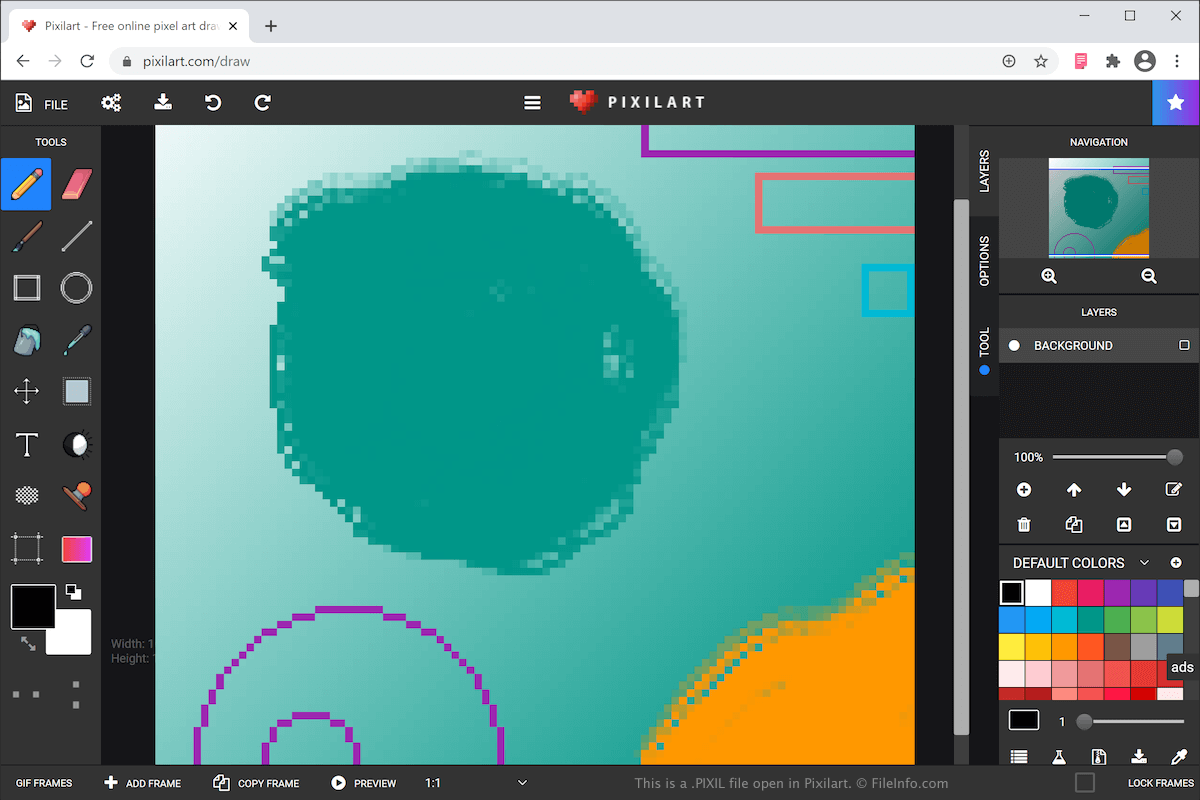
Mit Pixilart können Sie verschiedene Arten von Kunst erstellen, etwa Symbole, Spielfiguren und Animationen. Nachdem Sie Ihre Zeichnung fertiggestellt haben, können Sie sie mit anderen Benutzern in der Online-Community von Pixelart teilen und Objekte wie Tassen, Hemden und Handyhüllen mit dem Kunstwerk gestalten.
Das Pixil-Format ist das Hauptformat zum Speichern von Zeichnungen mit Pixilart. Wenn Sie Ihre Zeichnung als PIXIL-Datei speichern, können Sie sie schließen und später zur weiteren Bearbeitung erneut öffnen.
Um eine PIXIL-Datei zu erstellen und auf Ihrem Computer zu speichern, wählen Sie und geben Sie der Datei einen Namen. Ihr Webbrowser lädt die PIXIL-Datei anschließend herunter und speichert sie in Ihrem Download-Ordner. Die PIXIL-Datei trägt denselben Namen, den Sie ihr gerade gegeben haben.
Mit Pixilart können Sie Ihre Zeichnung außerdem als .PNG-Bild oder .GIF-Animation exportieren. Wählen Sie dazu , legen Sie Ihre Einstellungen und das Format fest und klicken Sie anschließend auf .
So öffnen Sie eine PIXIL-Datei
Sie können eine PIXIL-Datei mit Pixilart öffnen. Um eine auf Ihrem Computer gespeicherte PIXIL-Datei mit Pixilart zu öffnen, wählen Sie , navigieren Sie zur PIXIL-Datei auf Ihrem Computer und klicken Sie anschließend auf , um die Datei in die Pixilart-Webanwendung hochzuladen.