.PIXIL ファイル拡張子

Pixilart Project

開発元 Pixilart
人気度
3.4  |  22 
 

PIXILファイルとは?

A PIXIL file is a pixel art project created by Pixilart, an online vector-drawing application used to create artwork with a pixelated appearance. It contains one or more drawing layers with various annotations and effects. PIXIL files also store drawing project settings, such as the title and description of the drawing, the canvas size, and the number of frames, and their length in time if the project is an animation.

詳細情報

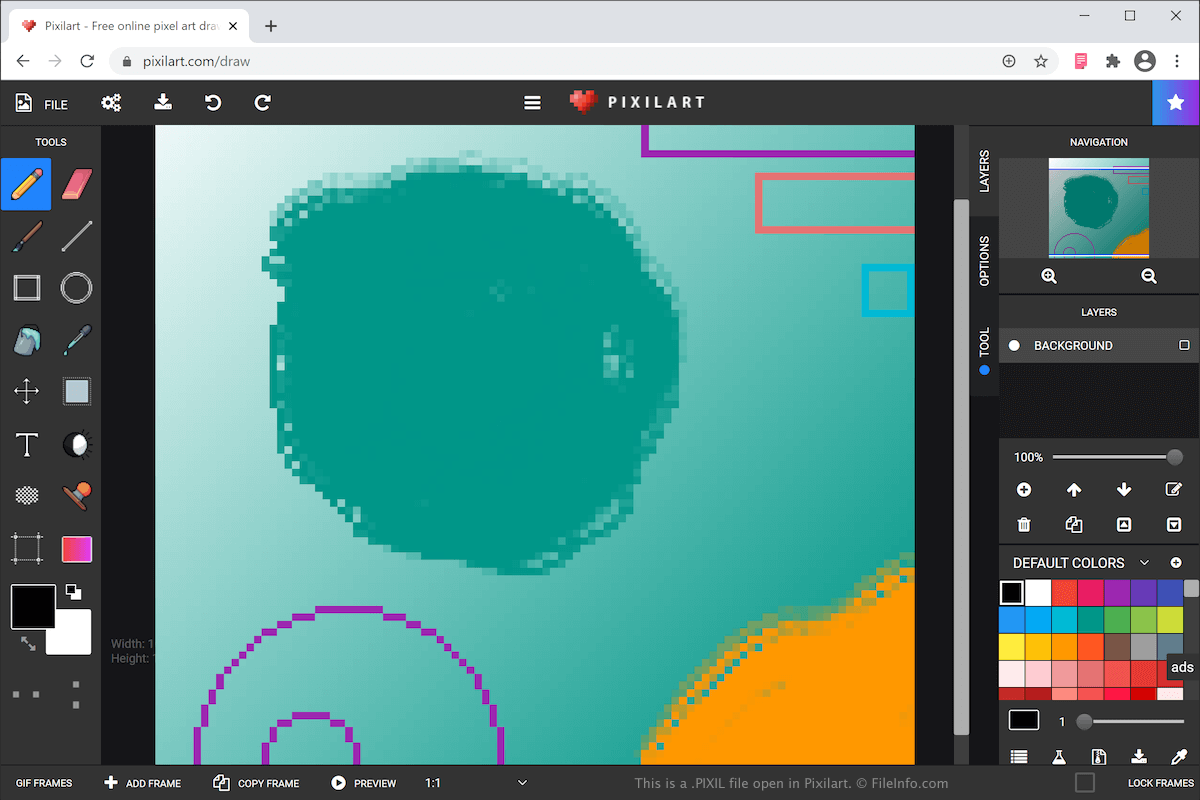
Pixilartで開いた.pixilファイルのスクリーンショット
Pixilartで開いたPIXILファイル

You can create various types of art with Pixilart, such as icons, gaming sprites, and animations. After completing your drawing, you can then share it with other users in the Pixelart online community, as well as customize objects, such as mugs, shirts, and phone cases with the artwork.

The Pixil format is the primary format used to save drawings with Pixilart. When you save your drawing as a PIXIL file, you can close it, then re-open it for further editing.

To create a PIXIL file and save it on your computer, select FILE → SAVE AS PIXIL and name the file. Your web browser will then download and save the PIXIL file in your downloads folder. The PIXIL file bears the same name as what you just named it.

Pixilart also allows you to export your drawing as a .PNG image or .GIF animation. To do this, select FILE → DOWNLOAD, choose your settings and format, then click SAVE DRAWING.

PIXILファイルの開き方

You can open a PIXIL file with Pixilart. To open a PIXIL file with Pixilart that has been saved on your computer, select FILE → OPEN PIXIL, navigate to the PIXIL file on your computer, then click Open to upload the file to the Pixilart web application.

File Viewer Plusで400種類以上のファイル形式を開けます。無料ダウンロード

PIXILファイルを開くプログラム

Web
無料

検証者 FileInfo.com

FileInfo.comチーム は、このページに掲載されているPixilart Projectファイル形式とアプリについて独自に調査しました。 私たちの目標は100%の正確性であり、検証済みのファイルタイプに関する情報のみを公開しています。

このページへの追加や更新をご提案いただける場合は、お知らせください。