.LXF 文件扩展名
LEGO Digital Designer Model File
| 开发者 | The LEGO Group |
| 受欢迎程度 |
4.2 | 120 票 |
什么是 LXF 文件?
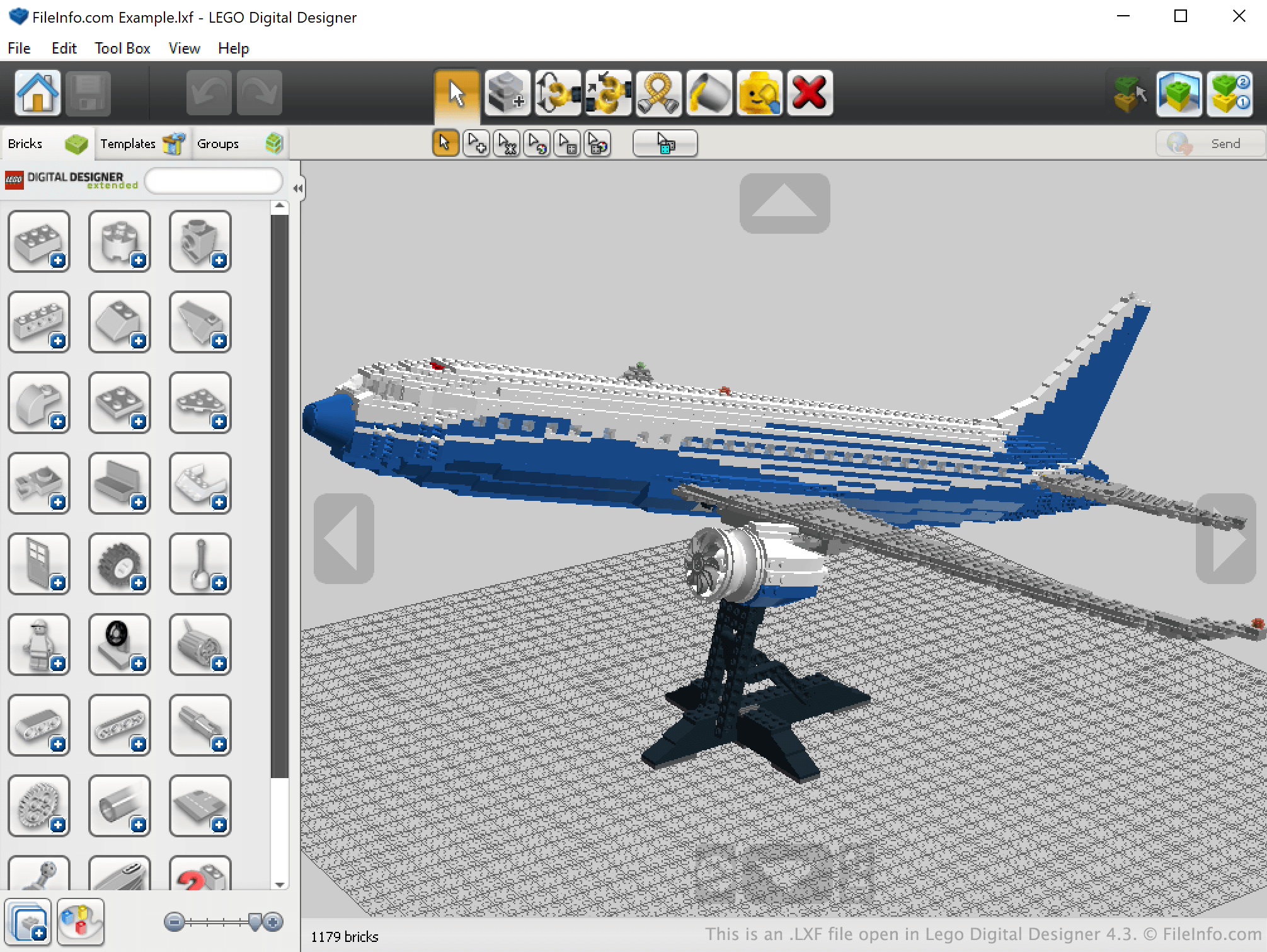
An LXF file is a 3D model created by LEGO Digital Designer (LDD), a program used to construct virtual LEGO models. It is saved in a compressed .ZIP format and contains two files: IMAGE100.PNG (a .PNG design preview) and IMAGE100.LXFML (an .LXFML design file, written in XML).
更多信息
LEGO Digital Designer is a Windows and macOS program that allows LEGO enthusiasts to construct and save virtual LEGO models. LDD also allows users to create building guides for their creations, making it easy to re-create virtual models in real life.
LDD saves LEGO models in LXF files. These files are archives that contain a PNG preview of the model they describe and an LXFML file that lists a model's name, what version of LEGO Digital Designer was used to create it, what bricks the model contains, and what positions those bricks are placed in. However, the bricks and positions listed in a model's LXFML file are not easily identifiable, so if you want to see how a model is constructed, you are best off opening the model's LXF file in LEGO Digital Designer.
注: Old LXF archives included MODEL100.MODEL files.
如何打开 LXF 文件
You can open an LXF file in LEGO Digital Designer (Windows, Mac). To do so, open LEGO Digital Designer and select File → Open from the program's menu bar. Then, navigate to and open your LXF file.
How do I create a building guide for my LXF file?
To create a building guide for an LXF file, open the file in LEGO Digital Designer and then select View → Building guide mode from the program's menu bar. This will create a building guide you can view in LEGO Digital Designer. While in building guide mode, you can select Tool Box → Generate HTML building guide to create an .HTML building guide that you can open and view in any web browser.
可打开 LXF 文件的程序
LEN Exchange Format File
| 开发者 | 不适用 |
| 受欢迎程度 |
2.7 | 12 票 |
File created in the LEN Exchange Format (LEN), a format used for exchanging swimming data (also referred to as the "Lenex" format); contains swimming event data that allows competition organization and record keeping; helps to facilitate the exchange of data between race organizers, swimming clubs, and associations.
更多信息
可打开 LXF 文件的程序
Harris/Leitch Video File
| 开发者 | Harris Corporation |
| 受欢迎程度 |
2.2 | 5 票 |
An LXF file contains standard or high definition MPEG-2 video wrapped in the proprietary Leitch Native Stream Format (LXF) used by Harris Nexio media servers. It is commonly used to store a television show that is made available to a network via the Harris Nexio media server.
更多信息
You will most likely only encounter LXF files if you work in the broadcasting industry and utilize the Harris Nexio media server to make videos available over some type of network. You may also receive an LXF video file that was stored on a Harris Nexio media server but you are now looking to play it on a different platform.
如何打开 LXF 文件
Since LXF files are saved in an uncommon proprietary format, few players are available that support the format.
However, you can convert LXF video to another more common format with the cross-platform FFmpeg utility. Keep in mind that FFmpeg is a program with a command-line interface that may be difficult to use depending on your computer literacy. Also, there may be a substantial loss of video quality after converting it to a different format.