.LXF 파일 확장자

LEGO Digital Designer Model File

개발사 The LEGO Group
인기도
4.2  |  120 투표
 

LXF 파일이란 무엇인가요?

An LXF file is a 3D model created by LEGO Digital Designer (LDD), a program used to construct virtual LEGO models. It is saved in a compressed .ZIP format and contains two files: IMAGE100.PNG (a .PNG design preview) and IMAGE100.LXFML (an .LXFML design file, written in XML).

추가 정보

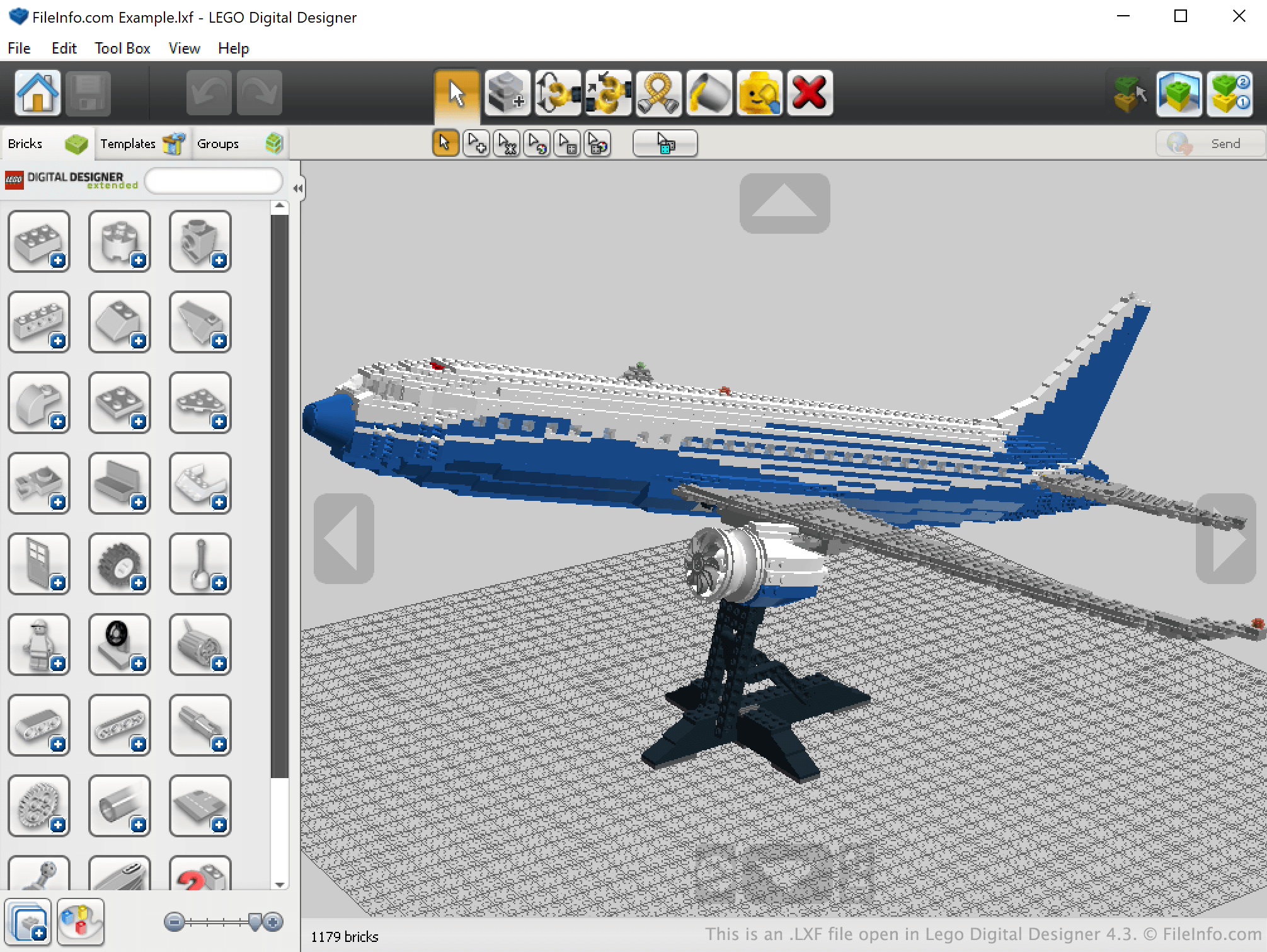
Lego Digital Designer 4.3에서 열린 .lxf 파일의 스크린샷
Lego Digital Designer 4.3에서 열린 LXF 파일

LEGO Digital Designer is a Windows and macOS program that allows LEGO enthusiasts to construct and save virtual LEGO models. LDD also allows users to create building guides for their creations, making it easy to re-create virtual models in real life.

LDD saves LEGO models in LXF files. These files are archives that contain a PNG preview of the model they describe and an LXFML file that lists a model's name, what version of LEGO Digital Designer was used to create it, what bricks the model contains, and what positions those bricks are placed in. However, the bricks and positions listed in a model's LXFML file are not easily identifiable, so if you want to see how a model is constructed, you are best off opening the model's LXF file in LEGO Digital Designer.

참고: Old LXF archives included MODEL100.MODEL files.

LXF 파일을 여는 방법

You can open an LXF file in LEGO Digital Designer (Windows, Mac). To do so, open LEGO Digital Designer and select File → Open from the program's menu bar. Then, navigate to and open your LXF file.

How do I create a building guide for my LXF file?

To create a building guide for an LXF file, open the file in LEGO Digital Designer and then select View → Building guide mode from the program's menu bar. This will create a building guide you can view in LEGO Digital Designer. While in building guide mode, you can select Tool Box → Generate HTML building guide to create an .HTML building guide that you can open and view in any web browser.

File Viewer Plus(으)로 400개 이상의 파일 형식을 여세요.무료 다운로드

LXF 파일을 여는 프로그램

Windows
Linux

LEN Exchange Format File

개발사 해당 없음
인기도
2.7  |  12 투표
 

File created in the LEN Exchange Format (LEN), a format used for exchanging swimming data (also referred to as the "Lenex" format); contains swimming event data that allows competition organization and record keeping; helps to facilitate the exchange of data between race organizers, swimming clubs, and associations.

추가 정보

LXF files are actually .ZIP files that contain a compressed .LEF file. An LEF file stores the actual swimming exchange data in an XML format. If you want to view the raw data, you should decompress the LXF file and then open the LEF file with a text or XML viewer.

LXF 파일을 여는 프로그램

Windows
무료
무료 체험판
카테고리: 데이터
업데이트: 2016-10-28

Harris/Leitch Video File

개발사 Harris Corporation
인기도
2.2  |  5 투표
 
🔍File Helper(으)로 .LXF 파일을 웹 브라우저에서 바로 여세요.온라인으로 보기

An LXF file contains standard or high definition MPEG-2 video wrapped in the proprietary Leitch Native Stream Format (LXF) used by Harris Nexio media servers. It is commonly used to store a television show that is made available to a network via the Harris Nexio media server.

추가 정보

You will most likely only encounter LXF files if you work in the broadcasting industry and utilize the Harris Nexio media server to make videos available over some type of network. You may also receive an LXF video file that was stored on a Harris Nexio media server but you are now looking to play it on a different platform.

LXF 파일을 여는 방법

Since LXF files are saved in an uncommon proprietary format, few players are available that support the format.

However, you can convert LXF video to another more common format with the cross-platform FFmpeg utility. Keep in mind that FFmpeg is a program with a command-line interface that may be difficult to use depending on your computer literacy. Also, there may be a substantial loss of video quality after converting it to a different format.

LXF 파일을 여는 프로그램

Windows
Mac
무료
Linux
무료
Web
카테고리: 비디오
업데이트: 2020-08-28

검증자 FileInfo.com

FileInfo.com 팀 이 페이지에 나열된 모든 파일 형식과 소프트웨어 프로그램을 독자적으로 조사했습니다. 저희의 목표는 100% 정확성이며, 검증한 파일 유형에 대한 정보만 게시합니다.

이 페이지에 추가하거나 업데이트할 내용을 제안하고 싶으시면 알려 주세요.