.GTXML 文件扩展名

GT Designer Zip File

开发者 StudioCoast
受欢迎程度
4.0  |  3 
 

什么是 GTXML 文件?

A GTXML file is a title file created by StudioCoast GT Designer Advanced, a program used to create titles and lower-third templates for vMix live production and streaming software. It stores a title or lower-third graphic overlay consisting of one or more layers and may include text and graphics, text properties, and animation information. GTXML files are saved in plain text in the XML standard.

更多信息

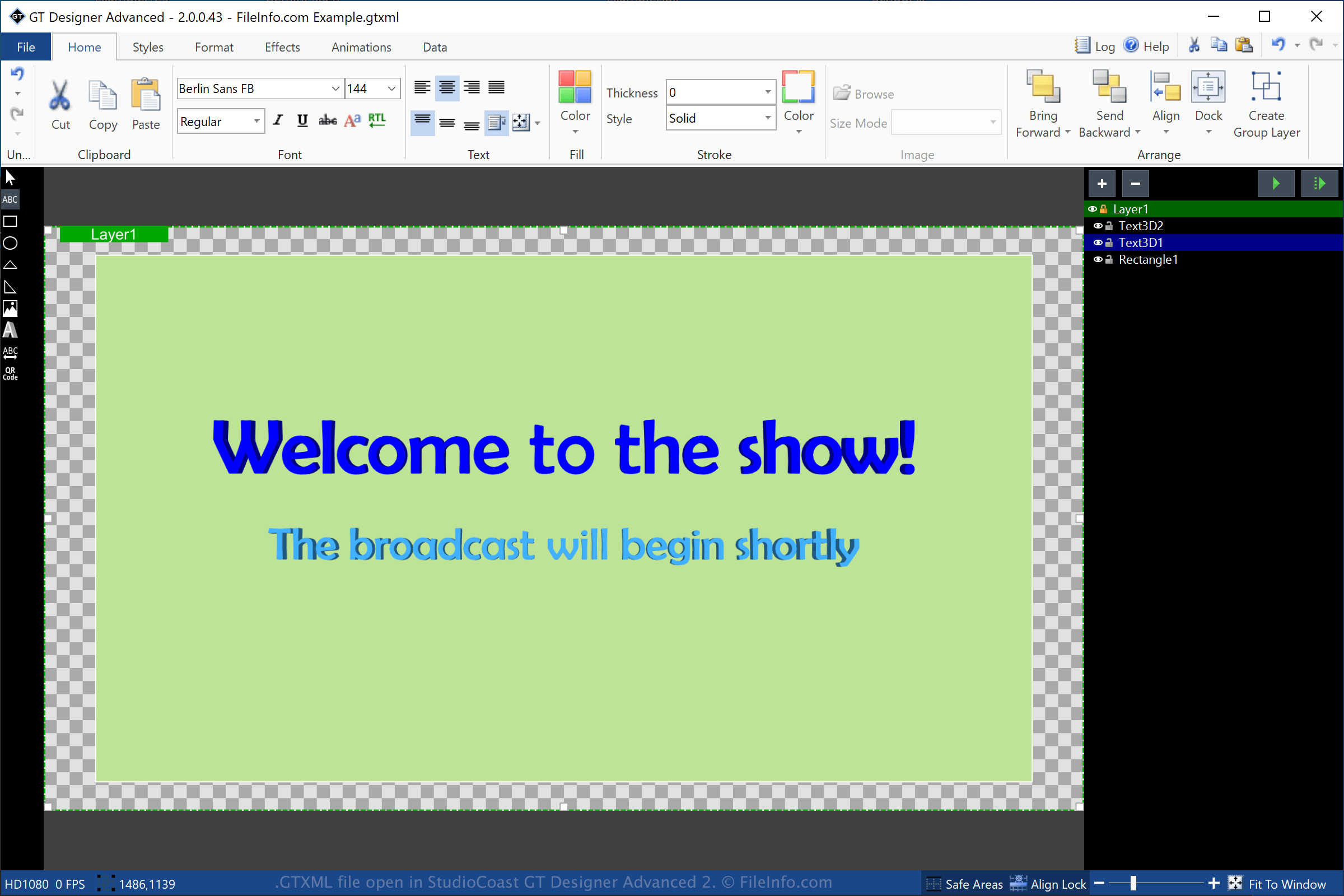
在 StudioCoast GT Designer Advanced 2 中打开的 .gtxml 文件截图
在 StudioCoast GT Designer Advanced 2 中打开的 GTXML 文件

GT Designer Advanced is a utility bundled with StudioCoast vMix. You can create titles and lower-third graphics with GT Designer Advanced, then import them into vMix to be displayed during a production, such as a streamed demonstration, sporting event, newscast, or sermon.

To create a GTXML file with GT Designer, select File → Save As and choose "GT XML" from the format dropdown menu. After saving the title, GT Designer creates a GTXML file to store the title or lower-third graphic information. The GTXML file is a working file, which means you can close the file, re-open it, then continue modifying the title or lower-third graphic.

You can also save a title or lower-third graphic created by GT Designer as a .GTZIP file, which stores its information in a Zip-compressed package. GTZIP files store all of the information that makes up the title or graphic, which includes imported images. GTXML files only store references to images imported in the title or graphic, which means they are typically smaller in size than GTZIP files. However, if you need to share your title or graphic with other GT Designer users you should save it as a GTZIP file since all of the assets included are saved in the file.

如何打开 GTXML 文件

You can open GTXML files with StudioCoast GT Designer (included with the vMix download) in Windows. You can also edit the file with GT Designer. To open a GTXML file with GT Designer, select File → Open.

You can also open a GTXML file with StudioCoast vMix in Windows. To open a GTXML file with vMix, select Add Input → Title, click Browse, then choose the GTXML file you would like to open.

注: Since GTXML files are saved in plain text you can open them with a text editor, such as Microsoft Notepad (Windows) or Apple TextEdit (macOS).

使用File Viewer Plus打开 400 多种文件格式。免费下载

可打开 GTXML 文件的程序

Windows
免费试用
分类: 数据
更新时间: 2021-10-07

验证者 FileInfo.com

FileInfo.com 团队 独立研究了本页面列出的 GT Designer Zip 文件格式和 Windows 应用。 我们的目标是达到 100% 的准确率,并且仅发布我们已验证过的文件类型信息。

如果您想为此页面提出新增或更新建议,请告诉我们