

.GTXML 파일 확장자
GT Designer ZIP 파일
| 개발사 | StudioCoast |
| 인기도 |
4.0 | 3 표 |
GTXML 파일이란 무엇인가요?
GTXML 파일은 라이브 제작 및 스트리밍 소프트웨어인 vMix에서 사용할 타이틀과 하단 자막 템플릿을 만드는 데 사용되는 프로그램인 StudioCoast GT Designer Advanced가 만든 타이틀 파일입니다. 하나 이상의 레이어로 구성된 타이틀 또는 하단 자막 그래픽 오버레이를 저장하며, 텍스트와 그래픽, 텍스트 속성 및 애니메이션 정보가 포함될 수 있습니다. GTXML 파일은 일반 텍스트로 XML 표준에 저장됩니다.
추가 정보
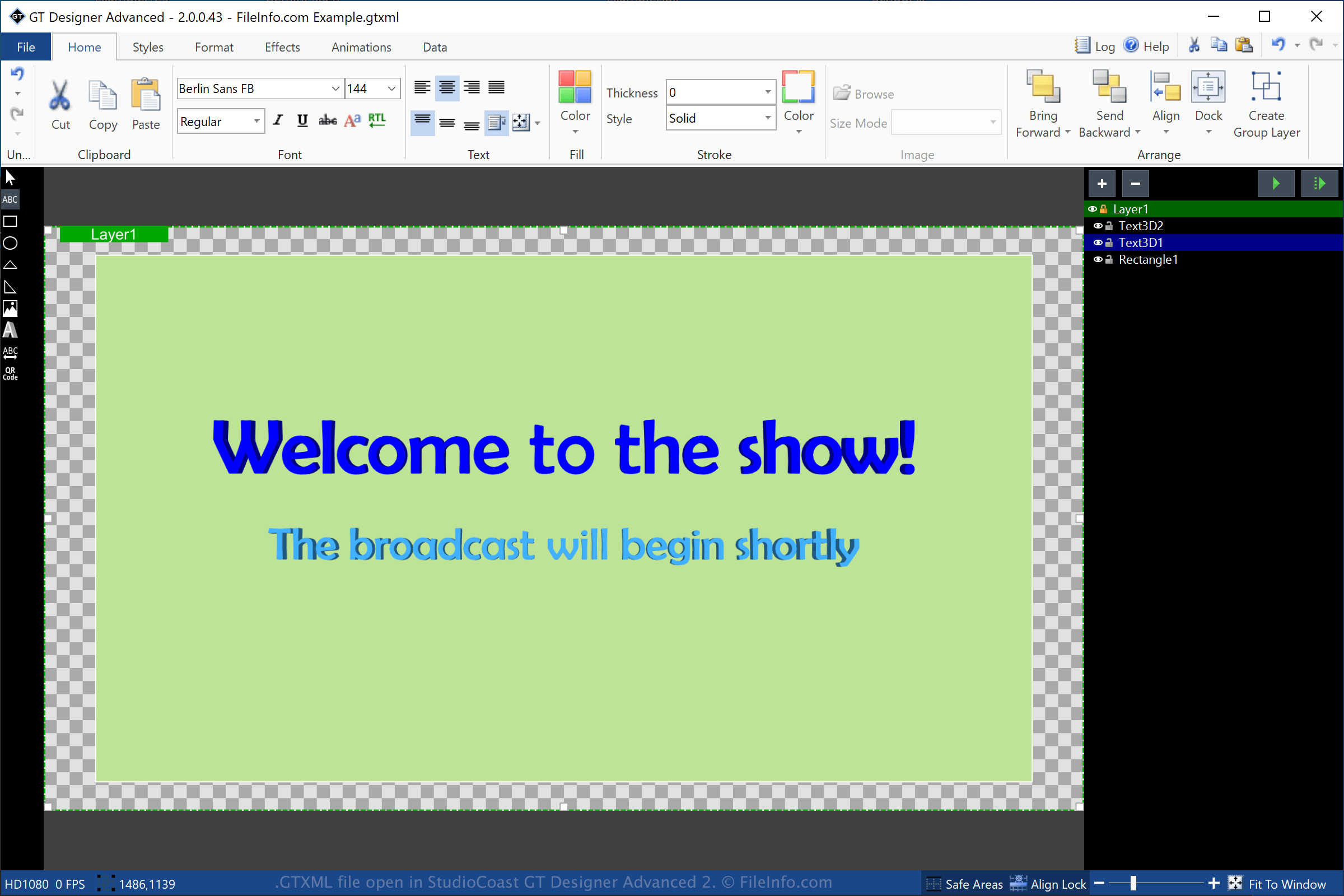
GT Designer Advanced는 StudioCoast vMix에 포함된 유틸리티입니다. GT Designer Advanced로 타이틀과 하단 자막 그래픽을 만든 다음, 스트리밍 시연, 스포츠 경기, 뉴스 방송 또는 설교와 같은 제작 중에 표시되도록 vMix로 가져올 수 있습니다.
GT Designer로 GTXML 파일을 만들려면 를 선택하고 형식 드롭다운 메뉴에서 "GT XML"을 선택합니다. 타이틀을 저장하면 GT Designer는 타이틀 또는 하단 자막 그래픽 정보를 저장할 GTXML 파일을 만듭니다. GTXML 파일은 작업 파일이므로 파일을 닫았다가 다시 열어 타이틀 또는 하단 자막 그래픽을 계속 수정할 수 있습니다.
GT Designer로 만든 타이틀 또는 하단 자막 그래픽을 .GTZIP 파일로 저장할 수도 있습니다. 이 파일은 해당 정보를 Zip 압축 패키지에 저장합니다. GTZIP 파일은 타이틀 또는 그래픽을 구성하는 모든 정보를 저장하며, 여기에는 가져온 이미지도 포함됩니다. GTXML 파일은 타이틀 또는 그래픽에 가져온 이미지에 대한 참조만 저장하므로 일반적으로 GTZIP 파일보다 크기가 작습니다. 그러나 타이틀 또는 그래픽을 다른 GT Designer 사용자와 공유해야 하는 경우에는 포함된 모든 자산이 파일에 저장되므로 GTZIP 파일로 저장해야 합니다.
GTXML 파일을 여는 방법
Windows에서는 vMix 다운로드에 포함된 StudioCoast GT Designer로 GTXML 파일을 열 수 있습니다. GT Designer로 파일을 편집할 수도 있습니다. GT Designer로 GTXML 파일을 열려면 을 선택합니다.
Windows에서는 StudioCoast vMix로도 GTXML 파일을 열 수 있습니다. vMix로 GTXML 파일을 열려면 을 선택하고 를 클릭한 다음 열려는 GTXML 파일을 선택합니다.
참고: GTXML 파일은 일반 텍스트로 저장되므로 Microsoft Notepad(Windows) 또는 Apple TextEdit(macOS)와 같은 텍스트 편집기로 열 수 있습니다.