

.GTXML Bestandsextensie
GT Designer ZIP-bestand
| Ontwikkelaar | StudioCoast |
| Populariteit |
4,0 | 3 stemmen |
Wat is een GTXML-bestand?
Een GTXML-bestand is een titelbestand dat is gemaakt door StudioCoast GT Designer Advanced, een programma waarmee je titels en lower-third-sjablonen maakt voor vMix-software voor liveproductie en streaming. Het bevat een titel of grafische overlay voor een lower third, bestaande uit een of meer lagen, en kan tekst en afbeeldingen, teksteigenschappen en animatiegegevens bevatten. GTXML-bestanden worden in platte tekst opgeslagen volgens de XML-standaard.
Meer informatie
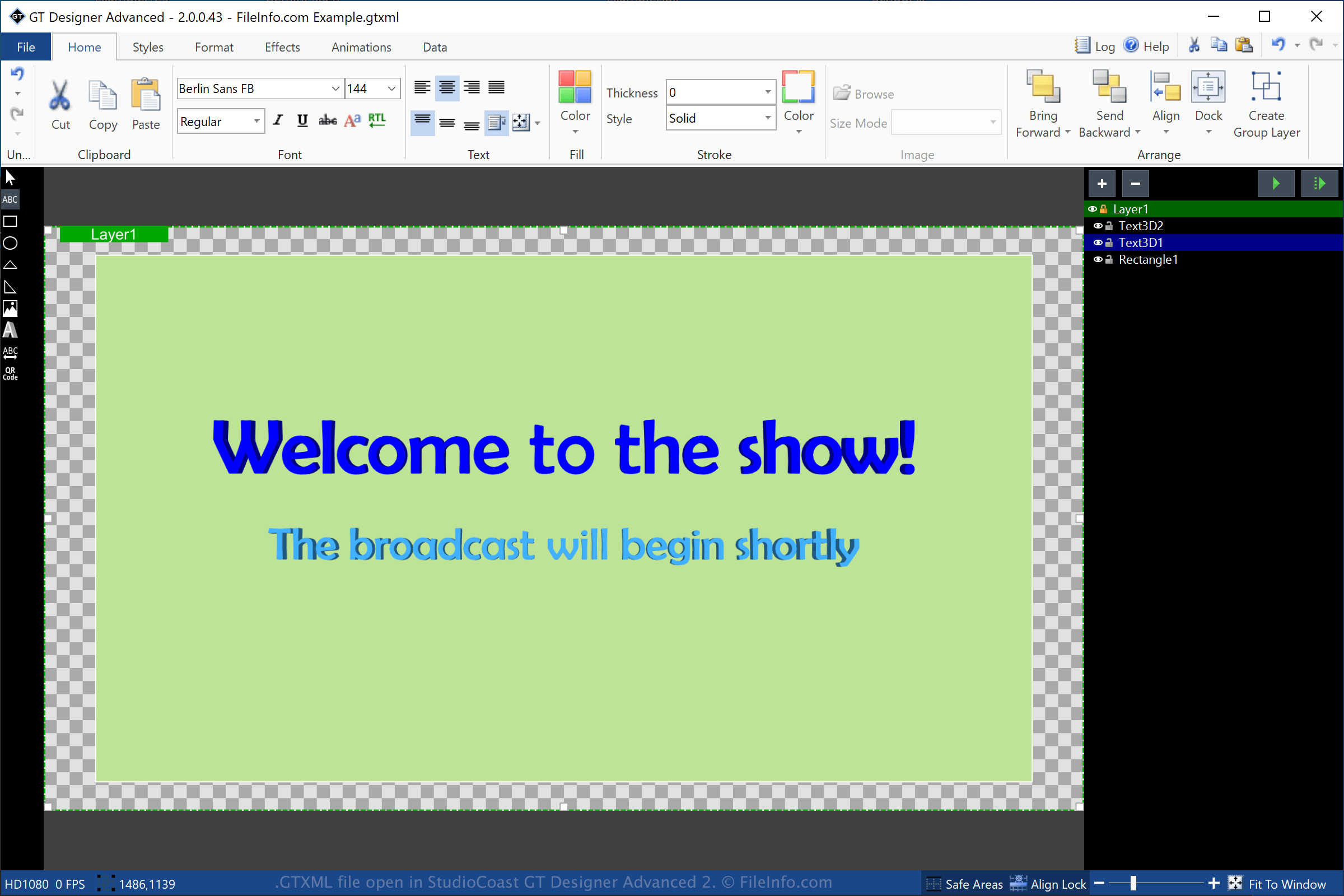
GT Designer Advanced is een hulpprogramma dat wordt meegeleverd met StudioCoast vMix. Je kunt met GT Designer Advanced titels en lower-third-afbeeldingen maken en deze vervolgens in vMix importeren om ze tijdens een productie weer te geven, zoals een gestreamde demonstratie, sportevenement, nieuwsuitzending of kerkdienst.
Als je een GTXML-bestand wilt maken met GT Designer, selecteer je en kies je "GT XML" in het keuzemenu voor de bestandsindeling. Nadat je de titel hebt opgeslagen, maakt GT Designer een GTXML-bestand om de gegevens van de titel of lower-third-afbeelding op te slaan. Het GTXML-bestand is een werkbestand. Dat betekent dat je het bestand kunt sluiten, opnieuw kunt openen en daarna verder kunt gaan met het wijzigen van de titel of lower-third-afbeelding.
Je kunt een titel of lower-third-afbeelding die je met GT Designer hebt gemaakt ook opslaan als een .GTZIP-bestand. Dit bestand slaat de gegevens op in een met Zip gecomprimeerd pakket. GTZIP-bestanden bevatten alle informatie waaruit de titel of afbeelding bestaat, waaronder geïmporteerde afbeeldingen. GTXML-bestanden bevatten alleen verwijzingen naar afbeeldingen die in de titel of afbeelding zijn geïmporteerd. Daarom zijn ze meestal kleiner dan GTZIP-bestanden. Als je je titel of afbeelding echter met andere GT Designer-gebruikers wilt delen, moet je deze opslaan als een GTZIP-bestand, omdat alle opgenomen onderdelen in het bestand worden opgeslagen.
Een GTXML-bestand openen
Je kunt GTXML-bestanden in Windows openen met StudioCoast GT Designer (meegeleverd met de vMix-download). Je kunt het bestand ook bewerken met GT Designer. Als je een GTXML-bestand wilt openen met GT Designer, selecteer je .
Je kunt een GTXML-bestand in Windows ook openen met StudioCoast vMix. Als je een GTXML-bestand wilt openen met vMix, selecteer je , klik je op en kies je vervolgens het GTXML-bestand dat je wilt openen.
OPMERKING: Omdat GTXML-bestanden in platte tekst worden opgeslagen, kun je ze openen met een teksteditor, zoals Microsoft Notepad (Windows) of Apple TextEdit (macOS).