

.GTXML Dateiendung
GT-Designer-ZIP-Datei
| Entwickler | StudioCoast |
| Beliebtheit |
4,0 | 3 Stimmen |
Was ist eine GTXML-Datei?
Eine GTXML-Datei ist eine Titeld atei, die von StudioCoast GT Designer Advanced erstellt wird, einem Programm zum Erstellen von Titeln und Lower-Third-Vorlagen für die Live-Produktions- und Streaming-Software vMix. Sie speichert eine Titel- oder Lower-Third-Grafiküberlagerung, die aus einer oder mehreren Ebenen besteht, und kann Text und Grafiken, Texteigenschaften sowie Animationsinformationen enthalten. GTXML-Dateien werden im Klartext nach dem XML-Standard gespeichert.
Weitere Informationen
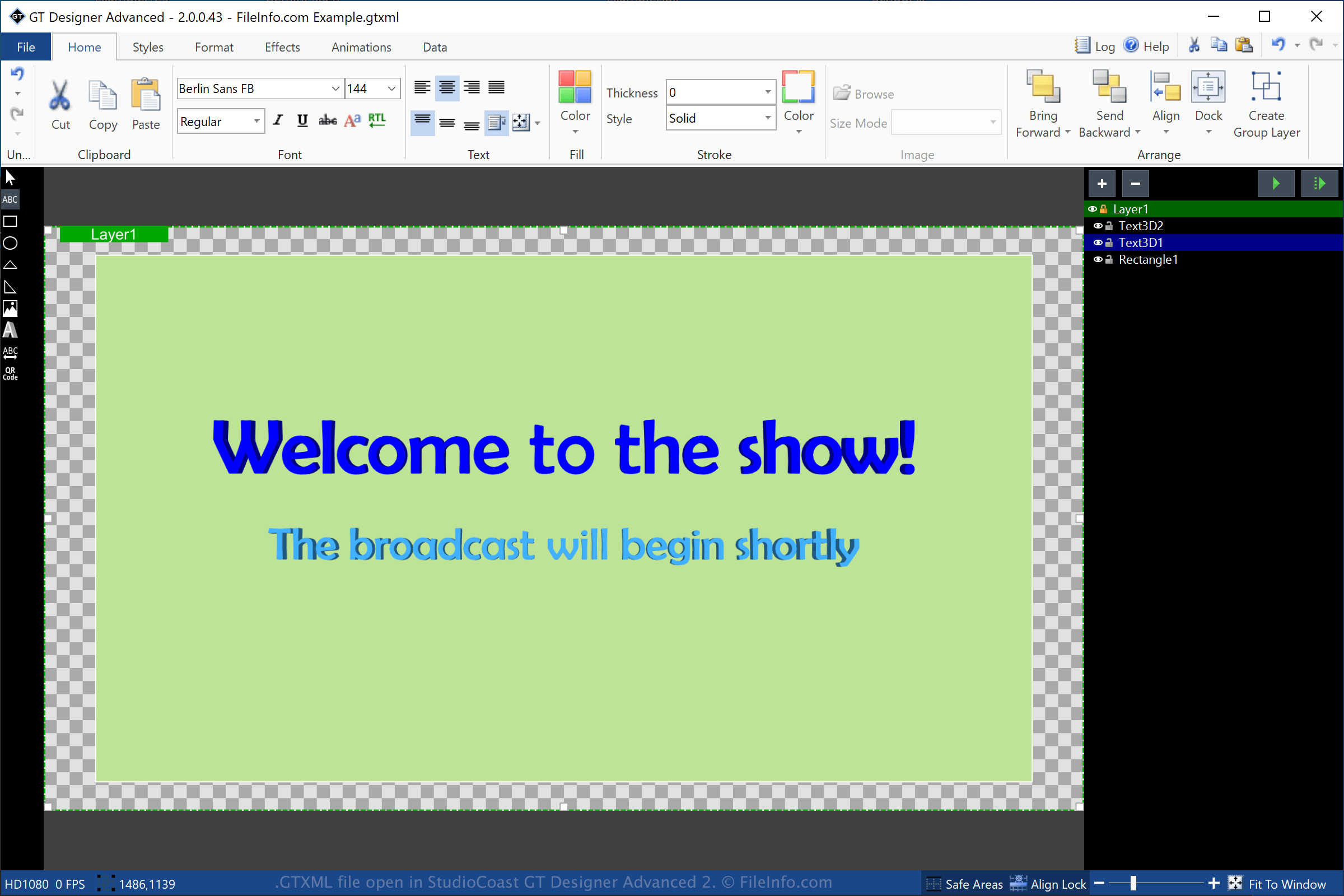
GT Designer Advanced ist ein Dienstprogramm, das mit StudioCoast vMix gebündelt wird. Mit GT Designer Advanced können Sie Titel und Lower-Third-Grafiken erstellen und anschließend in vMix importieren, um sie während einer Produktion anzuzeigen, beispielsweise bei einer gestreamten Vorführung, einem Sportereignis, einer Nachrichtensendung oder einem Gottesdienst.
Um eine GTXML-Datei mit GT Designer zu erstellen, wählen Sie und wählen Sie „GT XML“ aus dem Dropdown-Menü für das Format. Nach dem Speichern des Titels erstellt GT Designer eine GTXML-Datei, in der die Informationen zum Titel oder zur Lower-Third-Grafik gespeichert werden. Die GTXML-Datei ist eine Arbeitsdatei. Das bedeutet, dass Sie die Datei schließen, erneut öffnen und anschließend den Titel oder die Lower-Third-Grafik weiter bearbeiten können.
Sie können einen mit GT Designer erstellten Titel oder eine Lower-Third-Grafik auch als .GTZIP-Datei speichern, die ihre Informationen in einem Zip-komprimierten Paket speichert. GTZIP-Dateien speichern alle Informationen, aus denen der Titel oder die Grafik besteht, einschließlich importierter Bilder. GTXML-Dateien speichern nur Verweise auf Bilder, die in den Titel oder die Grafik importiert wurden. Daher sind sie in der Regel kleiner als GTZIP-Dateien. Wenn Sie Ihren Titel oder Ihre Grafik jedoch mit anderen GT-Designer-Benutzern teilen möchten, sollten Sie sie als GTZIP-Datei speichern, da alle enthaltenen Elemente in der Datei gespeichert werden.
So öffnen Sie eine GTXML-Datei
Sie können GTXML-Dateien unter Windows mit StudioCoast GT Designer öffnen, das im vMix-Download enthalten ist. Sie können die Datei auch mit GT Designer bearbeiten. Um eine GTXML-Datei mit GT Designer zu öffnen, wählen Sie .
Sie können eine GTXML-Datei unter Windows auch mit StudioCoast vMix öffnen. Um eine GTXML-Datei mit vMix zu öffnen, wählen Sie , klicken Sie auf und wählen Sie anschließend die GTXML-Datei aus, die Sie öffnen möchten.
HINWEIS: Da GTXML-Dateien im Klartext gespeichert werden, können Sie sie mit einem Texteditor öffnen, beispielsweise mit Microsoft Notepad (Windows) oder Apple TextEdit (macOS).