

.GTXML Extensão de arquivo
Arquivo ZIP do GT Designer
| Desenvolvedor | StudioCoast |
| Popularidade |
4,0 | 3 Votos |
O que é um arquivo GTXML?
Um arquivo GTXML é um arquivo de título criado pelo StudioCoast GT Designer Advanced, um programa usado para criar títulos e modelos de tarjas inferiores para o software de produção e transmissão ao vivo vMix. Ele armazena uma sobreposição gráfica de título ou tarja inferior composta por uma ou mais camadas e pode incluir texto e gráficos, propriedades de texto e informações de animação. Os arquivos GTXML são salvos como texto simples no padrão XML.
Mais informações
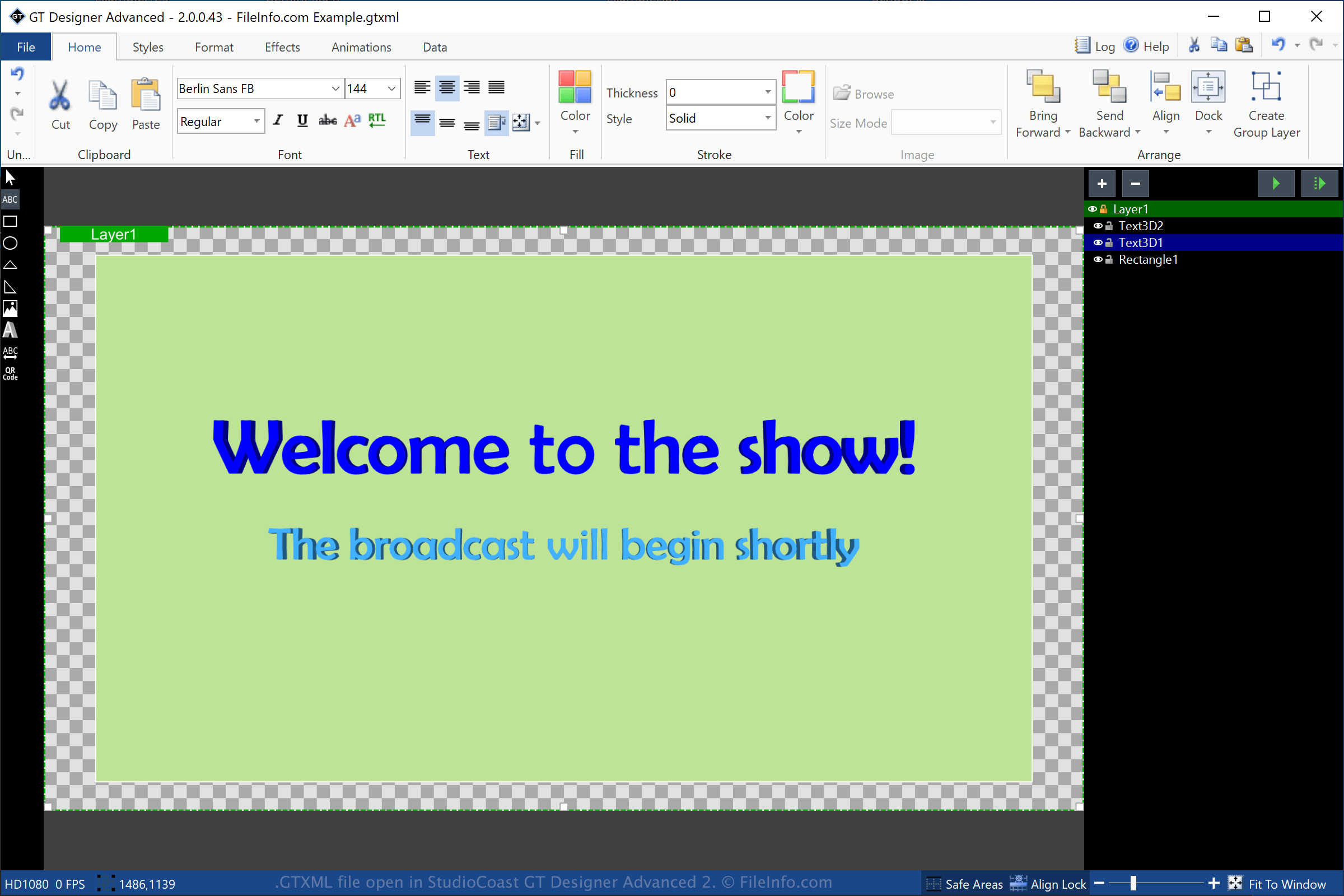
O GT Designer Advanced é um utilitário incluído no StudioCoast vMix. Você pode criar títulos e gráficos de tarja inferior com o GT Designer Advanced e, depois, importá-los para o vMix para serem exibidos durante uma produção, como uma demonstração transmitida, um evento esportivo, um telejornal ou um sermão.
Para criar um arquivo GTXML com o GT Designer, selecione e escolha "GT XML" no menu suspenso de formatos. Depois que você salva o título, o GT Designer cria um arquivo GTXML para armazenar as informações do título ou do gráfico de tarja inferior. O arquivo GTXML é um arquivo de trabalho, o que significa que você pode fechá-lo, reabri-lo e continuar modificando o título ou o gráfico de tarja inferior.
Você também pode salvar um título ou gráfico de tarja inferior criado pelo GT Designer como um arquivo .GTZIP, que armazena suas informações em um pacote compactado no formato Zip. Os arquivos GTZIP armazenam todas as informações que compõem o título ou gráfico, incluindo imagens importadas. Os arquivos GTXML armazenam apenas referências às imagens importadas no título ou gráfico, o que significa que geralmente são menores que os arquivos GTZIP. No entanto, se você precisar compartilhar seu título ou gráfico com outros usuários do GT Designer, deverá salvá-lo como um arquivo GTZIP, pois todos os recursos incluídos serão salvos no arquivo.
Como abrir um arquivo GTXML
Você pode abrir arquivos GTXML com o StudioCoast GT Designer (incluído no download do vMix) no Windows. Você também pode editar o arquivo com o GT Designer. Para abrir um arquivo GTXML com o GT Designer, selecione .
Você também pode abrir um arquivo GTXML com o StudioCoast vMix no Windows. Para abrir um arquivo GTXML com o vMix, selecione , clique em e escolha o arquivo GTXML que deseja abrir.
NOTA: Como os arquivos GTXML são salvos como texto simples, você pode abri-los com um editor de texto, como o Microsoft Notepad (Windows) ou o Apple TextEdit (macOS).