

.GTXML Extension de fichier
Fichier ZIP de GT Designer
| Développeur | StudioCoast |
| Popularité |
4,0 | 3 Votes |
Qu'est-ce qu'un fichier GTXML ?
Un fichier GTXML est un fichier de titre créé par StudioCoast GT Designer Advanced, un programme utilisé pour créer des titres et des modèles de bandeaux inférieurs pour les logiciels de production et de diffusion en continu en direct vMix. Il stocke un titre ou une incrustation graphique de bandeau inférieur composée d'un ou plusieurs calques et peut inclure du texte et des graphiques, des propriétés de texte et des informations d'animation. Les fichiers GTXML sont enregistrés en texte brut selon la norme XML.
Plus d'informations
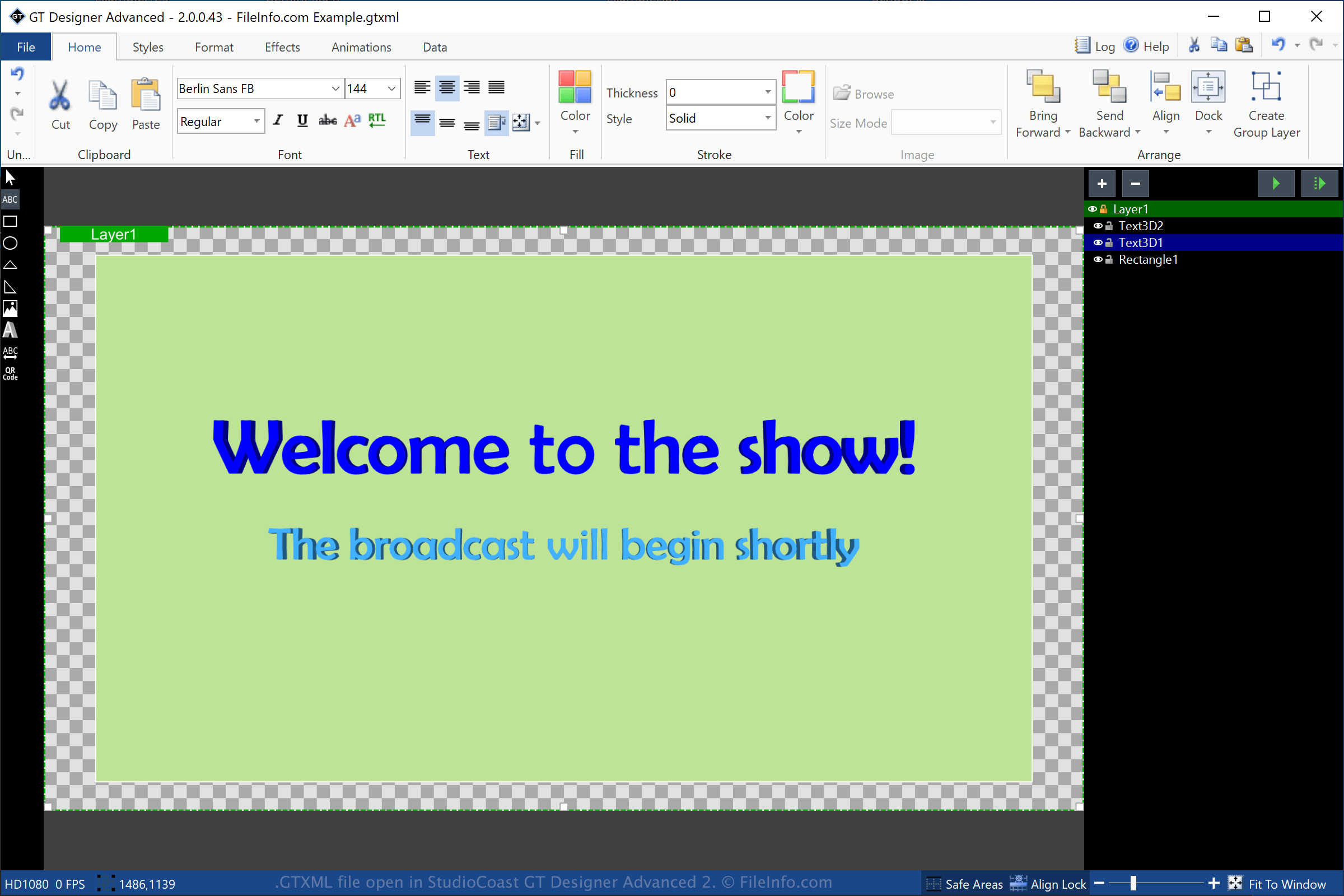
GT Designer Advanced est un utilitaire fourni avec StudioCoast vMix. Vous pouvez créer des titres et des graphiques de bandeau inférieur avec GT Designer Advanced, puis les importer dans vMix pour les afficher pendant une production, comme une démonstration diffusée en continu, un événement sportif, un journal télévisé ou un sermon.
Pour créer un fichier GTXML avec GT Designer, sélectionnez , puis choisissez « GT XML » dans le menu déroulant des formats. Après l'enregistrement du titre, GT Designer crée un fichier GTXML pour stocker les informations du titre ou du graphique de bandeau inférieur. Le fichier GTXML est un fichier de travail, ce qui signifie que vous pouvez le fermer, le rouvrir, puis continuer à modifier le titre ou le graphique de bandeau inférieur.
Vous pouvez également enregistrer un titre ou un graphique de bandeau inférieur créé par GT Designer au format .GTZIP, qui stocke ses informations dans une archive compressée au format Zip. Les fichiers GTZIP stockent toutes les informations qui composent le titre ou le graphique, y compris les images importées. Les fichiers GTXML stockent uniquement les références aux images importées dans le titre ou le graphique, ce qui signifie qu'ils sont généralement moins volumineux que les fichiers GTZIP. Cependant, si vous devez partager votre titre ou votre graphique avec d'autres utilisateurs de GT Designer, vous devriez l'enregistrer au format GTZIP, car tous les éléments inclus sont enregistrés dans le fichier.
Comment ouvrir un fichier GTXML
Vous pouvez ouvrir les fichiers GTXML avec StudioCoast GT Designer (inclus avec le téléchargement de vMix) sous Windows. Vous pouvez également modifier le fichier avec GT Designer. Pour ouvrir un fichier GTXML avec GT Designer, sélectionnez .
Vous pouvez également ouvrir un fichier GTXML avec StudioCoast vMix sous Windows. Pour ouvrir un fichier GTXML avec vMix, sélectionnez , cliquez sur , puis choisissez le fichier GTXML que vous souhaitez ouvrir.
REMARQUE : Comme les fichiers GTXML sont enregistrés en texte brut, vous pouvez les ouvrir avec un éditeur de texte, tel que Microsoft Notepad (Windows) ou Apple TextEdit (macOS).