.DICOM 文件扩展名

DICOM Image

开发者 NEMA
受欢迎程度
2.9  |  38 
 

什么是 DICOM 文件?

A DICOM file is an image saved in the Digital Imaging and Communications in Medicine (DICOM) format. It contains an image from a medical scan, such as an ultrasound or MRI. DICOM files may also include identification data for patients to link the image to a specific individual.

更多信息

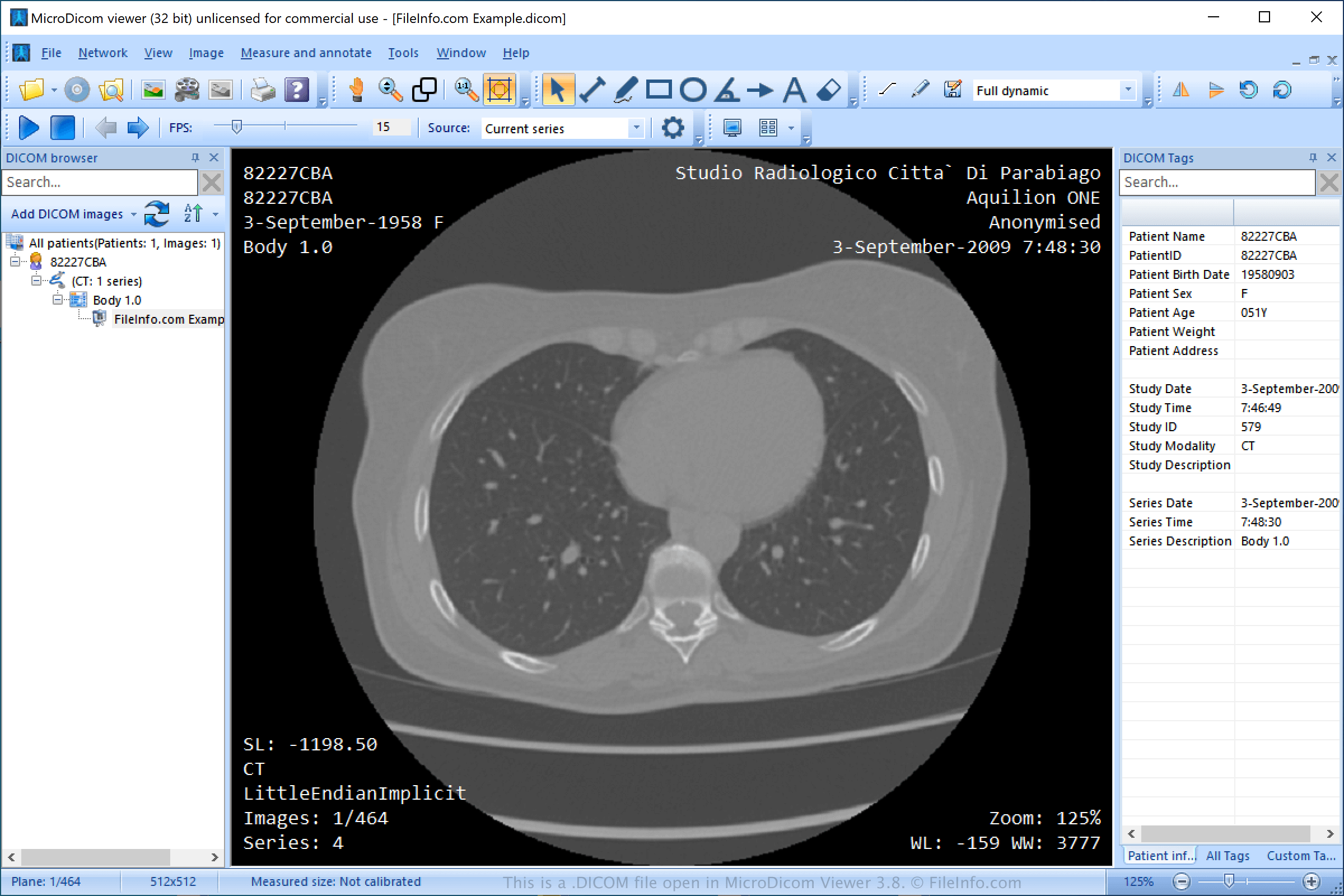
在 MicroDicom viewer 3.8 中打开的 .dicom 文件截图
在 MicroDicom viewer 3.8 中打开的 DICOM 文件

The National Electrical Manufacturers Association (NEMA) developed the DICOM format. They designed the format to exchange and view medical images, such as CT scans, MRIs, and ultrasound images.

NEMA released the initial DICOM standard in 1983 and has released various revisions throughout the 1990s and 2000s. The association still actively maintains the format.

注: DICOM images more commonly use the .DCM extension.

如何打开 DICOM 文件

You can open DICOM files with various applications, such as MicroDicom viewer (Windows), ezDICOM (Windows), OsiriX (macOS), and MeVisLab (multiplatform). You can also upload DCM files to View My Scans and Jack Imaging in a web browser and view the images.

如何转换 DICOM 文件

Several applications, including XnViewMP and ezDICOM, can convert DICOM files to other image formats.

For example, XnViewMP can convert DICOM files to many formats, including the following file types:

  • .JPG, .JPEG - JPEG Image
  • .JP2 - JPEG 2000 Core Image
  • .PNG - Portable Network Graphic
  • .BMP - Bitmap Image
  • .GIF - Graphical Interchange Format
  • .TGA, .TARGA - Targa Graphic
  • .TIF, .TIFF - Tagged Image File Format
  • .WEBP - WebP Image
  • .DDS - Direct Draw Surface Image
  • .EMF - Enhanced Windows Metafile
  • .PS - PostScript File
  • .HEIC - High Efficiency Image Format
  • .PDF - Portable Document Format
  • .PSD - Adobe Photoshop Document
使用File Viewer Plus打开并查看 .dicom 文件。免费下载

可打开或引用 DICOM 文件的程序

Windows
免费试用
免费
免费试用
免费
免费
免费
Mac
免费试用
免费试用
免费
免费
Linux
免费试用
免费
免费
Web
免费试用

验证者 FileInfo.com

FileInfo.com 团队 独立研究了本页面列出的 DICOM Image 文件格式和 Mac, Windows, and Linux 应用。 我们的目标是达到 100% 的准确率,并且仅发布我们已验证过的文件类型信息。

如果您想为此页面提出新增或更新建议,请告诉我们