

.BAR Extensão de arquivo
Barras de ferramentas personalizadas do XnViewMP
| Desenvolvedor | XnSoft |
| Popularidade |
3,5 | 2 Votos |
Um arquivo BAR contém dados usados para carregar barras de ferramentas personalizadas do XnViewMP. Ele define os botões e separadores que cada uma das barras de ferramentas do XnViewMP (Navegador e Visualização) contém. Os usuários do XnViewMP podem criar e salvar barras de ferramentas personalizadas usando o recurso do programa.
Mais informações
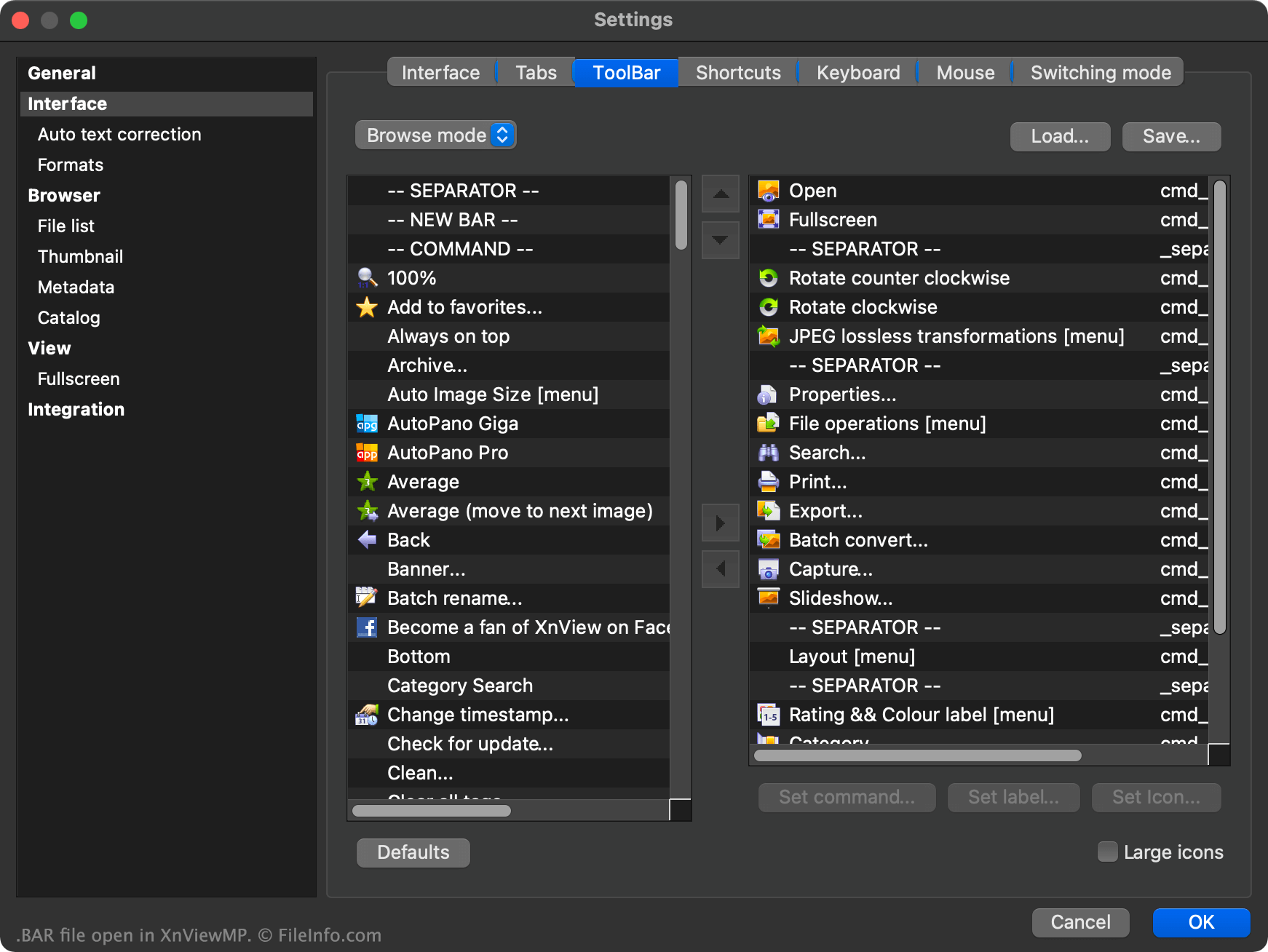
O XnViewMP é um visualizador de imagens que permite aos usuários abrir, editar e converter imagens salvas em mais de 500 formatos diferentes. O programa contém um navegador de arquivos e um visualizador de imagens, cada um usando sua própria barra de ferramentas.
Os usuários podem personalizar qualquer uma das barras de ferramentas do XnViewMP clicando com o botão direito do mouse na barra de ferramentas e selecionando . Isso permite adicionar outros botões à barra de ferramentas, remover botões, mover botões dentro de uma barra de ferramentas, adicionar separadores, adicionar comandos personalizados à barra de ferramentas, entre outras opções.
Se um usuário quiser salvar suas configurações personalizadas da barra de ferramentas para poder carregar suas barras de ferramentas personalizadas em outra instância do XnViewMP, poderá fazer isso selecionando o botão que aparece na janela Configurações da barra de ferramentas. Isso salva as configurações da barra de ferramentas do usuário como um arquivo BAR.
O arquivo BAR é um arquivo de texto simples dividido em duas seções: uma para a barra de ferramentas do Navegador do XnViewMP e outra para a barra de ferramentas de Visualização. Cada seção contém uma lista dos botões e separadores usados na barra de ferramentas correspondente.
Como abrir um arquivo BAR
Para usar um arquivo BAR como uma barra de ferramentas personalizada do XnViewMP:
- Abra o XnViewMP.
- Clique com o botão direito do mouse na barra de ferramentas do programa.
- Selecione .
- Selecione .
- Navegue até o arquivo BAR e abra-o.
- Selecione .
Se necessário, você também pode abrir um arquivo BAR no Microsoft Notepad (Windows), no Apple TextEdit (Mac) ou em qualquer outro editor de texto para visualizar os dados de texto simples contidos no arquivo.