.BAR ファイル拡張子

Age of Empires 3 Data File

開発元 Microsoft
人気度
4.0  |  30 
 

BARファイルとは?

Data file used by Age of Empires III, a strategy game where players control units and build empires; may include game data, such as textures, music, fonts, text, and other game settings; serves as a file container that holds game data.

詳細情報

BAR files are loaded by Age of Empires III on-demand during gameplay.

File Viewer Plusで400種類以上のファイル形式を開けます。無料ダウンロード

BARファイルを開くプログラム

Windows
カテゴリ: ゲーム
更新日: 2010-03-04

Age of Mythology Data File

開発元 Microsoft
人気度
3.3  |  3 
 

File used by Age of Mythology, a Microsoft real-time strategy (RTS) game where player control units in a mythological era; serves as a file container which includes game data, such as textures, music, maps, models, and other game settings.

詳細情報

BAR files are commonly used to create custom modifications for game content.

BARファイルを開く、または参照するプログラム

カテゴリ: ゲーム
更新日: 2010-03-04

Brew MP Binary Application Resource

開発元 Qualcomm
人気度
3.0  |  3 
 

A BAR file is a Binary Application Resource used by Brew Mobile Platform (MP) applications. It specifies the assets available to an executing module. BAR files are compiled from .CAR files and loaded when the application is run.

BARファイルを開く、または参照するプログラム

Windows
Qualcomm Brew MP SDK
Mac
Qualcomm Brew MP SDK
Linux
Qualcomm Brew MP SDK
カテゴリ: データ
更新日: 2022-03-22

XnViewMP Custom Toolbars

開発元 XnSoft
人気度
3.5  |  2 
 

A BAR file contains data used to load customized XnViewMP toolbars. It defines the buttons and separators that each of XnViewMP's toolbars (Browser and View) contains. XnViewMP users can create and save custom toolbars using the program's Customize toolbar... feature.

詳細情報

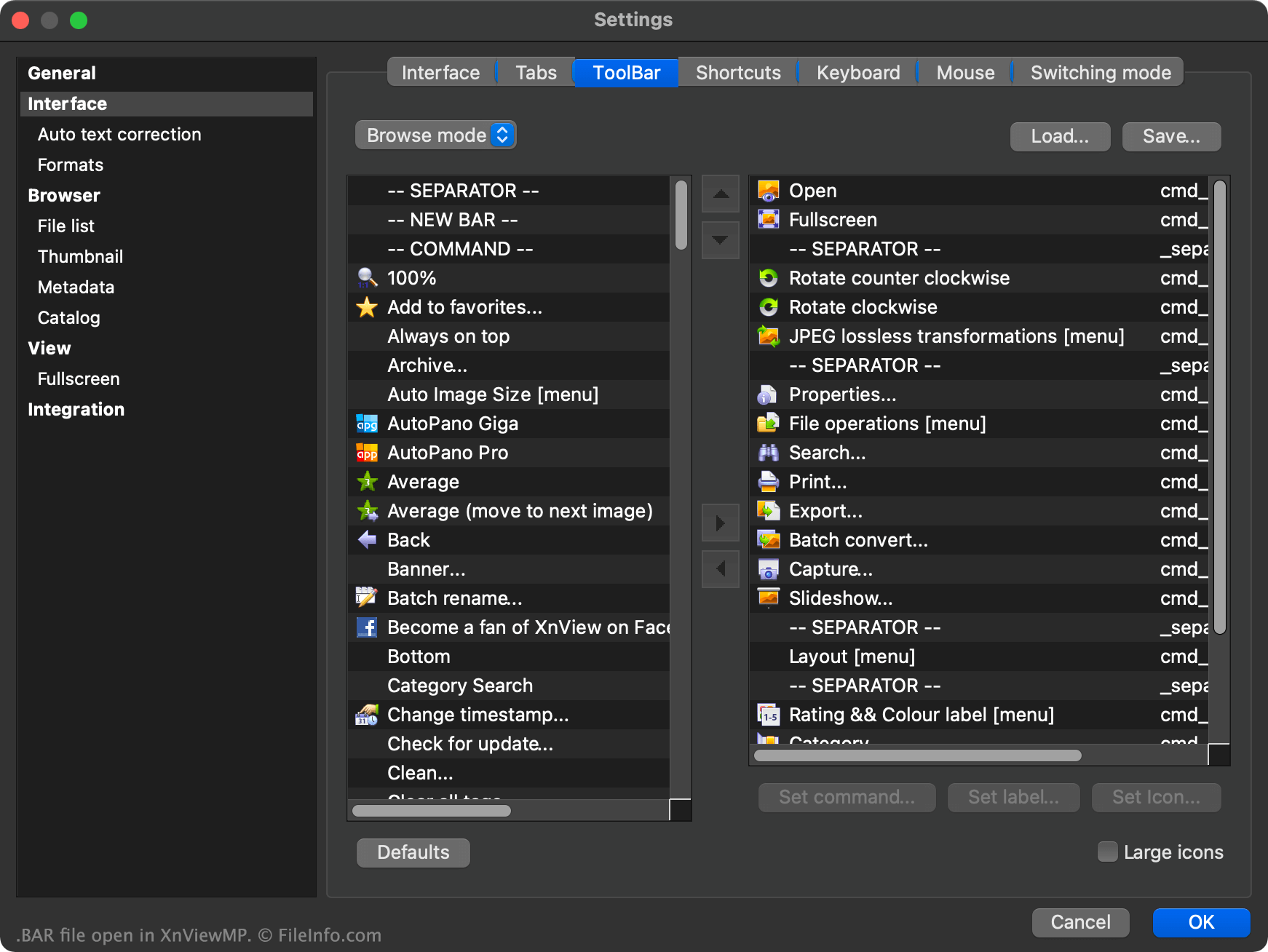
XnViewMPで開いた.barファイルのスクリーンショット
XnViewMPで開いたBARファイル

XnViewMP is an image viewer that allows users to open, edit, and convert images saved in over 500 different formats. The program contains both a file browser and an image viewer, each of which uses its own toolbar.

Users can customize either of XnViewMP's toolbars by right-clicking in the toolbar and selecting Customize toolbar.... This allows the user to add additional toolbar buttons, remove buttons, move buttons within a toolbar, add separators, add custom toolbar commands, and more.

If a user wants to save their custom toolbar settings, so they can load their custom toolbars in another instance of XnViewMP, they can do so by selecting the Save... button that appears in the toolbar Settings window. This saves the user's toolbar settings as a BAR file.

The BAR file is a plain text file broken into two sections, one for XnViewMP's Browser toolbar and another for its View toolbar. Each section contains a list of the buttons and separators used in its associated toolbar.

BARファイルの開き方

To use a BAR file as an XnViewMP custom toolbar:

  1. Open XnViewMP.
  2. Right-click in the program's toolbar.
  3. Select Customize toolbar....
  4. Select Load....
  5. Navigate to and open your BAR file.
  6. Select OK.

If necessary, you can also open a BAR file in Microsoft Notepad (Windows), Apple TextEdit (Mac), or any other text editor, to view the plain text data the file contains.

BARファイルを開くプログラム

Windows
無料
Mac
無料
Linux
無料
カテゴリ: 設定
更新日: 2022-01-10

検証者 FileInfo.com

FileInfo.comチーム は、このページに掲載されているすべてのファイル形式とソフトウェアについて独自に調査しました。 私たちの目標は100%の正確性であり、検証済みのファイルタイプに関する情報のみを公開しています。

このページへの追加や更新をご提案いただける場合は、お知らせください。