

.BAR Přípona souboru
Vlastní panely nástrojů XnViewMP
| Vývojář | XnSoft |
| Popularita |
3,5 | 2 hlasy |
Soubor BAR obsahuje data používaná k načtení přizpůsobených panelů nástrojů XnViewMP. Definuje tlačítka a oddělovače, které obsahují jednotlivé panely nástrojů XnViewMP (Prohlížeč a Zobrazení). Uživatelé XnViewMP mohou vytvářet a ukládat vlastní panely nástrojů pomocí funkce tohoto programu.
Další informace
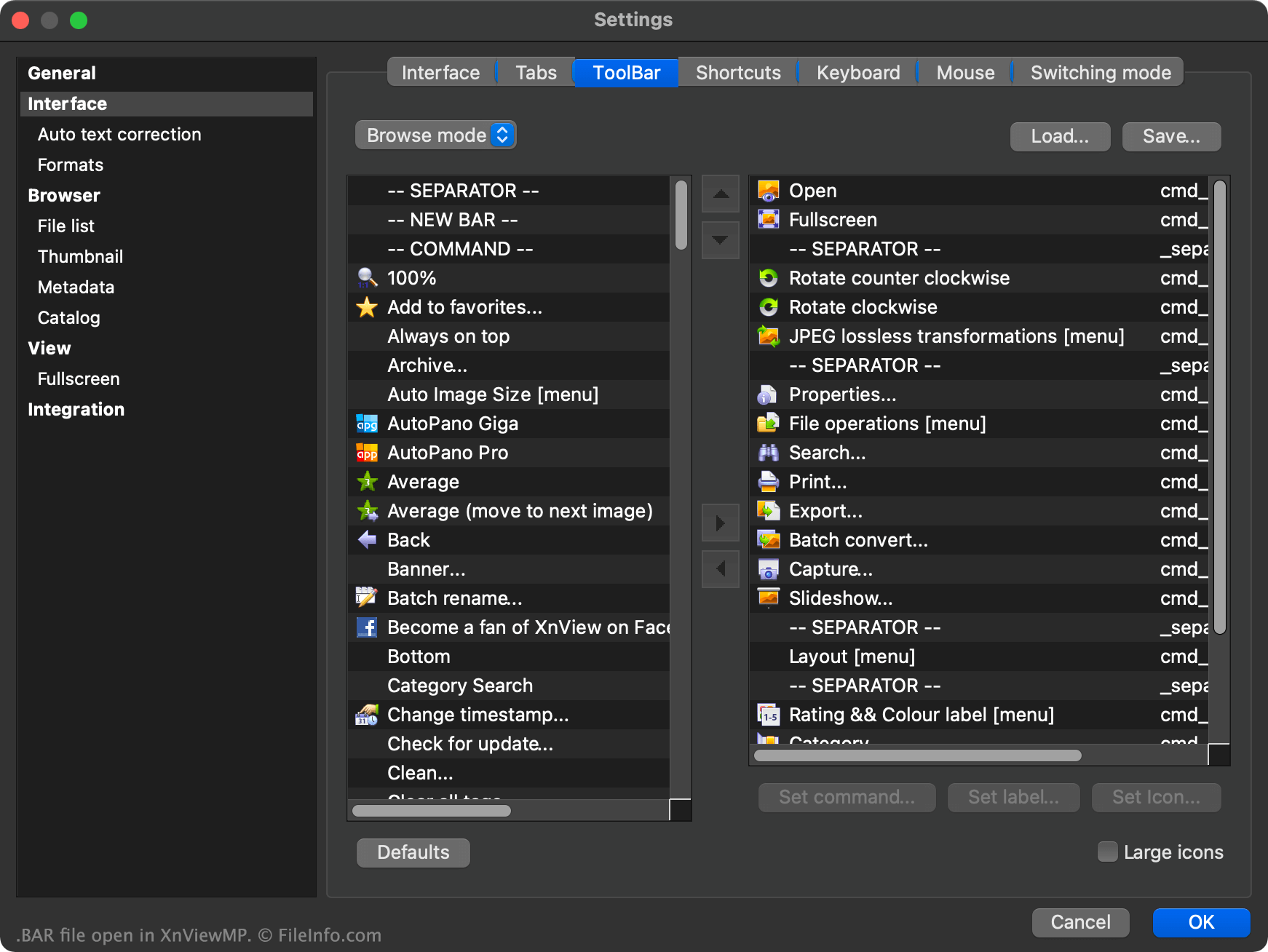
XnViewMP je prohlížeč obrázků, který uživatelům umožňuje otevírat, upravovat a převádět obrázky uložené ve více než 500 různých formátech. Program obsahuje prohlížeč souborů i prohlížeč obrázků a každý z nich používá vlastní panel nástrojů.
Uživatelé mohou přizpůsobit kterýkoli z panelů nástrojů XnViewMP kliknutím pravým tlačítkem myši v panelu nástrojů a výběrem možnosti . To uživateli umožňuje přidávat další tlačítka na panel nástrojů, odebírat tlačítka, přesouvat tlačítka v panelu nástrojů, přidávat oddělovače, přidávat vlastní příkazy panelu nástrojů a další možnosti.
Pokud chce uživatel uložit nastavení vlastního panelu nástrojů, aby mohl své vlastní panely nástrojů načíst v jiné instanci XnViewMP, může tak učinit výběrem tlačítka , které se zobrazí v okně Nastavení panelu nástrojů. Tím se nastavení panelu nástrojů uživatele uloží jako soubor BAR.
Soubor BAR je prostý textový soubor rozdělený do dvou částí: jedna je určena pro panel nástrojů Prohlížeč XnViewMP a druhá pro jeho panel nástrojů Zobrazení. Každá část obsahuje seznam tlačítek a oddělovačů používaných v příslušném panelu nástrojů.
Jak otevřít soubor BAR
Použití souboru BAR jako vlastního panelu nástrojů XnViewMP:
- Otevřete XnViewMP.
- Klikněte pravým tlačítkem myši v panelu nástrojů programu.
- Vyberte možnost .
- Vyberte možnost .
- Přejděte k souboru BAR a otevřete jej.
- Vyberte možnost .
V případě potřeby můžete soubor BAR také otevřít v programu Microsoft Notepad (Windows), Apple TextEdit (Mac) nebo v jiném textovém editoru a zobrazit prostá textová data, která soubor obsahuje.