

.GB Rozszerzenie pliku
Plik ROM gry Game Boy
| Deweloper | Brak danych |
| Popularność |
4,2 | 39 Głosów |
Czym jest plik GB?
Plik GB to obraz pamięci ROM gry na konsolę Nintendo Game Boy. Zawiera pełne dane gry na Game Boya zgrane z kartridża z grą. Gracze wczytują pliki GB do programu do emulacji Game Boya na komputerze, aby grać w gry bez konsoli Game Boy.
Więcej informacji
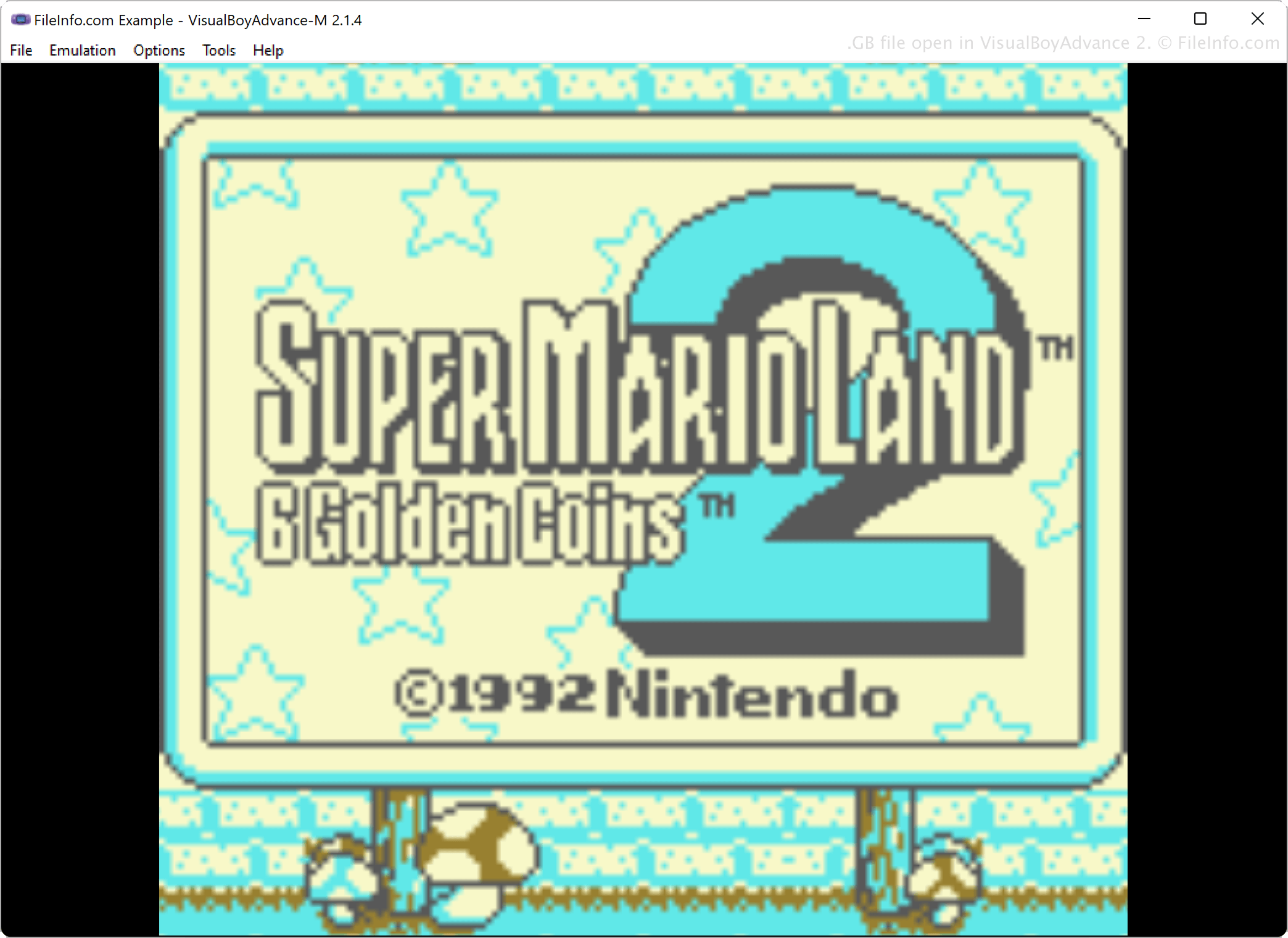
Miłośnicy gier korzystają z oprogramowania do emulacji, aby grać w gry na komputerach bez konsoli, na której pierwotnie były uruchamiane. Na przykład gracze, którzy chcą ponownie zagrać w gry, w które grali na Game Boyu w latach 80. i 90., używają oprogramowania do emulacji, takiego jak VisualBoyAdvance, KiGB i BGB, aby emulować pamięci ROM gier na Game Boya.
Aby przenieść dane gier zapisane w kartridżach z grami do formatu, w którym można w nie grać, gracze zgrywają dane gier z kartridżów za pomocą specjalnego sprzętu i oprogramowania, a następnie zapisują dane w formacie GB na komputerze. Mogą potem przesłać pliki innym osobom, które mogą pobrać pliki GB i grać w nie na komputerze za pomocą emulatora.
Jak otworzyć plik GB
Plik GB można otworzyć za pomocą różnych emulatorów Game Boya, w tym programu VisualBoyAdvance, a także BGB, RetroArch i KiGB. Aby na przykład otworzyć plik GB za pomocą programu VisualBoyAdvance, wybierz
Programy otwierające pliki GB
Kod źródłowy GreenBerry
| Deweloper | Abdur-rahmaan Janhangee |
| Popularność |
2,0 | 1 Głos |
Plik GB to plik kodu źródłowego używany przez GreenBerry — lekki, jednowierszowy język instrukcji stworzony przez Abdur-rahmaana Janhangeera. GreenBerry zaprojektowano jako narzędzie działające w powłoce dla Pythona, które pozwala użytkownikom pisać krótkie polecenia lub skrypty współpracujące z Pythonem w prosty i bezpośredni sposób. Pliki GB przechowują te polecenia w postaci zwykłego tekstu, dzięki czemu użytkownicy mogą je ponownie wykorzystywać lub udostępniać.
Więcej informacji
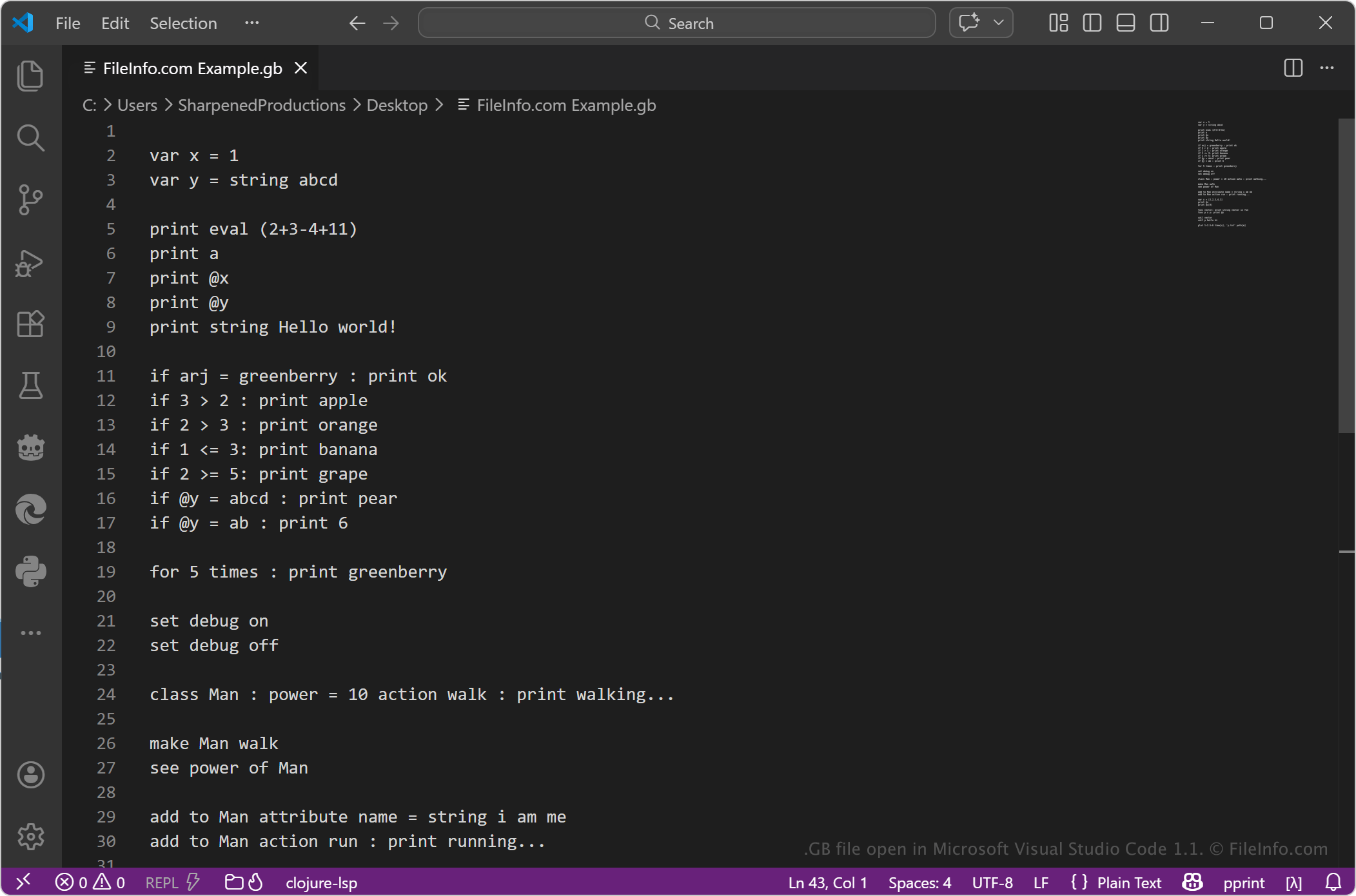
Pliki GB zazwyczaj zawierają zwięzłe instrukcje zapisane w składni GreenBerry. Język ten kładzie nacisk na szybkie wykonywanie zadań przy użyciu minimalnej ilości kodu, dzięki czemu sprawdza się w skryptach, automatyzacji i eksperymentowaniu z operacjami Pythona. Deweloperzy, studenci i użytkownicy pracujący z Pythonem mogą używać plików GB do upraszczania powtarzalnych zadań lub testowania niewielkich fragmentów logiki bez pisania pełnych skryptów Pythona.
Jak otworzyć plik GB
Pliki GB można otwierać w dowolnym edytorze tekstu lub edytorze kodu źródłowego, takim jak Microsoft Notepad, Apple TextEdit lub Microsoft Visual Studio Code. Edytor tekstu lub edytor kodu źródłowego umożliwia wyświetlanie i edytowanie zawartości pliku.
Aby uruchomić plik, potrzebujesz zgodnego środowiska obsługującego GreenBerry, zwykle w ramach konfiguracji Pythona, w której zainstalowano narzędzie GreenBerry. Ponieważ jest to format tekstowy, możesz łatwo modyfikować plik, ale aby został prawidłowo wykonany, musisz używać poprawnej składni.