

.GB Dateiendung
Game Boy-ROM-Datei
| Entwickler | k. A. |
| Beliebtheit |
4,2 | 39 Stimmen |
Was ist eine GB-Datei?
Eine GB-Datei ist ein ROM-Abbild eines Nintendo-Game-Boy-Videospiels. Sie enthält die vollständigen Daten eines Game-Boy-Spiels, die von einer Spielekassette ausgelesen wurden. Spieler laden GB-Dateien in ein Game-Boy-Emulationsprogramm auf einem Computer, um Spiele ohne die Game-Boy-Konsole zu spielen.
Weitere Informationen
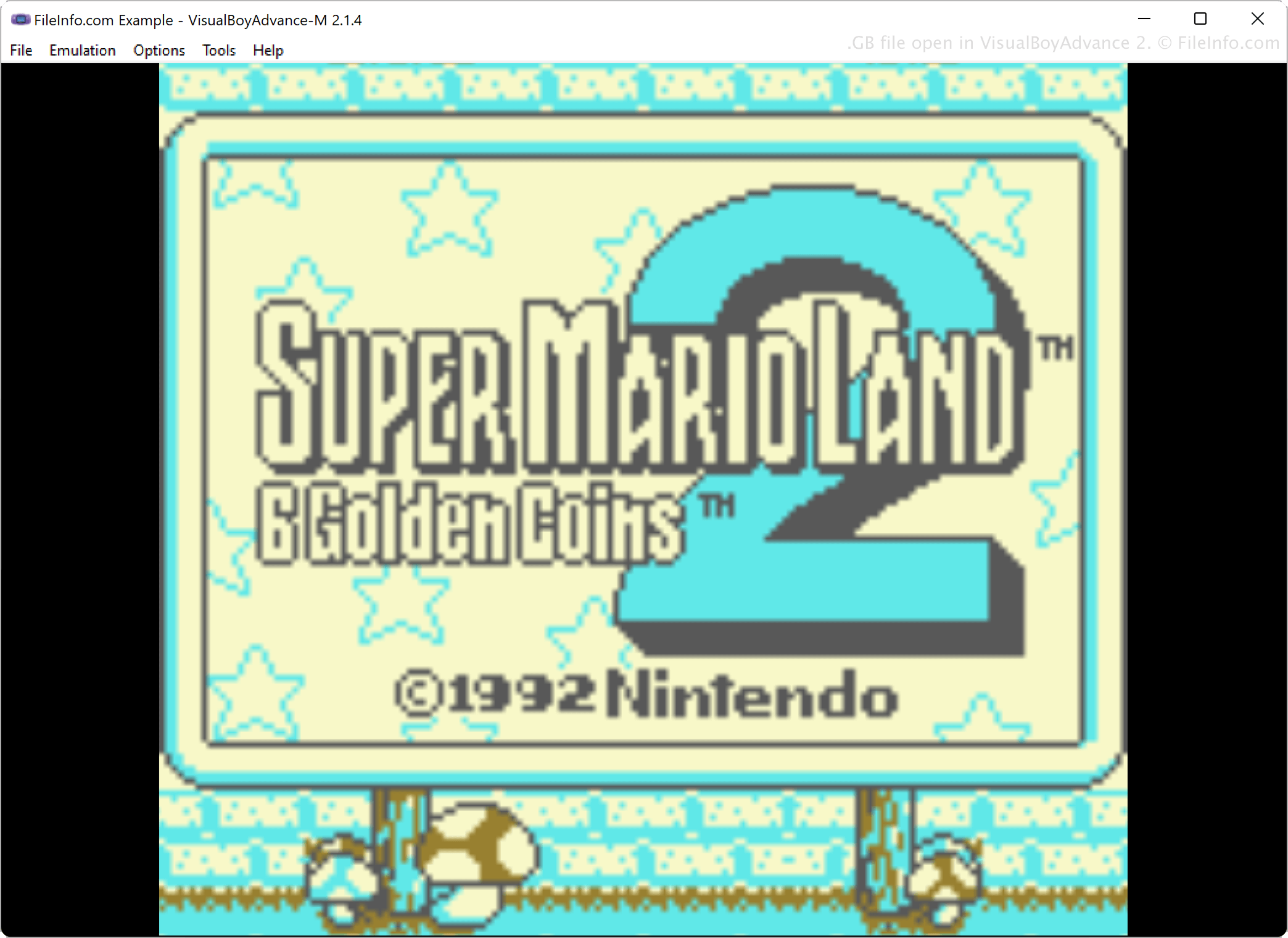
Gaming-Enthusiasten verwenden Emulationssoftware, um Spiele auf ihren Computern ohne die Spielekonsole zu spielen, auf der sie ursprünglich liefen. Spieler, die beispielsweise die Spiele, die sie in den 1980er- und 1990er-Jahren auf dem Game Boy gespielt haben, erneut erleben möchten, verwenden Emulationssoftware wie VisualBoyAdvance, KiGB und BGB, um Game-Boy-Spiel-ROMs zu emulieren.
Um die in Spielekassetten gespeicherten Spieldaten in ein spielbares Format zu bringen, lesen Spieler die Spieldaten mit spezieller Hardware und Software aus den Kassetten aus und speichern die Daten anschließend im GB-Format auf ihrem Computer. Danach können sie die Dateien hochladen, um sie mit anderen zu teilen. Diese können die GB-Dateien dann herunterladen und mit einem Emulator auf ihrem Computer spielen.
So öffnen Sie eine GB-Datei
Sie können eine GB-Datei mit verschiedenen Game-Boy-Emulatoren öffnen, darunter VisualBoyAdvance, BGB, RetroArch und KiGB. Um beispielsweise eine GB-Datei mit VisualBoyAdvance zu öffnen, wählen Sie .
Programme, die .GB-Dateien öffnen
GreenBerry-Quellcode
| Entwickler | Abdur-rahmaan Janhangee |
| Beliebtheit |
2,0 | 1 Stimme |
Eine GB-Datei ist eine Quellcodedatei, die von GreenBerry verwendet wird, einer leichtgewichtigen Sprache mit einzeiligen Anweisungen, die von Abdur-rahmaan Janhangeer entwickelt wurde. GreenBerry ist als In-Shell-Werkzeug für Python konzipiert und ermöglicht es Benutzern, kurze Befehle oder Skripte zu schreiben, die einfach und direkt mit Python interagieren. GB-Dateien speichern diese Befehle als Klartext, sodass Benutzer sie wiederverwenden oder weitergeben können.
Weitere Informationen
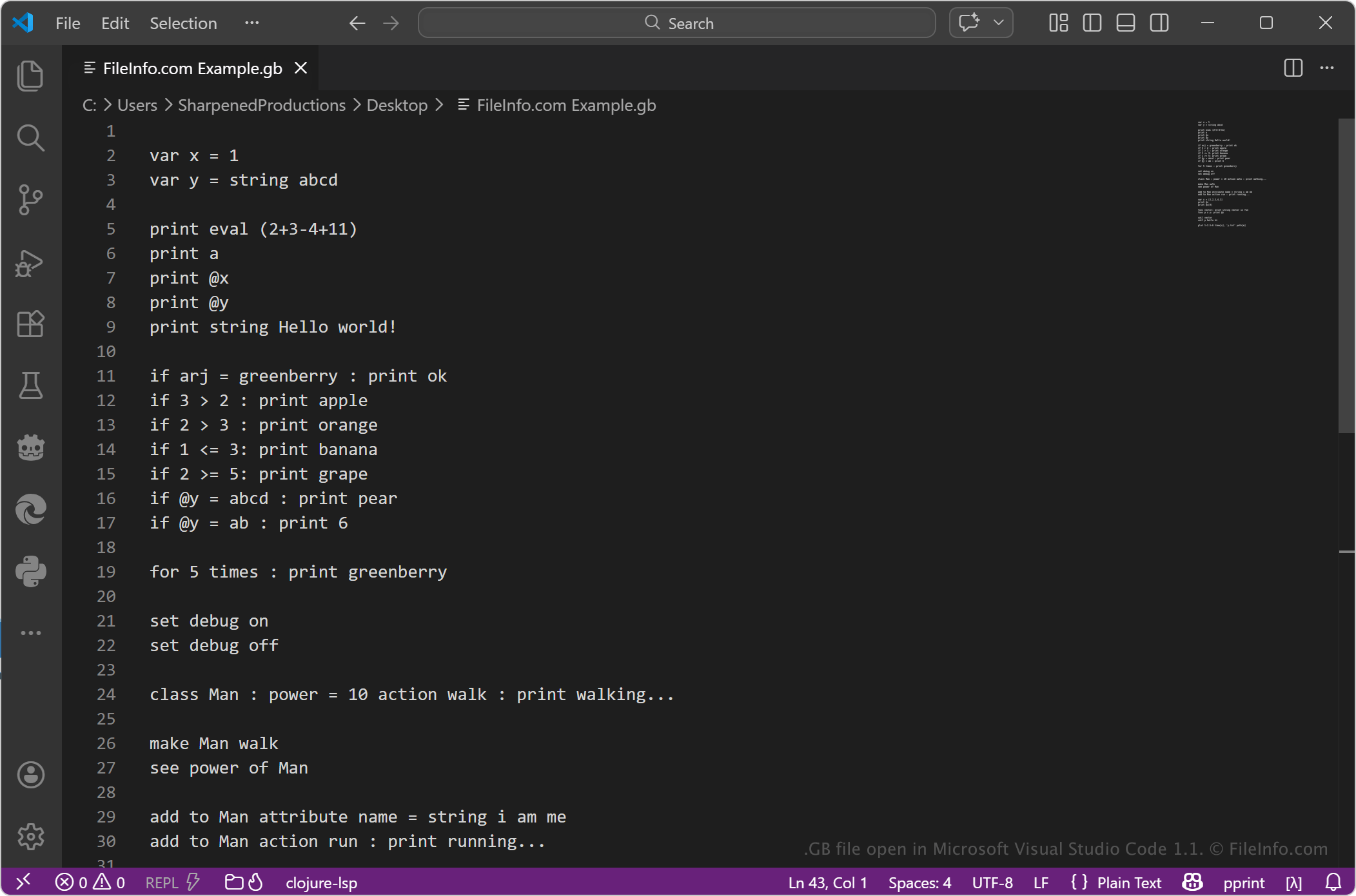
GB-Dateien enthalten typischerweise kurze Anweisungen, die in der GreenBerry-Syntax geschrieben sind. Die Sprache legt Wert darauf, Aufgaben schnell mit möglichst wenig Code auszuführen, wodurch sie sich für Skripting, Automatisierung und das Experimentieren mit Python-Operationen eignet. Entwickler, Studierende und Benutzer, die mit Python arbeiten, können GB-Dateien verwenden, um sich wiederholende Aufgaben zu vereinfachen oder kleine Logikabschnitte zu testen, ohne vollständige Python-Skripte schreiben zu müssen.
So öffnen Sie eine GB-Datei
Sie können GB-Dateien mit jedem Texteditor oder Quellcode-Editor öffnen, beispielsweise mit Microsoft Notepad, Apple TextEdit oder Microsoft Visual Studio Code. Mit dem Texteditor oder Quellcode-Editor können Sie den Inhalt anzeigen oder bearbeiten.
Um die Datei auszuführen, benötigen Sie eine kompatible Umgebung, die GreenBerry unterstützt, normalerweise innerhalb einer Python-Umgebung, in der das GreenBerry-Tool installiert ist. Da das Format textbasiert ist, können Sie die Datei problemlos ändern, müssen jedoch die richtige Syntax verwenden, damit sie ordnungsgemäß ausgeführt wird.