

.BCUP Rozszerzenie pliku
Sejf Buttercup
| Deweloper | Perry Mitchell |
| Popularność |
4,0 | 2 Głosy |
Czym jest plik BCUP?
Plik BCUP to zaszyfrowany sejf haseł utworzony przez Buttercup, otwartoźródłowy menedżer haseł. Zawiera dane logowania, metody płatności i/lub notatki dodane przez użytkownika do jego sejfu. Ponieważ pliki BCUP są zaszyfrowane, użytkownicy mogą wyświetlać zawarte w nich dane logowania i inne dane tylko w programie Buttercup.
Więcej informacji
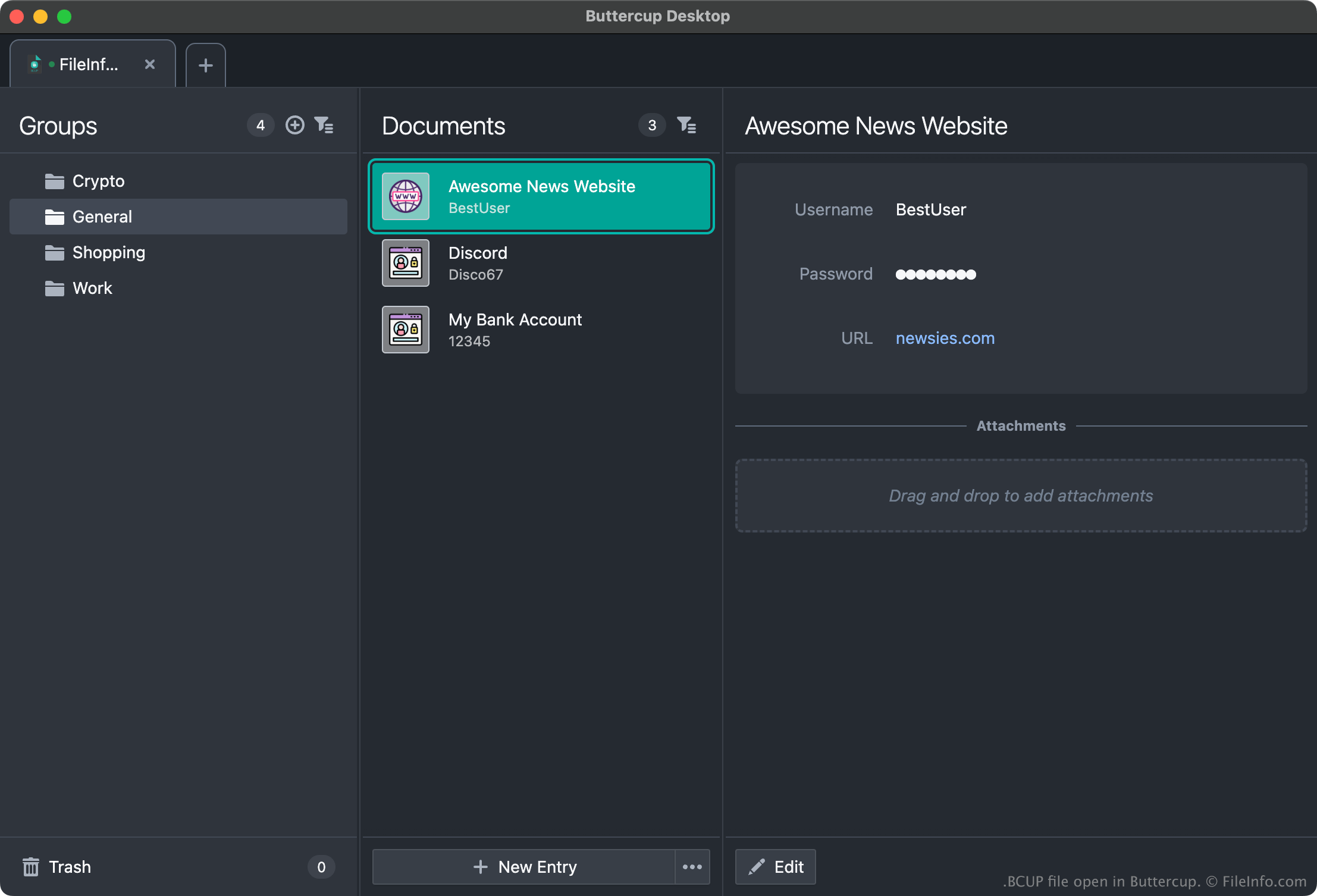
Buttercup umożliwia użytkownikom tworzenie sejfów haseł, w których mogą przechowywać, porządkować i wyszukiwać dane logowania (nazwy użytkowników i hasła), metody płatności oraz inne dane. Na przykład użytkownik może dodać dane logowania do serwisów Amazon, Gmail i bankowości internetowej do sejfu Buttercup, a następnie kopiować dane logowania z sejfu podczas logowania się do tych usług.
Każdy sejf Buttercup jest zapisywany jako zaszyfrowany, chroniony hasłem plik BCUP. (Gdy użytkownik tworzy nowy plik BCUP, Buttercup prosi go o utworzenie hasła do tego pliku). Zazwyczaj użytkownicy zapisują pliki BCUP w usługach Dropbox, Google Drive lub innej usłudze przechowywania w chmurze, aby móc łatwo uzyskiwać dostęp do plików BCUP z różnych urządzeń. Użytkownicy mogą jednak również zapisywać pliki BCUP lokalnie, aby uzyskiwać dostęp do swoich sejfów bez połączenia z internetem.
Jak otworzyć plik BCUP
Plik BCUP można otworzyć we wszystkich wersjach programu Buttercup (wieloplatformowego). Aby na przykład otworzyć lokalny plik BCUP w komputerowej wersji programu Buttercup:
- Otwórz Buttercup i wybierz .
- W oknie wybierz .
- W oknie wybierz .
- Przejdź do pliku BCUP i otwórz go.
Pamiętaj jednak, że aby otworzyć plik BCUP, musisz znać hasło do tego pliku.