

.BCUP 파일 확장자
Buttercup 볼트
| 개발사 | Perry Mitchell |
| 인기도 |
4.0 | 2 표 |
BCUP 파일이란 무엇인가요?
BCUP 파일은 오픈 소스 비밀번호 관리자 Buttercup으로 만든 암호화된 비밀번호 보관함입니다. 이 파일에는 사용자가 보관함에 추가한 로그인 자격 증명, 결제 수단 및/또는 메모가 포함되어 있습니다. BCUP 파일은 암호화되어 있으므로 사용자는 Buttercup에서만 파일에 포함된 자격 증명과 기타 데이터를 볼 수 있습니다.
추가 정보
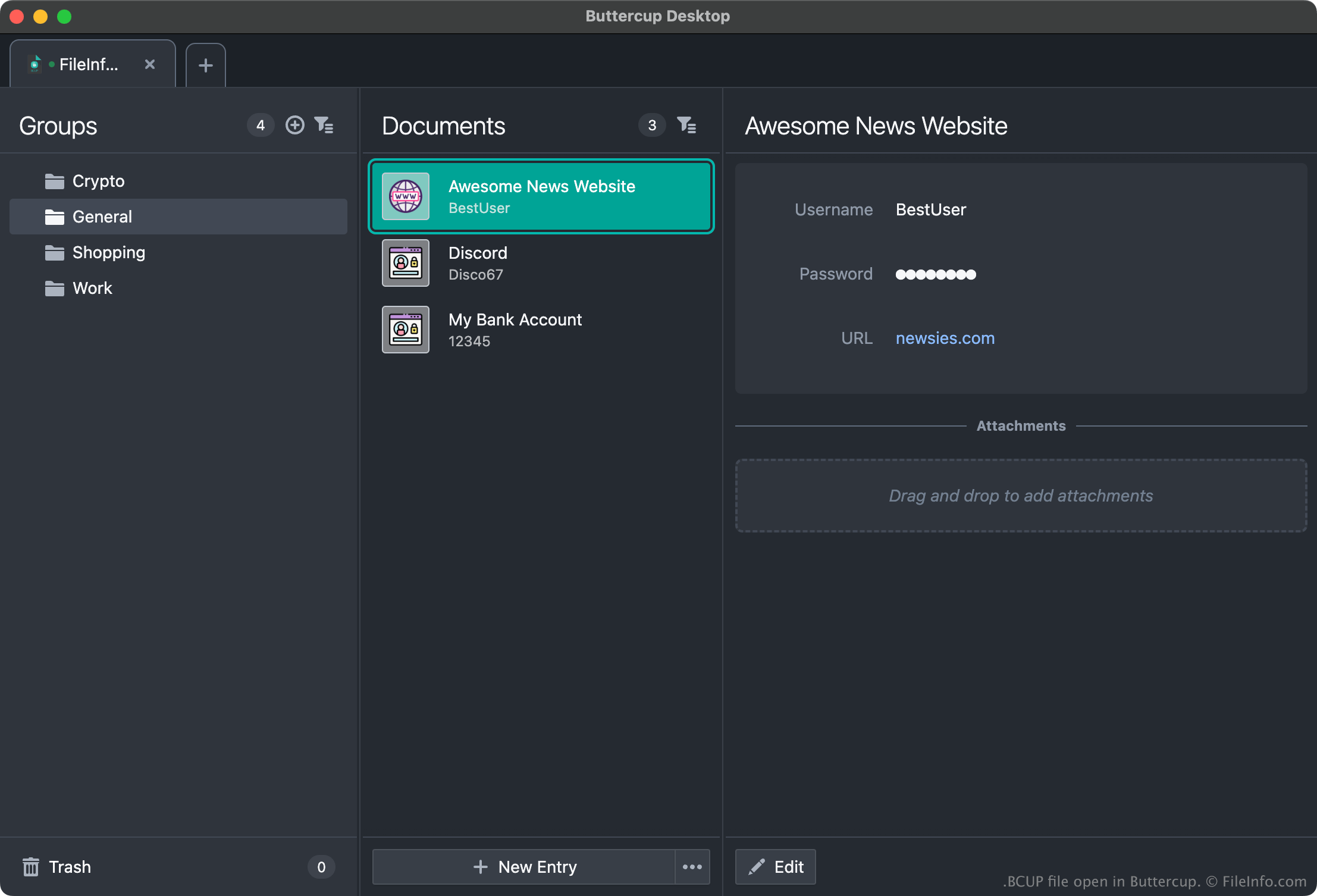
Buttercup을 사용하면 사용자가 로그인 자격 증명(사용자 이름과 비밀번호), 결제 수단 및 기타 데이터를 저장하고 정리하고 불러올 수 있는 비밀번호 보관함을 만들 수 있습니다. 예를 들어 사용자는 Amazon, Gmail, 온라인 뱅킹의 자격 증명을 Buttercup 보관함에 추가한 다음, 해당 서비스에 로그인할 때 보관함에서 자격 증명을 복사할 수 있습니다.
각 Buttercup 보관함은 암호화되고 비밀번호로 보호되는 BCUP 파일로 저장됩니다. (사용자가 새 BCUP 파일을 만들면 Buttercup은 해당 파일의 비밀번호를 만들도록 요청합니다.) 일반적으로 사용자는 BCUP 파일을 Dropbox, Google Drive 또는 다른 클라우드 저장소 서비스에 저장하므로 여러 기기에서 BCUP 파일에 쉽게 액세스할 수 있습니다. 그러나 사용자는 BCUP 파일을 로컬에 저장하여 인터넷 연결 없이도 보관함에 액세스할 수도 있습니다.
BCUP 파일을 여는 방법
모든 버전의 Buttercup(멀티플랫폼)으로 BCUP 파일을 열 수 있습니다. 예를 들어 Buttercup 데스크톱 버전으로 로컬 BCUP 파일을 열려면 다음 단계를 따르세요:
- Buttercup을 열고 를 선택합니다.
- 창에서 을 선택합니다.
- 창에서 을 선택합니다.
- BCUP 파일이 있는 위치로 이동하여 파일을 엽니다.
단, BCUP 파일을 열려면 파일의 비밀번호를 알고 있어야 한다는 점을 기억하세요.