

.BCUP Estensione file
Archivio Buttercup
| Sviluppatore | Perry Mitchell |
| Popolarità |
4,0 | 2 Voti |
Che cos'è un file BCUP?
Un file BCUP è un archivio di password crittografato creato da Buttercup, un gestore di password open source. Contiene credenziali di accesso, metodi di pagamento e/o note che un utente ha aggiunto al proprio archivio. Poiché i file BCUP sono crittografati, gli utenti possono visualizzare le credenziali e gli altri dati che contengono solo in Buttercup.
Maggiori informazioni
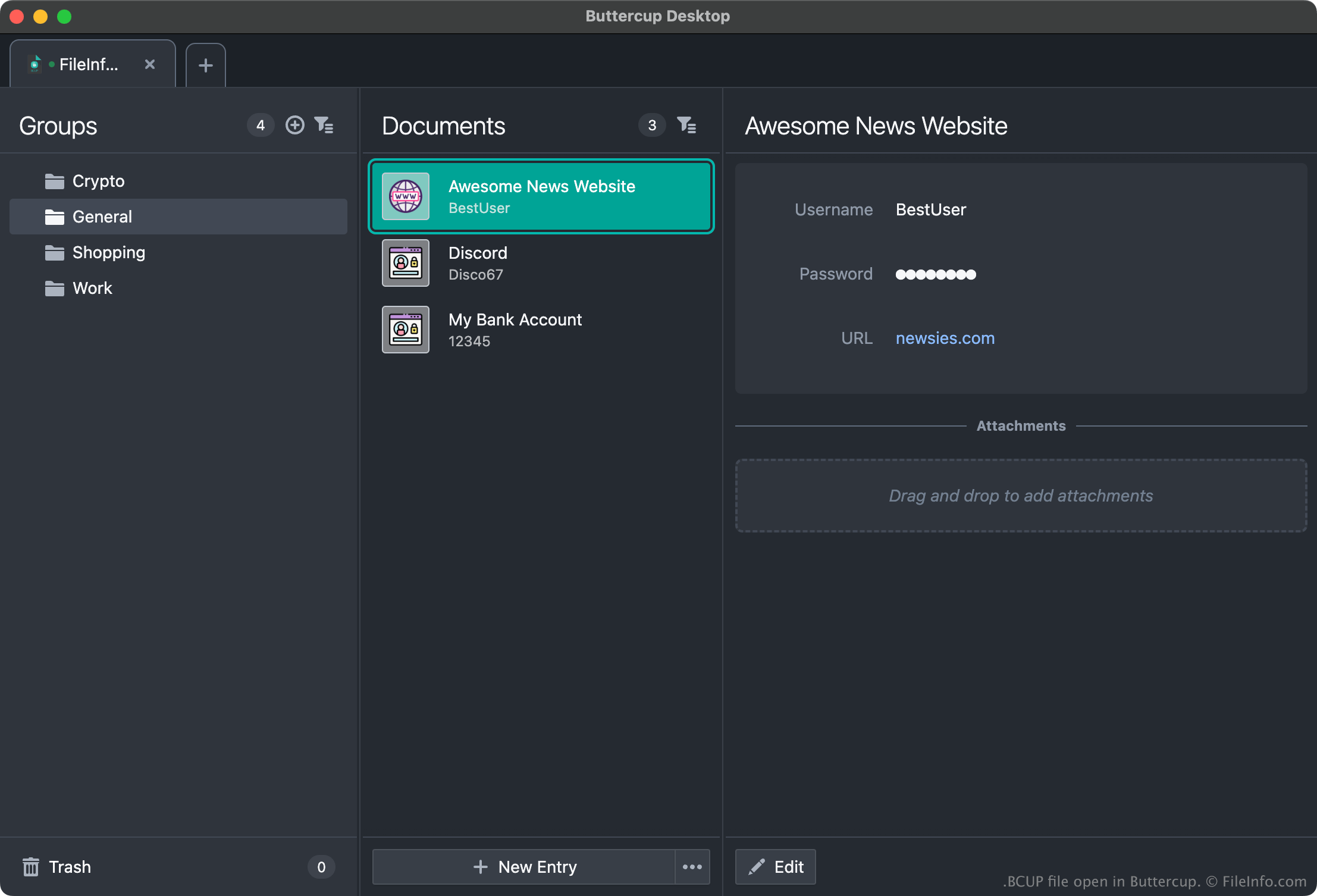
Buttercup consente agli utenti di creare archivi di password in cui possono memorizzare, organizzare e recuperare credenziali di accesso (nomi utente e password), metodi di pagamento e altri dati. Ad esempio, un utente potrebbe aggiungere le proprie credenziali Amazon, Gmail e dell'home banking a un archivio Buttercup, quindi copiare le credenziali dall'archivio quando accede a questi servizi.
Ogni archivio Buttercup viene salvato come file BCUP crittografato e protetto da password. (Quando un utente crea un nuovo file BCUP, Buttercup chiede di creare una password per il file.) In genere, gli utenti salvano i file BCUP su Dropbox, Google Drive o un altro servizio di archiviazione cloud, così possono accedere facilmente ai propri file BCUP da dispositivi diversi. Tuttavia, gli utenti possono anche salvare i file BCUP localmente, così possono accedere ai propri archivi senza una connessione a Internet.
Come aprire un file BCUP
Puoi aprire un file BCUP con tutte le versioni di Buttercup (multipiattaforma). Ad esempio, per aprire un file BCUP locale con la versione desktop di Buttercup:
- Apri Buttercup e seleziona .
- Nella finestra , seleziona .
- Nella finestra , seleziona .
- Vai al file BCUP e aprilo.
Tieni però presente che, per aprire un file BCUP, devi conoscere la password del file.