.BCUP ファイル拡張子

Buttercup Vault

開発元 Perry Mitchell
人気度
4.0  |  2 
 

BCUPファイルとは?

A BCUP file is an encrypted password vault created by Buttercup, an open-source password manager. It contains login credentials, payment methods, and/or notes a user has added to their vault. Because BCUP files are encrypted, users can view the credentials and other data they contain only in Buttercup.

詳細情報

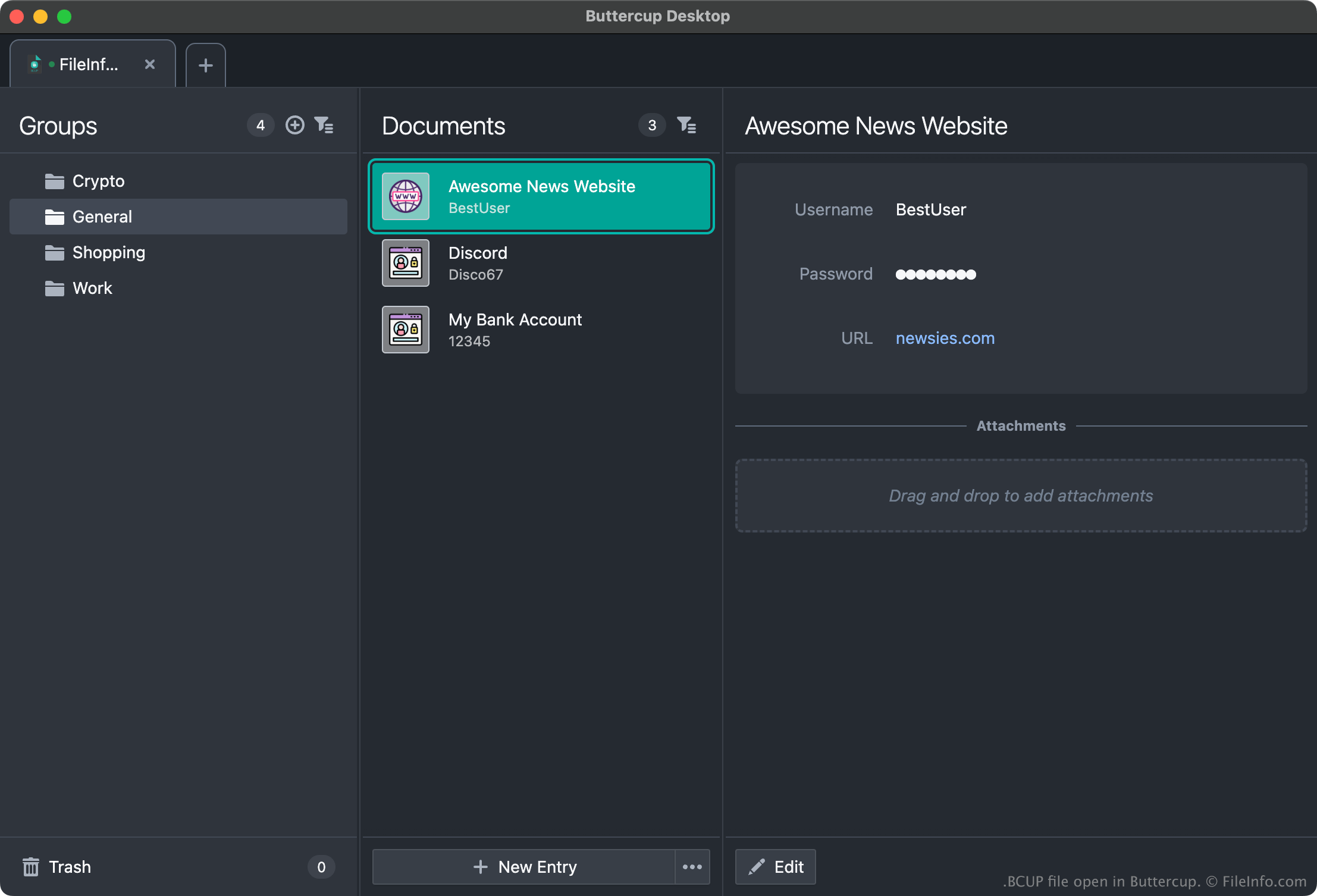
Buttercupで開いた.bcupファイルのスクリーンショット
Buttercupで開いたBCUPファイル

Buttercup allows users to create password vaults in which they can store, organize, and retrieve login credentials (usernames and passwords), payment methods, and other data. For example, a user could add their Amazon, Gmail, and online banking credentials to a Buttercup vault, and then copy their credentials from their vault when logging in to those services.

Each Buttercup vault is saved as an encrypted, password-protected BCUP file. (When a user creates a new BCUP file, Buttercup prompts the user to create a password for that file.) Typically, users save BCUP files to Dropbox, Google Drive, or another cloud storage service, so they can easily access their BCUP files from different devices. However, users can also save BCUP files locally, so they can access their vaults without an internet connection.

BCUPファイルの開き方

You can open a BCUP file with all versions of Buttercup (multiplatform). For example, to open a local BCUP file with the desktop version of Buttercup:

  1. Open Buttercup and select Vaults → Add New.
  2. In the Add Vault window, select File.
  3. In the Add Vault File window, select Load Existing.
  4. Navigate to and open your BCUP file.

Remember, however, that to open a BCUP file, you must know the file's password.

File Viewer Plusで400種類以上のファイル形式を開けます。無料ダウンロード

BCUPファイルを開くプログラム

All Platforms
無料

検証者 FileInfo.com

FileInfo.comチーム は、このページに掲載されているButtercup Vaultファイル形式とアプリについて独自に調査しました。 私たちの目標は100%の正確性であり、検証済みのファイルタイプに関する情報のみを公開しています。

このページへの追加や更新をご提案いただける場合は、お知らせください。