

.YML Bestandsextensie
YAML-document
| Ontwikkelaar | N.v.t. |
| Populariteit |
3,9 | 126 stemmen |
Wat is een YML-bestand?
Een YML-bestand is een tekstdocument dat gegevens bevat die zijn opgemaakt met YAML (YAML Ain't Markup Language), een voor mensen leesbaar gegevensformaat dat wordt gebruikt voor gegevensserialisatie. Het wordt gebruikt om gegevens te lezen en te schrijven zonder afhankelijk te zijn van een specifieke programmeertaal. Omdat de syntaxis van YAML niet afhankelijk is van een programmeertaal, kunnen YML-bestanden worden opgenomen in programma's die zijn geschreven in de meeste populaire programmeertalen, waaronder C/C++, Ruby, Python, Java, Perl, C#, PHP en andere.
Meer informatie
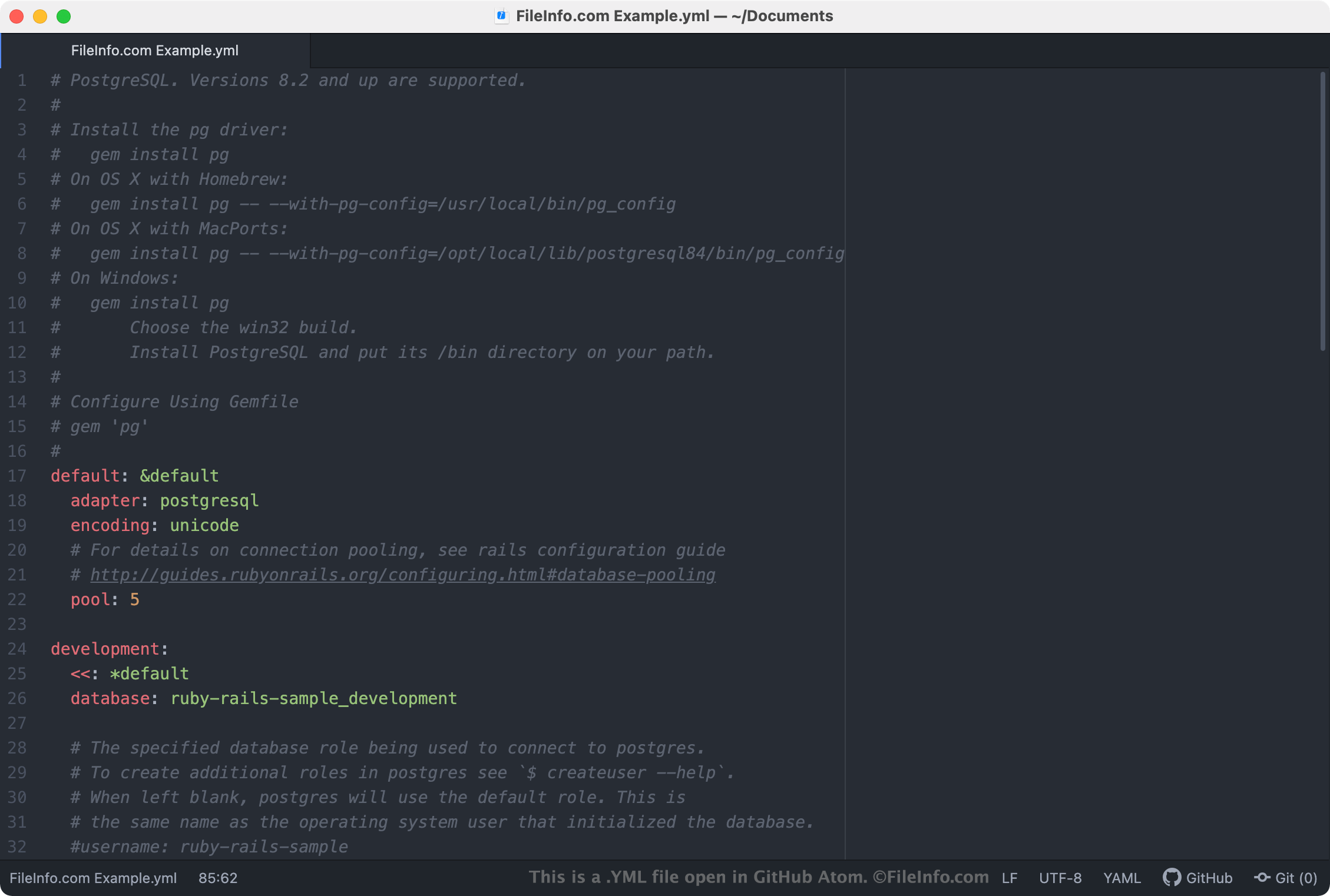
YML-bestanden worden meestal gebruikt als configuratiebestanden, waarin de instellingen van een programma of toepassing worden gedefinieerd. Als een programma een YML-bestand gebruikt als instellingenbestand, kun je de instellingen van het programma bewerken door het YML-bestand te openen en te bewerken in een teksteditor of broncode-editor. De meeste YML-bestanden met instellingen bevatten opmerkingen die uitleggen hoe je het bestand kunt gebruiken om de instellingen van een programma aan te passen.
OPMERKING: YAML-bestanden worden vaker opgeslagen met de .YAML-extensie.
Veelvoorkomende .YML-bestandsnamen
database.yml - Een YML-bestand dat Ruby on Rails gebruikt om verbindingsgegevens op te slaan bij het verbinden met een database.
Een YML-bestand openen
Je kunt een YML-bestand openen in elke teksteditor, zoals Microsoft Notepad (Windows) of Apple TextEdit (Mac). Als je echter van plan bent een YML-bestand te bewerken, kun je het beter openen met een broncode-editor, zoals Microsoft Visual Studio Code (platformonafhankelijk) of GitHub Atom (platformonafhankelijk). Deze toepassingen bieden handige hulpmiddelen voor het bewerken van broncode en markeren de YAML-syntaxis correct.