

.YML Dateiendung
YAML-Dokument
| Entwickler | k. A. |
| Beliebtheit |
3,9 | 125 Stimmen |
Was ist eine YML-Datei?
Eine YML-Datei ist ein Textdokument, das Daten enthält, die mit YAML (YAML Ain't Markup Language) formatiert sind, einem für Menschen lesbaren Datenformat zur Datenserialisierung. Sie wird zum Lesen und Schreiben von Daten unabhängig von einer bestimmten Programmiersprache verwendet. Da die Syntax von YAML sprachunabhängig ist, können YML-Dateien in Programme integriert werden, die in den meisten gängigen Programmiersprachen geschrieben sind, darunter C/C++, Ruby, Python, Java, Perl, C#, PHP und andere.
Weitere Informationen
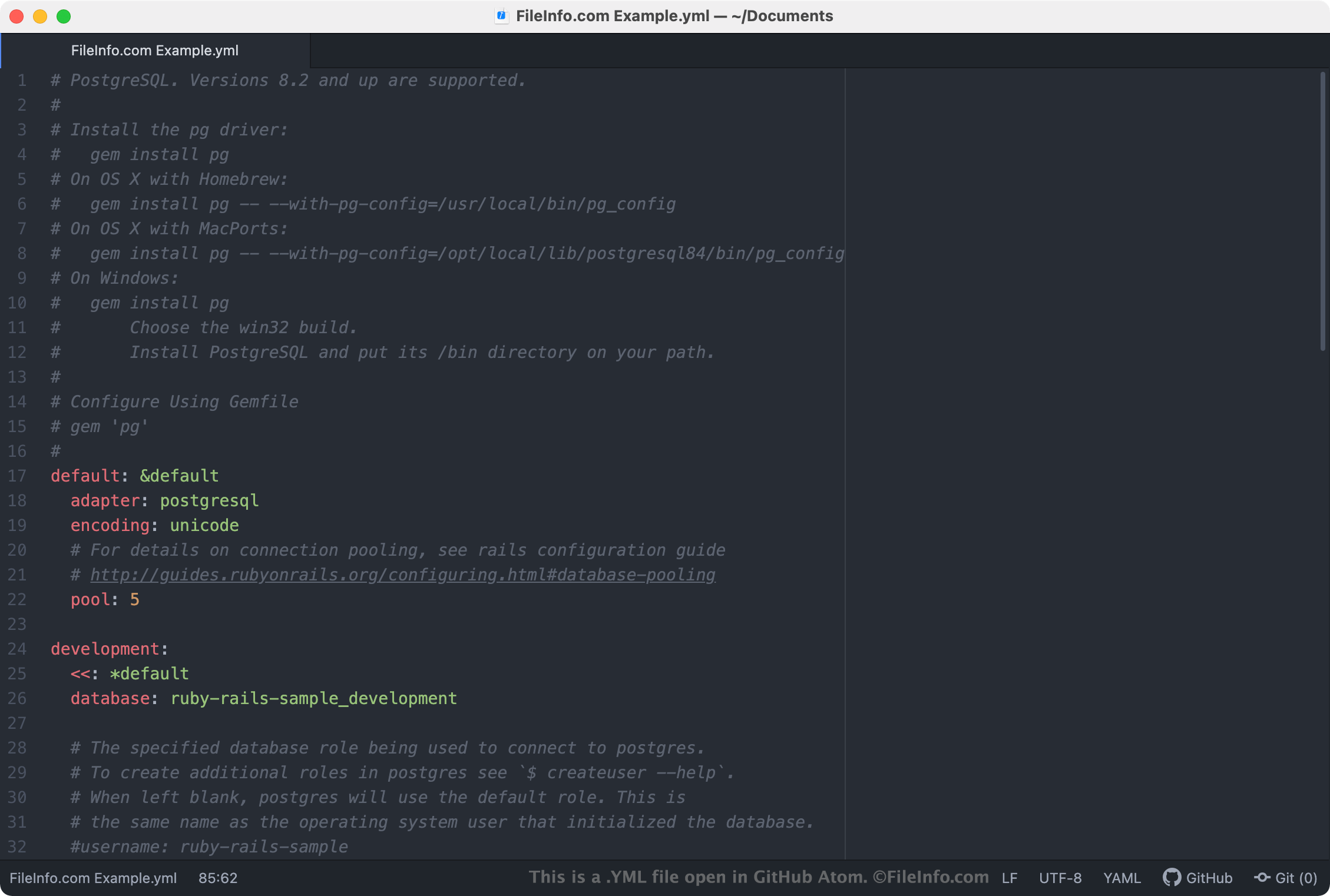
YML-Dateien werden am häufigsten als Konfigurationsdateien verwendet, in denen die Einstellungen eines Programms oder einer Anwendung definiert sind. Wenn ein Programm eine YML-Datei als Einstellungsdatei verwendet, können Sie die Einstellungen des Programms ändern, indem Sie die YML-Datei in einem Text- oder Quelltexteditor öffnen und bearbeiten. Die meisten YML-Dateien mit Einstellungen enthalten Kommentare, die erklären, wie die Datei zum Anpassen der Einstellungen eines Programms verwendet werden kann.
HINWEIS: YAML-Dateien werden häufiger mit der .YAML-Erweiterung gespeichert.
Häufige .YML-Dateinamen
database.yml - Eine YML-Datei, die Ruby on Rails zum Speichern von Verbindungsinformationen beim Herstellen einer Verbindung zu einer Datenbank verwendet.
So öffnen Sie eine YML-Datei
Sie können eine YML-Datei in jedem Texteditor öffnen, z. B. in Microsoft Notepad (Windows) oder Apple TextEdit (Mac). Wenn Sie eine YML-Datei jedoch bearbeiten möchten, sollten Sie sie in einem Quelltexteditor öffnen, z. B. in Microsoft Visual Studio Code (plattformübergreifend) oder GitHub Atom (plattformübergreifend). Diese Anwendungen stellen hilfreiche Werkzeuge zur Quelltextbearbeitung bereit und heben die YAML-Syntax korrekt hervor.