

.MBX Bestandsextensie
Mecabricks 3D-scène
| Ontwikkelaar | Mecabricks |
| Populariteit |
2,0 | 1 stem |
Een MBX-bestand is een 3D-scène die is geëxporteerd door Mecabricks, een online tool waarmee LEGO-liefhebbers scènes met LEGO-steentjes kunnen ontwerpen. Het bevat scène-informatie in platte tekst, zoals punten, oppervlakken, posities en texturen van een model, evenals achtergrondinformatie. Doorgaans komen gebruikers van Mecabricks geen MBX-bestanden tegen (omdat het programma de scène exporteert in de gecomprimeerde .ZMBX-indeling), tenzij de webbrowser het ZMBX-bestand tijdens het downloaden van de scène uit het programma automatisch decomprimeert als een .ZIP-archief, waardoor het MBX-bestand achterblijft.
Meer informatie
Nicolas Jarraud bracht Mecabricks oorspronkelijk uit in 2012 en ontwikkelt het programma voortdurend verder door nieuwe functies toe te voegen. Sinds de release is de app uitgegroeid tot een favoriet onder LEGO-liefhebbers.
Ze gebruiken de app doorgaans om LEGO-scènes te bouwen, renderen en animeren in de Mecabricks-indeling (MBX). Vervolgens kunnen ze de scènes exporteren als ZMBX-bestanden en in Blender importeren om ze verder te illustreren en animeren.
Veelvoorkomende .MBX-bestandsnamen
scene.mbx - Standaardnaam die Mecabricks aan de scène geeft wanneer deze wordt geëxporteerd naar een ZMBX-bestand.
Een MBX-bestand openen
Je kunt MBX-bestanden openen met Mecabricks in een webbrowser of met Blender in Windows, macOS of Linux (met de Blender Lite-plugin geïnstalleerd). Je moet het bestand echter comprimeren als een Zip-archief (klik bijvoorbeeld met de rechtermuisknop op het bestand in Windows of macOS en selecteer de optie in het contextmenu) en vervolgens de bestandsextensie .zip wijzigen in .zmbx, zodat de programma's het kunnen openen.
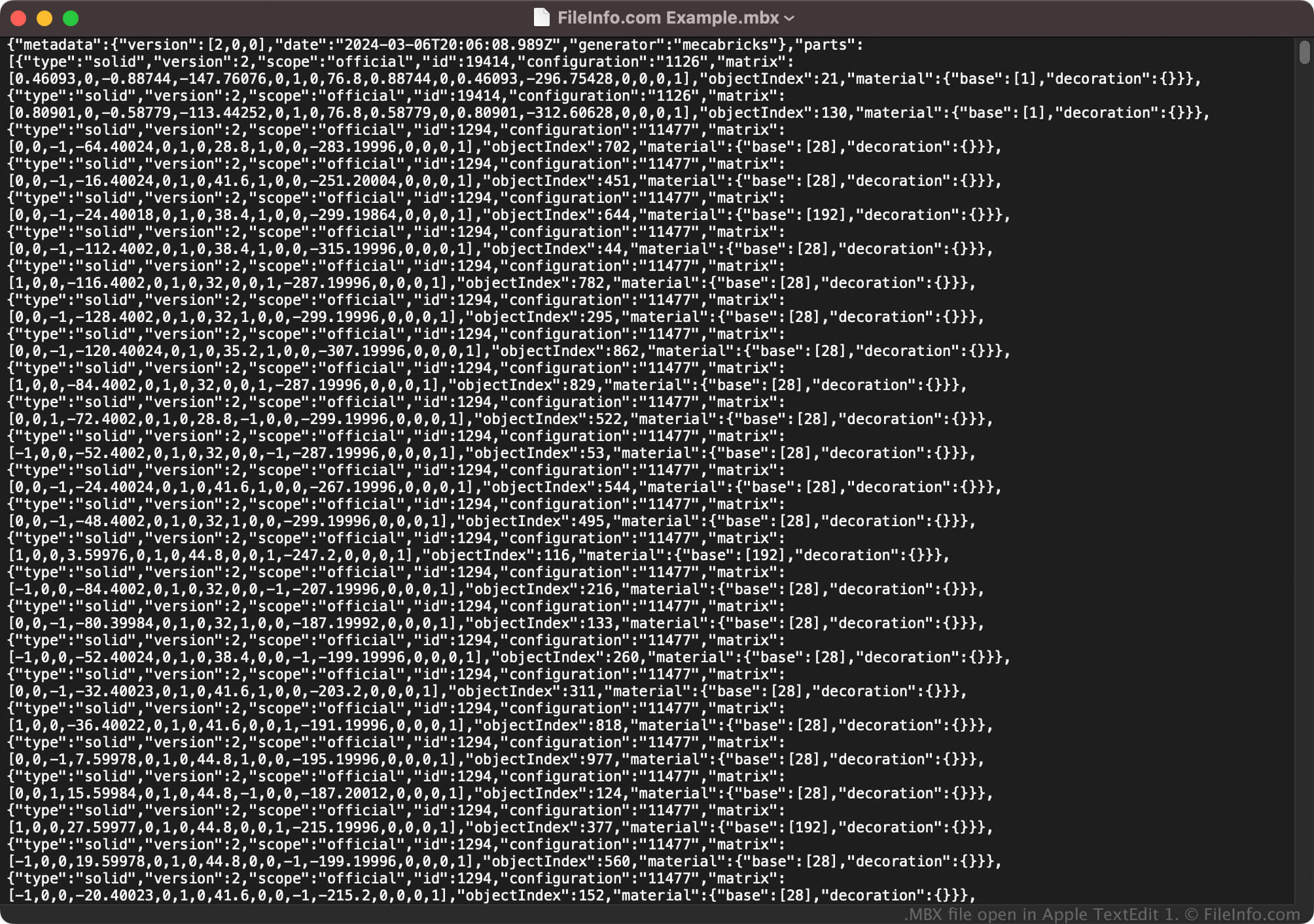
Omdat MBX-bestanden informatie in platte tekst opslaan, kun je ze ook openen met een teksteditor, zoals Microsoft Notepad (Windows) of Apple TextEdit (macOS). Als je ze echter met een teksteditor opent, ziet de inhoud er niet hetzelfde uit als wanneer je ze met Mecabricks of Blender opent.
Een MBX-bestand converteren
Als je een MBX-bestand comprimeert als een Zip-archief en vervolgens de bestandsextensie .zip wijzigt in .zmbx, kunnen Mecabricks en Blender (met de Blender Lite-plugin) het bestand converteren naar andere 3D-modelindelingen. Je kunt ZMBX-bestanden bijvoorbeeld met Mecabricks converteren naar de volgende bestandstypen door te selecteren: