

.JSL Bestandsextensie
JMP-script
| Ontwikkelaar | SAS Institute |
| Populariteit |
4,0 | 6 stemmen |
Wat is een JSL-bestand?
Een JSL-bestand is een script dat is gemaakt door SAS JMP, software voor gegevensanalyse die vaak door ingenieurs en wetenschappers wordt gebruikt. Het bevat JMP Scripting Language (JSL), die kan worden uitgevoerd om gegevensresultaten opnieuw te creëren, de functionaliteit van de software uit te breiden en analyses te automatiseren. JSL-bestanden kunnen ook metadata bevatten, zoals de auteur, contactgegevens van de auteur, de aanmaakdatum en het doel van het script.
Meer informatie
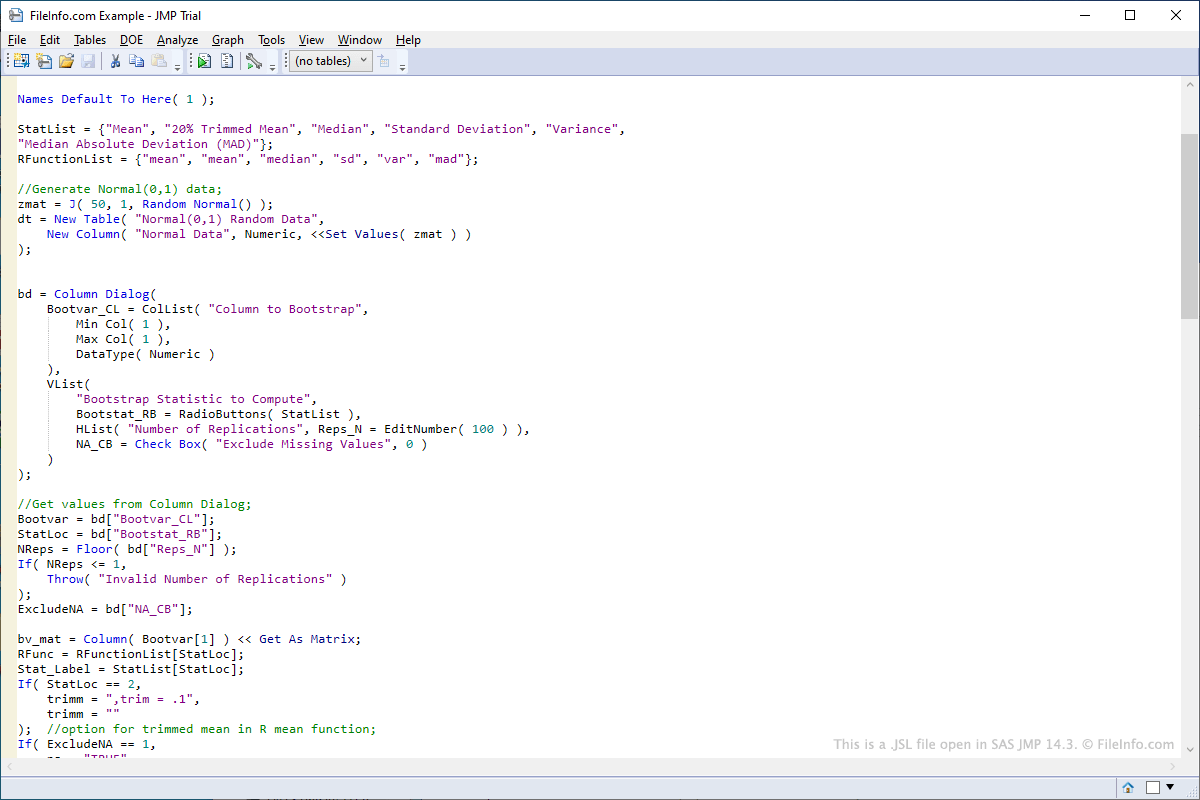
Als je een JSL-script wilt openen in JMP, selecteer je , ga je naar de locatie van het JSL-bestand en klik je op . Als je een JSL-script wilt bewerken in JMP, klik je met de rechtermuisknop op het script nadat je het in het linkerdeelvenster van de programma-interface hebt geopend en selecteer je . Als je een JSL-script wilt uitvoeren in JMP, klik je met de rechtermuisknop op het script nadat je het in het linkerdeelvenster van de programma-interface hebt geopend en selecteer je .
Omdat JSL-bestanden scripttaal opslaan in platte tekst, kun je ze openen en bewerken met teksteditors. Voorbeelden van programma's waarmee je JSL-bestanden kunt openen en bewerken zijn Microsoft Notepad en Apple TextEdit.
Je zult waarschijnlijk alleen een JSL-bestand tegenkomen als je in een vakgebied werkt waarvoor gegevensanalyse nodig is. JMP-software wordt geleverd met verschillende vooraf gemaakte JSL-scripts die kunnen worden aangepast. Voorbeeld-JSL-scripts die met JMP worden meegeleverd, vind je in de map "Scripts" in de map "Samples", die zich in de installatiemap van JMP bevindt.
Gebruikers kunnen ook zelf scripts vanaf nul maken. Voorbeelden van toepassingen van de scripts zijn verbinding maken met databases om gegevens op te halen of het automatisch aanpassen van gegevensvelden in een tabel.