

.JSL Estensione file
Script JMP
| Sviluppatore | SAS Institute |
| Popolarità |
4,0 | 6 Voti |
Che cos'è un file JSL?
Un file JSL è uno script creato da SAS JMP, un software di analisi dei dati utilizzato spesso da ingegneri e scienziati. Contiene il linguaggio di scripting JMP (JSL), che può essere eseguito per ricreare i risultati dei dati, estendere le funzionalità del software e automatizzare le analisi. I file JSL possono includere anche metadati, come l'autore, le informazioni di contatto dell'autore, la data di creazione e lo scopo dello script.
Maggiori informazioni
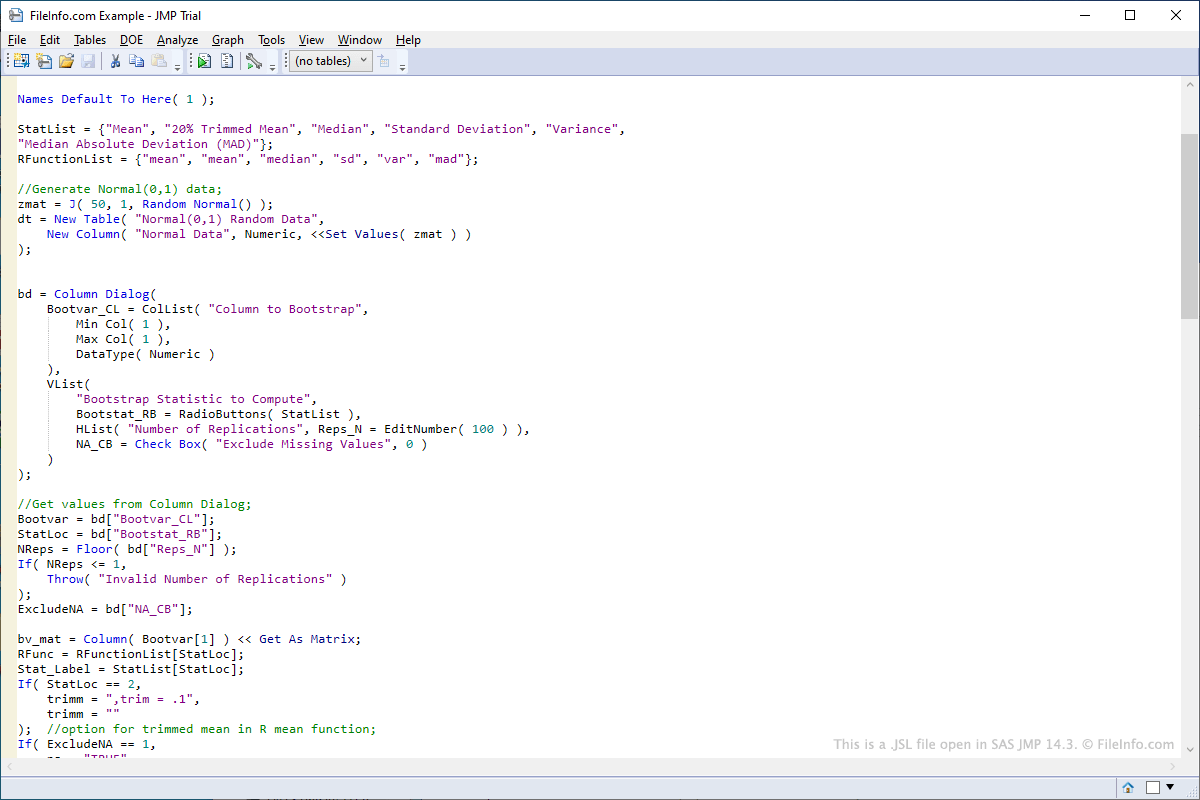
Per aprire uno script JSL in JMP, seleziona , vai alla posizione del file JSL e fai clic su . Per modificare uno script JSL in JMP, fai clic con il pulsante destro del mouse sullo script dopo averlo aperto nel riquadro sinistro dell'interfaccia del programma, quindi seleziona . Per eseguire uno script JSL in JMP, fai clic con il pulsante destro del mouse sullo script dopo averlo aperto nel riquadro sinistro dell'interfaccia del programma, quindi seleziona .
Poiché i file JSL memorizzano il linguaggio di scripting in formato di testo normale, puoi aprirli e modificarli con gli editor di testo. Alcuni esempi di programmi che possono essere utilizzati per aprire e modificare i file JSL includono Microsoft Notepad e Apple TextEdit.
Molto probabilmente incontrerai un file JSL solo se lavori in un settore che richiede l'analisi dei dati. Il software JMP include una varietà di script JSL già pronti che possono essere modificati. Gli script JSL di esempio inclusi con JMP si trovano nella cartella "Scripts", all'interno della cartella "Samples" inclusa nella directory di installazione di JMP.
Gli utenti possono anche creare i propri script da zero. Alcuni esempi di utilizzo degli script includono la connessione ai database per recuperare dati o l'automazione della modifica dei campi di dati in una tabella.