.JSL 파일 확장자

2개의 파일 유형.jsl 확장자를 사용합니다.

JMP Script

개발사 SAS Institute
인기도
4.0  |  6 투표
 

JSL 파일이란 무엇인가요?

A JSL file is a script created by SAS JMP, a data analysis software often used by engineers and scientists. It contains JMP Scripting Language (JSL) that can be run to recreate data results, extend the functionality of the software, and automate analyses. JSL files may also include metadata, such as the author, author contact information, date created, and the purpose of the script.

추가 정보

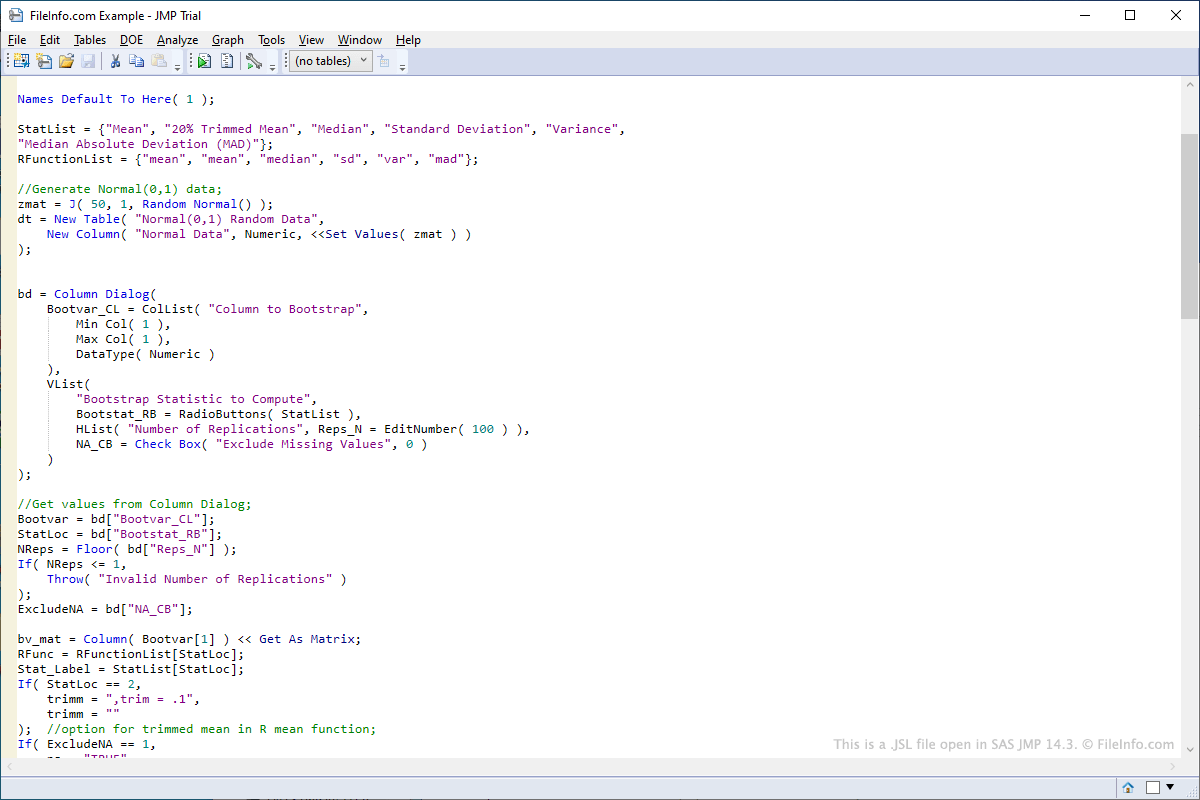
SAS JMP 14.3에서 열린 .jsl 파일의 스크린샷
SAS JMP 14.3에서 열린 JSL 파일

To open a JSL script in JMP select File → Open..., navigate to the location of the JSL file, and click Open. To edit a JSL script in JMP, right-click the script after opening it in the left pane of the program interface, then select Edit Script. To run a JSL script in JMP, right-click the script after opening it in the left pane of the program interface, then select Run Script.

Since JSL files store scripting language in plain text format, they can be opened and edited with text editors. Some examples of programs that can be used to open and edit JSL files include Microsoft Notepad and Apple TextEdit.

You most likely will only encounter a JSL file if you work in a field that requires data analysis. JMP software comes with a variety of pre-made JSL scripts that can be modified. Sample JSL scripts included with JMP can be found in the "Scripts" folder in the "Samples" folder included in the installation directory of JMP.

Users can also create their own scripts from scratch. Some examples of uses of the scripts include connecting to databases to retrieve data or automating the modification of data fields in a table.

File Viewer Plus(으)로 400개 이상의 파일 형식을 여세요.무료 다운로드

JSL 파일을 여는 프로그램

Windows
무료 체험판
Mac
무료 체험판
카테고리: 설정
업데이트: 2019-09-04

Corel PaintShop Pro Shape Library

개발사 Corel
인기도
3.1  |  7 투표
 

A JSL file contains a shape library created by version 7 of PaintShop Pro, a program used for editing images and digital photos. It stores one or more vector preset shapes, such as a circle, square, triangle, chat bubble, or butterfly.

추가 정보

JSL files were replaced by PSPSHAPE files in version 8 of PaintShop Pro. However, they are still supported by version 8 and 9 of PaintShop Pro. To import a JSL shape library in PaintShop Pro 7, select File → Import → Shape. To export a JSL shape library in PaintShop Pro 7, select File → Export → Shape or right-click an image and choose Export → Shape in the context menu.

JSL 파일을 여는 프로그램

Windows
무료 체험판

검증자 FileInfo.com

FileInfo.com 팀 이 페이지에 나열된 모든 파일 형식과 소프트웨어 프로그램을 독자적으로 조사했습니다. 저희의 목표는 100% 정확성이며, 검증한 파일 유형에 대한 정보만 게시합니다.

이 페이지에 추가하거나 업데이트할 내용을 제안하고 싶으시면 알려 주세요.