.JSL ファイル拡張子

2個のファイルタイプ.jsl拡張子を使用しています。

JMP Script

開発元 SAS Institute
人気度
4.0  |  6 
 

JSLファイルとは?

A JSL file is a script created by SAS JMP, a data analysis software often used by engineers and scientists. It contains JMP Scripting Language (JSL) that can be run to recreate data results, extend the functionality of the software, and automate analyses. JSL files may also include metadata, such as the author, author contact information, date created, and the purpose of the script.

詳細情報

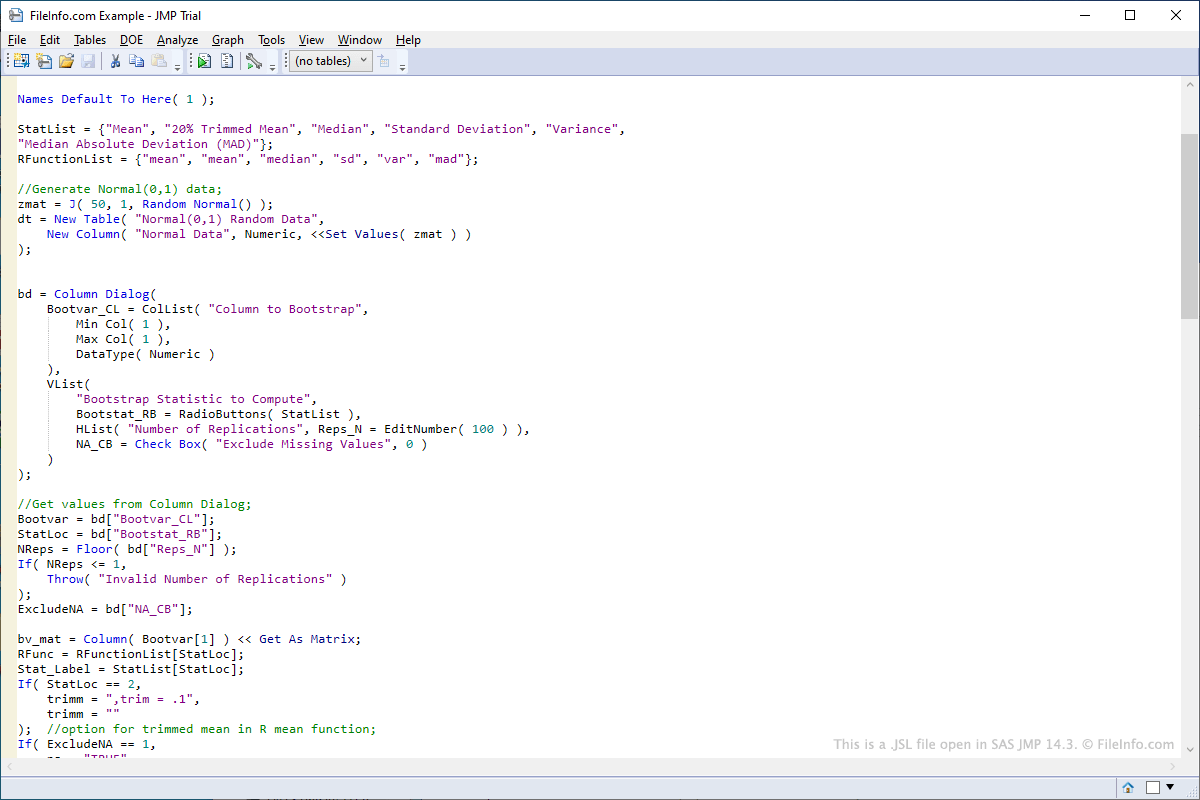
SAS JMP 14.3で開いた.jslファイルのスクリーンショット
SAS JMP 14.3で開いたJSLファイル

To open a JSL script in JMP select File → Open..., navigate to the location of the JSL file, and click Open. To edit a JSL script in JMP, right-click the script after opening it in the left pane of the program interface, then select Edit Script. To run a JSL script in JMP, right-click the script after opening it in the left pane of the program interface, then select Run Script.

Since JSL files store scripting language in plain text format, they can be opened and edited with text editors. Some examples of programs that can be used to open and edit JSL files include Microsoft Notepad and Apple TextEdit.

You most likely will only encounter a JSL file if you work in a field that requires data analysis. JMP software comes with a variety of pre-made JSL scripts that can be modified. Sample JSL scripts included with JMP can be found in the "Scripts" folder in the "Samples" folder included in the installation directory of JMP.

Users can also create their own scripts from scratch. Some examples of uses of the scripts include connecting to databases to retrieve data or automating the modification of data fields in a table.

File Viewer Plusで400種類以上のファイル形式を開けます。無料ダウンロード

JSLファイルを開くプログラム

Windows
無料体験版
Mac
無料体験版
カテゴリ: 設定
更新日: 2019-09-04

Corel PaintShop Pro Shape Library

開発元 Corel
人気度
3.1  |  7 
 

A JSL file contains a shape library created by version 7 of PaintShop Pro, a program used for editing images and digital photos. It stores one or more vector preset shapes, such as a circle, square, triangle, chat bubble, or butterfly.

詳細情報

JSL files were replaced by PSPSHAPE files in version 8 of PaintShop Pro. However, they are still supported by version 8 and 9 of PaintShop Pro. To import a JSL shape library in PaintShop Pro 7, select File → Import → Shape. To export a JSL shape library in PaintShop Pro 7, select File → Export → Shape or right-click an image and choose Export → Shape in the context menu.

JSLファイルを開くプログラム

Windows

検証者 FileInfo.com

FileInfo.comチーム は、このページに掲載されているすべてのファイル形式とソフトウェアについて独自に調査しました。 私たちの目標は100%の正確性であり、検証済みのファイルタイプに関する情報のみを公開しています。

このページへの追加や更新をご提案いただける場合は、お知らせください。