

.IDML Bestandsextensie
Adobe InDesign Markup Language-bestand
| Ontwikkelaar | Adobe Systems |
| Populariteit |
3,5 | 51 stemmen |
Wat is een IDML-bestand?
Een IDML-bestand is een document dat is gemaakt met InDesign, een programma voor het maken van professionele pagina-indelingen. Het is een met Zip gecomprimeerd pakket waarin verschillende mappen en .XML-bestanden staan die samen een volledig InDesign-document vormen.
Meer informatie
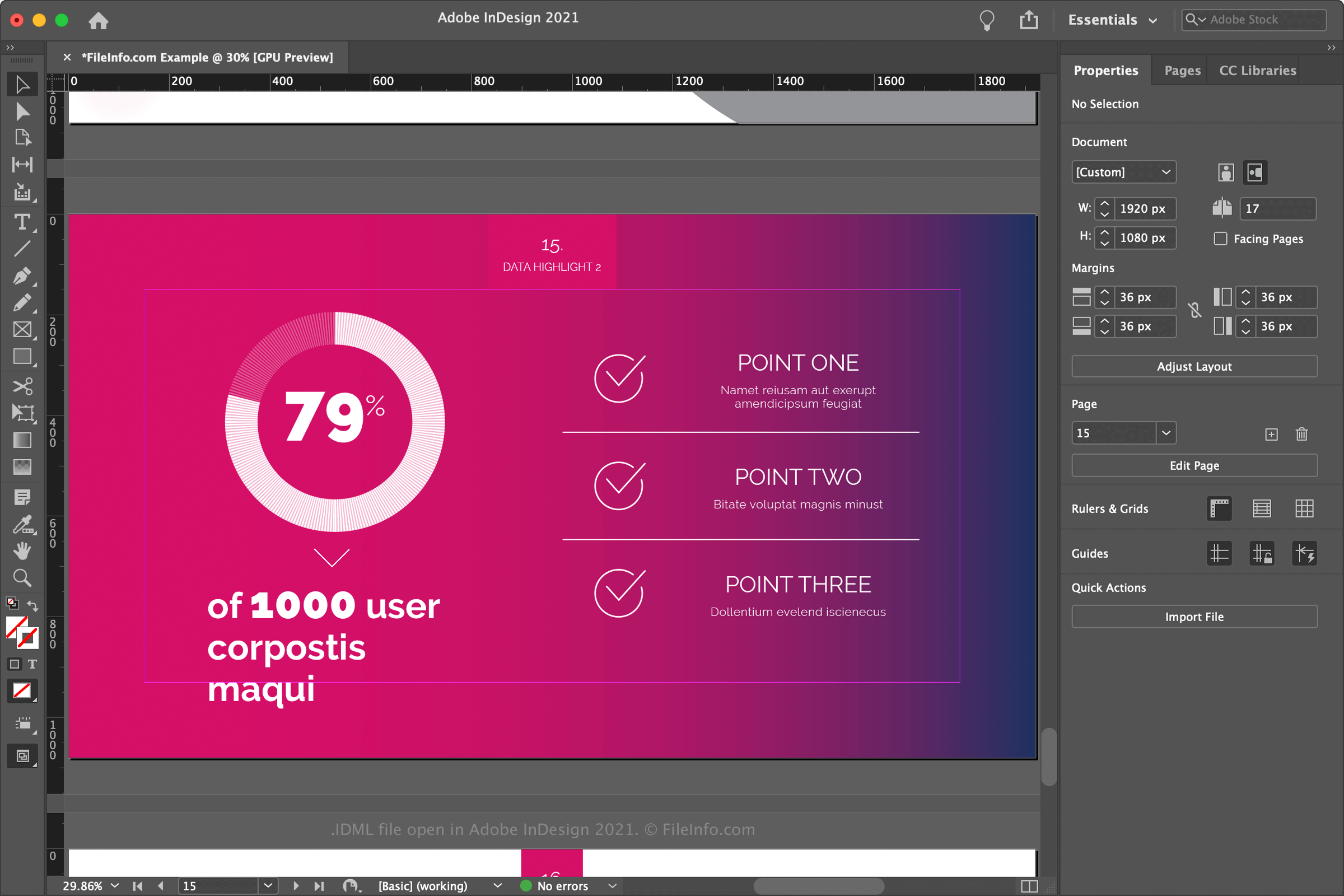
Adobe ontwierp de InDesign Markup Language als uitwisselbaar formaat voor Adobe InDesign-documenten en als manier waarop tools van derden InDesign-documenten kunnen aanpassen en samenstellen. Het bedrijf introduceerde IDML-bestanden bij de release van InDesign CS4, als vervanging voor .INX-bestanden, die moeilijker te maken en te bewerken zijn. InDesign biedt echter nog steeds achterwaartse compatibiliteit met INX-bestanden.
Als je met InDesign een IDML-bestand wilt maken, selecteer je en kies je "InDesign CS4 or later (IDML)" in de vervolgkeuzelijst "Format".
Inhoud van een IDML-pakket
IDML-pakketten bevatten een hiërarchie van XML-bestanden en mappen. De hoofdmap van het archief bevat een bestand designmap.xml, waarin algemene documenteigenschappen en de documentlay-out worden opgegeven. Het archief bevat ook de volgende mappen, die worden gebruikt om onderdelen van het document op te slaan:
- Resources: Bevat documentelementen, zoals kleuren, lettertypen en alineastijlen; bevat Graphics.xml, Fonts.xml, Styles.xml en Preferences.xml.
- Spreads: Slaat documentpagina's op.
- Stories: Bevat alle tekstverhalen van het document.
- XML: Slaat documentelementen en instellingen op; bevat BackingStory.xml, Tags.xml en Mapping.xml.
- MasterSpreads: Bevat MaterSpreads.xml, waarin alle stramienpagina's worden opgegeven die op documentpagina's worden weergegeven, zoals rechthoeken, ellipsen, groepen, polygonen, knoppen en tekstkaders.
- META-INF: Slaat het standaardbestand container.xml voor UCF-pakketten op.
Een IDML-bestand openen
Je kunt IDML-bestanden openen met Adobe InDesign in Windows en macOS. Als je een IDML-bestand met InDesign wilt openen, selecteer je , kies je het IDML-bestand en klik je op . Je kunt ook dubbelklikken op het IDML-bestand om het te openen als het aan InDesign is gekoppeld.
Een IDML-bestand converteren
Adobe InDesign kan IDML-bestanden converteren naar de volgende indelingen: