

.GSLIDES Bestandsextensie
Google Slides-snelkoppeling
| Ontwikkelaar | |
| Populariteit |
3,2 | 33 stemmen |
Wat is een GSLIDES-bestand?
Een GSLIDES-bestand is een snelkoppeling waarmee je een presentatie in Google Slides opent die in Google Drive is opgeslagen. Het bestand bevat een verwijzing naar de presentatie die het opent, evenals het Gmail-account waarmee de presentatie is gemaakt. GSLIDES-bestanden worden gemaakt door Google Drive voor desktop.
Meer informatie
Google Drive voor desktop is een programma waarmee Google Drive-gebruikers hun Google Drive-bestanden kunnen back-uppen en openen op Windows- en Mac-pc's. Hoewel Drive voor desktop daadwerkelijke back-ups van sommige typen bestanden (zoals .JPG en .DOCX-bestanden) op de computers van gebruikers opslaat, bewaart het geen kopieën van bestanden die zijn gemaakt met Google Documenten, Spreadsheets, Presentaties en andere Google Workspace-applicaties. In plaats daarvan slaat Drive voor desktop snelkoppelingsbestanden op die, wanneer je erop dubbelklikt, het bijbehorende bestand openen in de webversie van de juiste Google Workspace-applicatie.
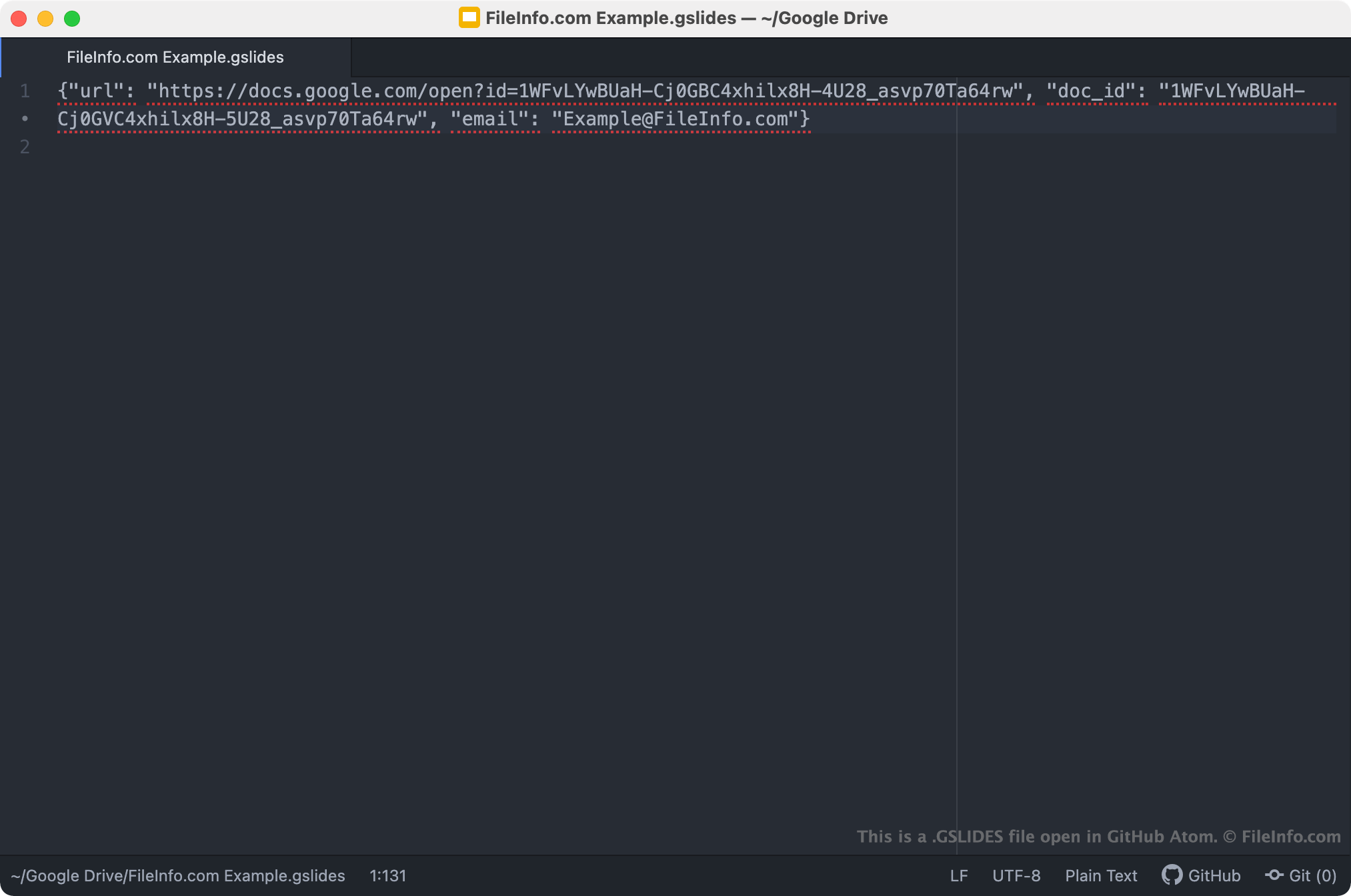
GSLIDES-bestanden zijn snelkoppelingen van Drive voor desktop waarmee je Google Slides-presentaties opent. Wanneer een gebruiker van Drive voor desktop dubbelklikt op een GSLIDES-bestand, wordt de bijbehorende presentatie geopend in Google Slides, op voorwaarde dat de gebruiker is ingelogd bij een Gmail-account dat toegang heeft tot de presentatie. Elk GSLIDES-bestand is een JSON-bestand dat de URL en document-ID van een presentatie bevat, evenals de naam van het Gmail-account waarmee de presentatie is gemaakt.
OPMERKING: GSLIDES-bestanden werden eerder gemaakt door Backup and Sync van Google. Google verving Backup and Sync in oktober 2021 door Drive voor desktop.
Een GSLIDES-bestand openen
Als Google Drive voor desktop op je pc is geïnstalleerd, of als je een Chrome OS-apparaat gebruikt, kun je dubbelklikken op een GSLIDES-bestand om de presentatie waarnaar het verwijst te openen in Google Slides. Mogelijk moet je inloggen bij je Gmail-account of toegang tot de presentatie aanvragen om deze te openen.
Zo nodig kun je een GSLIDES-bestand ook openen in een teksteditor om de URL, document-ID en Gmail-accountgegevens die het bevat te bekijken. Je kunt dit bijvoorbeeld doen als je problemen hebt met het gebruiken van je GSLIDES-bestand om een presentatie in Google Slides te openen. Als er geen presentatie wordt geopend wanneer je dubbelklikt op je GSLIDES-bestand, kun je proberen de URL van je bestand te kopiëren en in je webbrowser te plakken om toegang te krijgen tot je presentatie.