

.GSLIDES ファイル拡張子
Google Slidesショートカット
| 開発元 | |
| 人気度 |
3.3 | 34 票 |
GSLIDESファイルとは?
GSLIDESファイルは、Google Driveに保存されたGoogle Slidesプレゼンテーションを開くために使用されるショートカットです。このファイルには、開くプレゼンテーションへの参照と、プレゼンテーションの作成に使用されたGmailアカウントが含まれています。GSLIDESファイルはGoogle Drive for Desktopによって作成されます。
詳細情報
Google Drive for Desktopは、Google DriveユーザーがWindowsおよびMac PC上でGoogle Driveファイルをバックアップして開くことができるプログラムです。Drive for Desktopは、一部の種類のファイル( .JPGファイルや.DOCXファイルなど)の実際のバックアップをユーザーのコンピューターに保存しますが、Google Docs、Sheets、Slides、その他のGoogle Workspaceアプリケーションで作成されたファイルのコピーは保存しません。その代わり、Drive for Desktopは、ダブルクリックすると、関連付けられたファイルを正しいGoogle Workspaceアプリケーションのウェブ版で開くショートカットファイルを保存します。
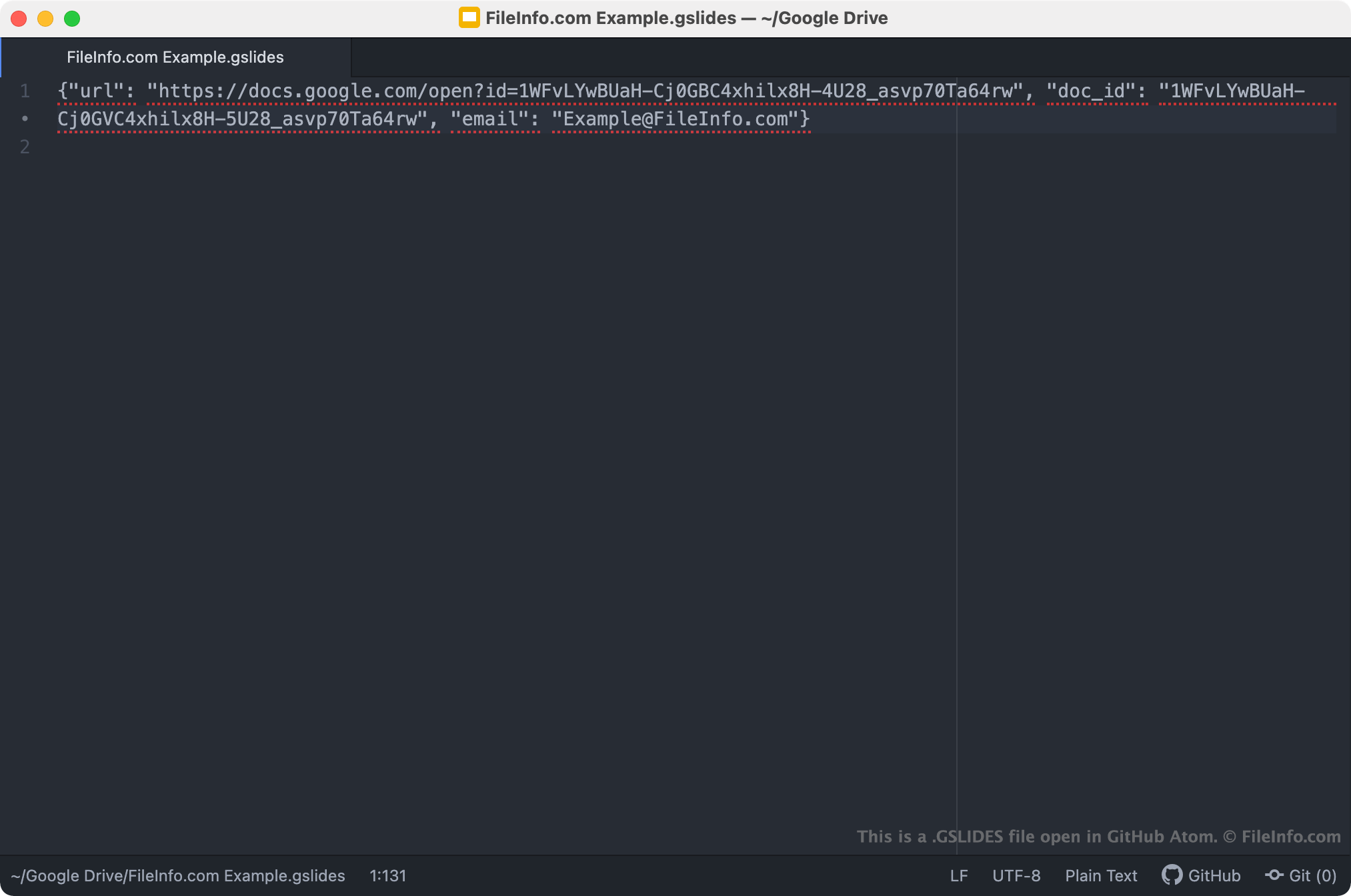
GSLIDESファイルは、Google Slidesプレゼンテーションを開くDrive for Desktopのショートカットです。Drive for DesktopユーザーがGSLIDESファイルをダブルクリックすると、そのプレゼンテーションへのアクセスが許可されたGmailアカウントにログインしている場合、関連するプレゼンテーションがGoogle Slidesで開きます。各GSLIDESファイルは、プレゼンテーションのJSONファイルであり、プレゼンテーションのURLとドキュメントID、およびプレゼンテーションの作成に使用されたGmailアカウント名が含まれています。
注: GSLIDESファイルは、以前はGoogleのBackup and Syncによって作成されていました。Googleは2021年10月にBackup and SyncをDrive for Desktopに置き換えました。
GSLIDESファイルの開き方
PCにGoogle Drive for Desktopがインストールされている場合、またはChrome OSデバイスを使用している場合は、GSLIDESファイルをダブルクリックして、Google Slidesで参照先のプレゼンテーションを開くことができます。開くには、Gmailアカウントにログインするか、プレゼンテーションへのアクセスをリクエストする必要がある場合があります。
必要に応じて、GSLIDESファイルを任意のテキストエディターで開き、含まれているURL、ドキュメントID、Gmailアカウント情報を確認することもできます。たとえば、GSLIDESファイルを使用してGoogle Slidesでプレゼンテーションを開く際に問題がある場合に、この方法を使うとよいでしょう。GSLIDESファイルをダブルクリックしてもプレゼンテーションが開かない場合は、ファイルのURLをコピーしてウェブブラウザーに貼り付け、プレゼンテーションにアクセスしてみてください。