

.GSLIDES Rozszerzenie pliku
Skrót Google Slides
| Deweloper | |
| Popularność |
3,3 | 34 Głosy |
Czym jest plik GSLIDES?
Plik GSLIDES to skrót używany do otwierania prezentacji Google Slides przechowywanej na Dysku Google. Plik zawiera odwołanie do otwieranej prezentacji oraz konto Gmail użyte do jej utworzenia. Pliki GSLIDES są tworzone przez Dysk Google na komputer.
Więcej informacji
Dysk Google na komputer to program, który pozwala użytkownikom Dysku Google tworzyć kopie zapasowe plików z Dysku Google i otwierać je na komputerach z systemem Windows i macOS. Chociaż Dysk na komputer przechowuje rzeczywiste kopie zapasowe niektórych typów plików (takich jak .JPG i .DOCX) na komputerach użytkowników, nie przechowuje kopii plików utworzonych za pomocą Dokumentów Google, Arkuszy Google, Prezentacji Google i innych aplikacji Google Workspace. Zamiast tego Dysk na komputer przechowuje pliki skrótów, które po dwukrotnym kliknięciu otwierają powiązany plik w internetowej wersji właściwej aplikacji Google Workspace.
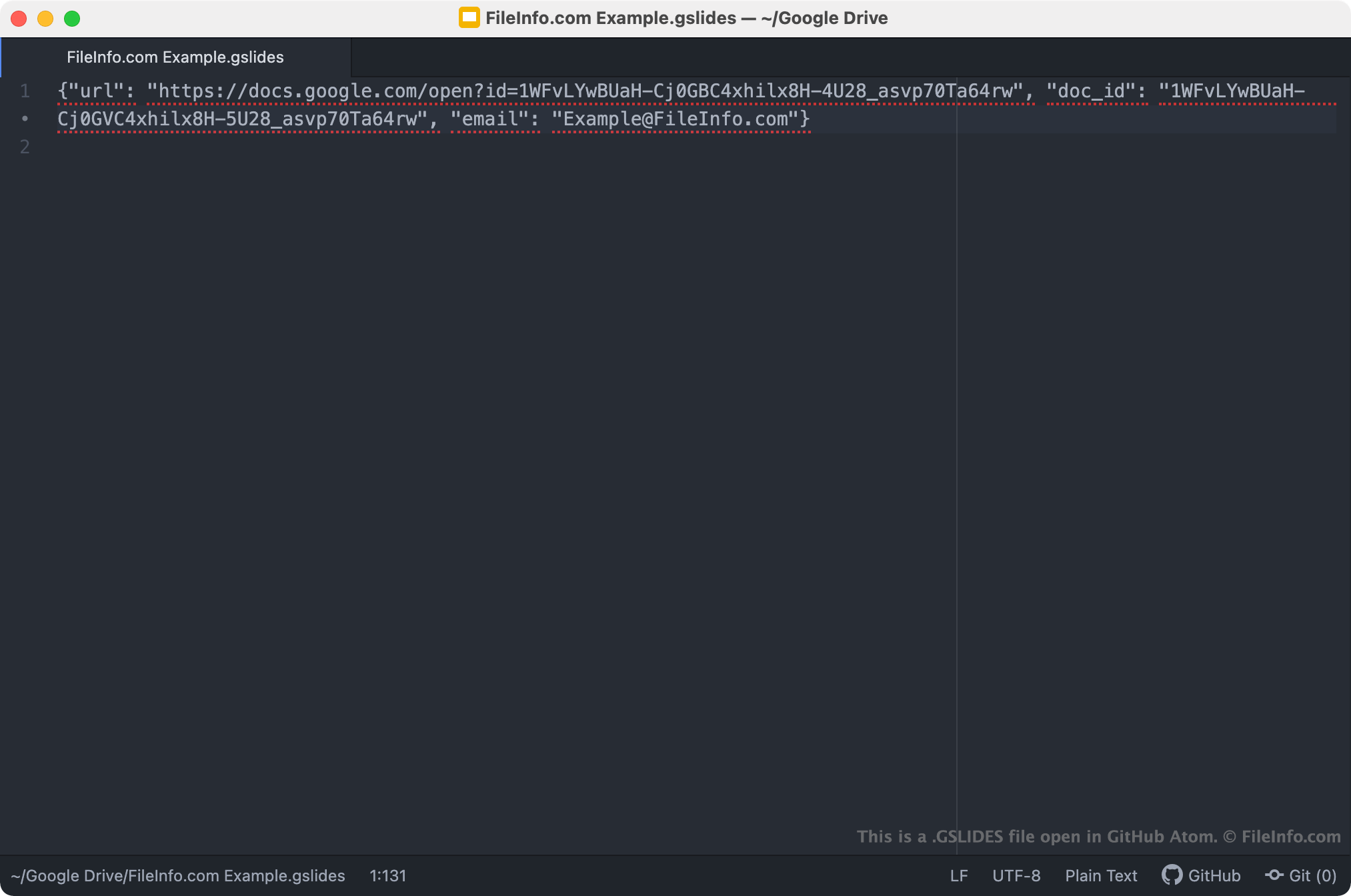
Pliki GSLIDES to skróty Dysku na komputer, które otwierają prezentacje Google Slides. Gdy użytkownik Dysku na komputer dwukrotnie kliknie plik GSLIDES, powiązana prezentacja otwiera się w Google Slides, pod warunkiem że użytkownik jest zalogowany na konto Gmail mające dostęp do prezentacji. Każdy plik GSLIDES jest plikiem JSON, który zawiera URL prezentacji i identyfikator dokumentu, a także nazwę konta Gmail użytego do utworzenia prezentacji.
UWAGA: Pliki GSLIDES były wcześniej tworzone przez aplikację Kopia zapasowa i synchronizacja od Google. W październiku 2021 roku Google zastąpił aplikację Kopia zapasowa i synchronizacja Dyskiem na komputer.
Jak otworzyć plik GSLIDES
Jeśli masz zainstalowany Dysk Google na komputer lub używasz urządzenia z systemem Chrome OS, możesz dwukrotnie kliknąć plik GSLIDES, aby otworzyć prezentację, do której się odwołuje, w Google Slides. Aby ją otworzyć, może być konieczne zalogowanie się na konto Gmail lub poproszenie o dostęp do prezentacji.
W razie potrzeby możesz również otworzyć plik GSLIDES w dowolnym edytorze tekstu, aby wyświetlić zawarte w nim informacje o adresie URL, identyfikatorze dokumentu i koncie Gmail. Możesz chcieć to zrobić na przykład wtedy, gdy masz problemy z użyciem pliku GSLIDES do otwarcia prezentacji w Google Slides. Jeśli dwukrotne kliknięcie pliku GSLIDES nie otworzy prezentacji, możesz spróbować skopiować adres URL pliku i wkleić go do przeglądarki internetowej, aby uzyskać dostęp do prezentacji.