

.GSLIDES 파일 확장자
Google Slides 바로 가기
| 개발사 | |
| 인기도 |
3.2 | 33 표 |
GSLIDES 파일이란 무엇인가요?
GSLIDES 파일은 Google Drive에 저장된 Google Slides 프레젠테이션을 여는 데 사용되는 바로 가기입니다. 이 파일에는 파일이 여는 프레젠테이션에 대한 참조와 프레젠테이션을 만드는 데 사용된 Gmail 계정이 포함되어 있습니다. GSLIDES 파일은 Google Drive for Desktop에서 생성됩니다.
추가 정보
Google Drive for Desktop은 Google Drive 사용자가 Windows 및 Mac PC에서 Google Drive 파일을 백업하고 열 수 있도록 해 주는 프로그램입니다. Drive for Desktop은 일부 유형의 파일(예: .JPG 및 .DOCX 파일)의 실제 백업본을 사용자 컴퓨터에 저장하지만, Google Docs, Sheets, Slides 및 기타 Google Workspace 애플리케이션을 사용하여 만든 파일의 사본은 저장하지 않습니다. 대신 Drive for Desktop은 두 번 클릭하면 올바른 Google Workspace 애플리케이션의 웹 버전에서 관련 파일을 여는 바로 가기 파일을 저장합니다.
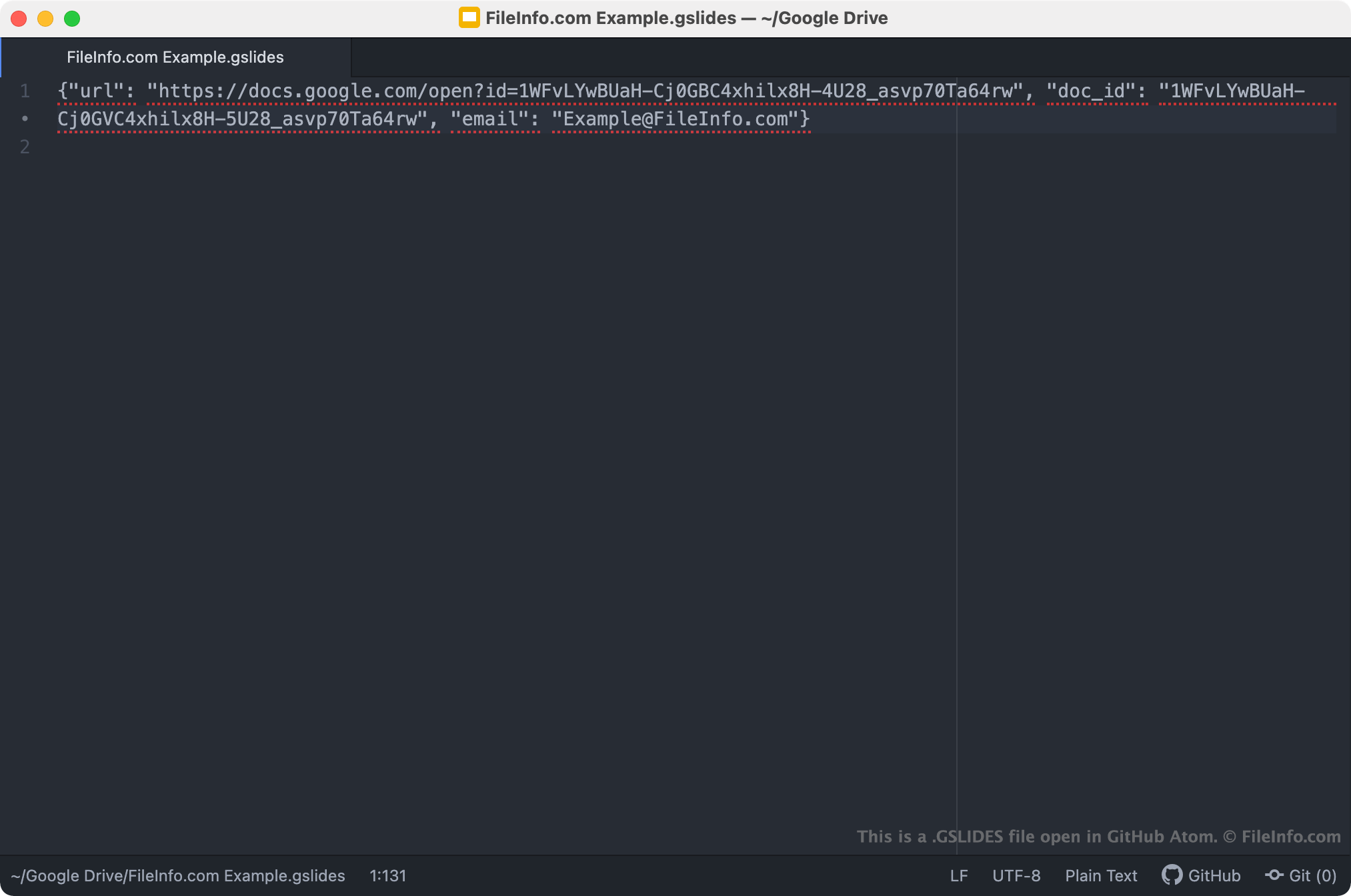
GSLIDES 파일은 Google Slides 프레젠테이션을 여는 Drive for Desktop 바로 가기입니다. Drive for Desktop 사용자가 GSLIDES 파일을 두 번 클릭하면 해당 프레젠테이션이 Google Slides에서 열립니다. 단, 사용자가 프레젠테이션에 액세스할 수 있도록 허용된 Gmail 계정으로 로그인되어 있어야 합니다. 각 GSLIDES 파일은 프레젠테이션의 JSON 파일이며, 프레젠테이션의 URL과 문서 ID, 그리고 프레젠테이션을 만드는 데 사용된 Gmail 계정의 이름이 포함되어 있습니다.
참고: GSLIDES 파일은 이전에는 Backup and Sync from Google에서 생성되었습니다. Google은 2021년 10월에 Backup and Sync를 Drive for Desktop으로 교체했습니다.
GSLIDES 파일을 여는 방법
PC에 Google Drive for Desktop이 설치되어 있거나 Chrome OS 기기를 사용 중인 경우, GSLIDES 파일을 두 번 클릭하여 파일이 참조하는 프레젠테이션을 Google Slides에서 열 수 있습니다. 프레젠테이션을 열려면 Gmail 계정에 로그인하거나 프레젠테이션에 대한 액세스 권한을 요청해야 할 수 있습니다.
필요한 경우 모든 텍스트 편집기에서 GSLIDES 파일을 열어 파일에 포함된 URL, 문서 ID 및 Gmail 계정 정보를 확인할 수도 있습니다. 예를 들어 GSLIDES 파일을 사용하여 Google Slides에서 프레젠테이션을 여는 데 문제가 있을 때 이렇게 할 수 있습니다. GSLIDES 파일을 두 번 클릭해도 프레젠테이션이 열리지 않으면 파일의 URL을 복사하여 웹 브라우저에 붙여넣어 프레젠테이션에 액세스해 볼 수 있습니다.