.DS Bestandsextensie

DAZ Studio 1/2 Script

Ontwikkelaar DAZ Productions
Populariteit
3.8  |  78 Stemmen
 

Wat is een DS-bestand?

A DS file is a plain text script used by DAZ 3D DAZ Studio, a 3D modeling application. It contains instructions that automate a DAZ Studio task or extend the program's capabilities. For example, a DS file might be used as a macro for quickly applying character morphs or model presets, or for working with import and export files.

Meer informatie

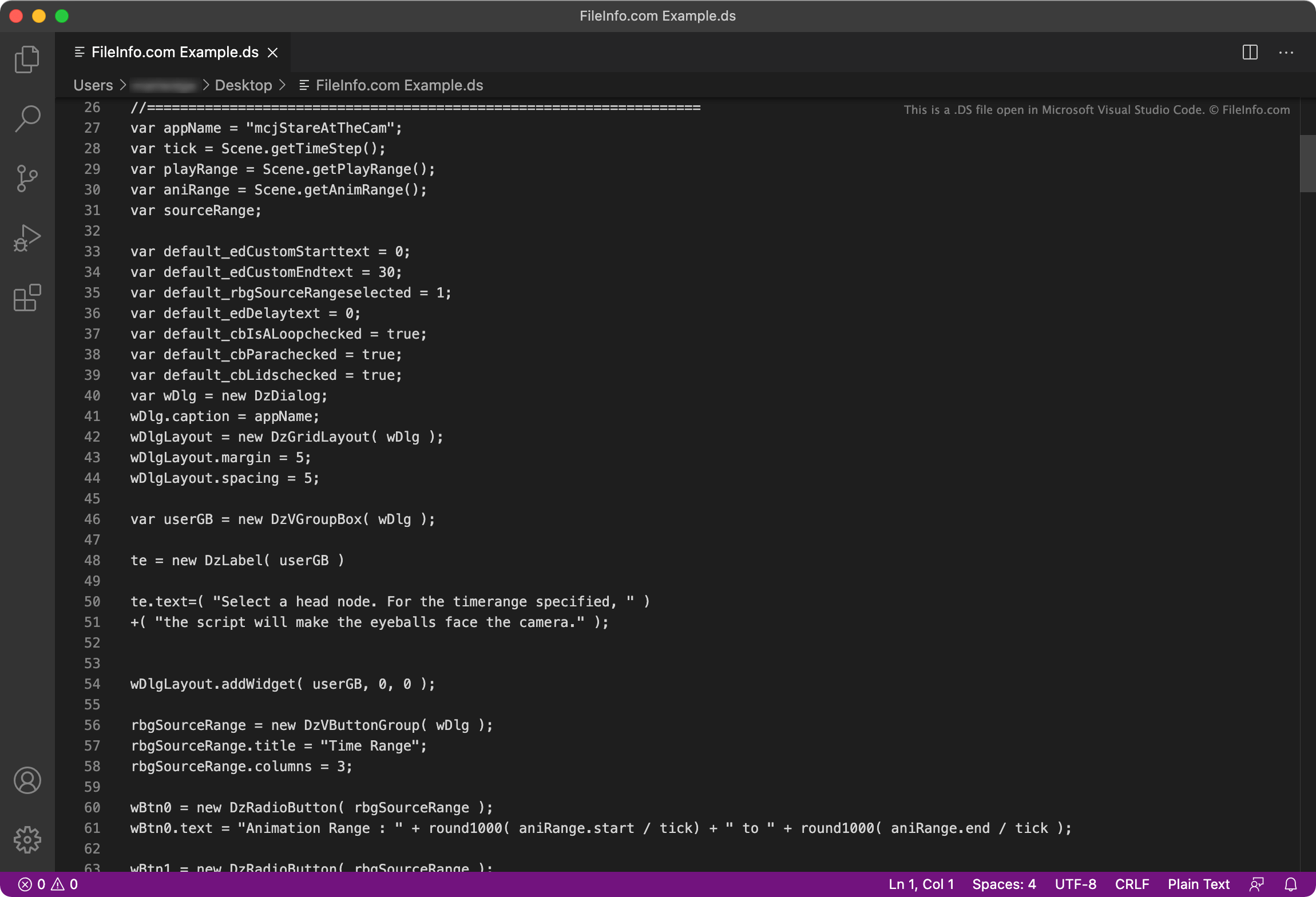
Schermafbeelding van een .ds-bestand in Microsoft Visual Studio Code
DS-bestand geopend in Microsoft Visual Studio Code

DAZ Studio is a simple, free 3D modeling program that is an alternative to more complex, paid programs. The program allows modelers and animators to create detailed 3D models and scenes using pre-constructed models.

If a DAZ Studio user finds themself performing the same task over and over again, or they want to automate a rare-yet-complex task, they can create a script to automate the task. In DAZ Studio versions 1 and 2, these scripts are saved as DS files. In DAZ Studio 3 and later versions, scripts are saved as .DSA files.

Examples of tasks DAZ Studio scripts are used to automate include:

  • Importing content from outside DAZ Studio
  • Automatically animating characters or scenes using preset animations
  • Applying preset visual effects

Een DS-bestand openen

You can open and execute a DS script in DAZ Studio (Windows, Mac). To do so, place the script in the folder that DAZ Studio uses to store content (typically ~\​DAZ\​Studio\​content). Then, in DAZ Studio, access the Content Library and select DAZ Studio Formats → My DAZ 3D Library → Scripts to find and execute your DS script.

If you need to edit the instructions a DS script contains, you can open and edit the script in any basic text editor, such as Microsoft Notepad (Windows) or Apple TextEdit (Mac).

Open meer dan 400 bestandsformaten met File Viewer Plus.Gratis downloaden

Programma's die DS-bestanden openen

Windows
Inbegrepen bij het besturingssysteem
Mac
Inbegrepen bij het besturingssysteem

LMMS DrumSynth File

Ontwikkelaar LMMS
Populariteit
3.4  |  16 Stemmen
 

Audio sample used by LMMS (Linux MultiMedia Studio), a free music creation program; can be loaded into the LMMS DrumSynth, which plays back sequences of drum samples.

Meer informatie

DS files are saved in a lossless but compact format and are used specifically by the DrumSynth feature. LMMS can also load several other types of sample formats into audio tracks, including .WAV, .AIF, .OGG, and .MP3 files.

Programma's die DS-bestanden openen of ernaar verwijzen

Windows
Gratis
Linux
Gratis
Categorie: Audio
Bijgewerkt: 2011-01-14

Furcadia DragonSpeak File

Ontwikkelaar Furcadia
Populariteit
2.7  |  12 Stemmen
 

Game script used by Furcadia, a 2D multiplayer online game set in a fantasy world of dreams; saved as part of a dream (a game .MAP file) and contains scripted events that occur during the dream; can be edited with the DragonSpeak Editor (DSEditor.exe) included with Furcadia.

Meer informatie

DS files use a plain text format and can be viewed with any text editor.

Programma's die DS-bestanden openen of ernaar verwijzen

Windows
Gratis+
Categorie: Spel
Bijgewerkt: 2012-08-27

TWAIN Data Source

Ontwikkelaar The TWAIN Working Group
Populariteit
2.5  |  12 Stemmen
 

A DS file contains instructions referenced by TWAIN-compatible scanning software to communicate with a connected scanner when a user initiates a scan. When the software references the DS file, it accesses and controls scanner settings, such as resolution, color options, and document type, to ensure the scanner accurately reads and processes the scanned content.

Meer informatie

A consortium of companies (known as The TWAIN Working Group) developed TWAIN in 1992 to streamline image acquisition, allowing software to access imaging hardware without needing specialized drivers. It became a widely used standard in personal and professional environments for communication between software applications and image-capturing devices, such as scanners and digital cameras.

Een DS-bestand openen

You should not attempt to open a DS file. Instead, TWAIN-compatible scanning software references the file when communicating with the scanner.

Programma's die DS-bestanden openen of ernaar verwijzen

Windows
Referenced by TWAIN-compatible scanning software
Mac
Referenced by TWAIN-compatible scanning software
Linux
Referenced by TWAIN-compatible scanning software

Geverifieerd door FileInfo.com

Het FileInfo.com-team heeft onafhankelijk onderzoek gedaan naar alle bestandsformaten en softwareprogramma's die op deze pagina worden vermeld. Ons doel is 100% nauwkeurigheid en we publiceren alleen informatie over bestandstypen die we hebben geverifieerd.

Als u aanvullingen of updates voor deze pagina wilt voorstellen, kunt u het ons laten weten.