

.AAE Bestandsextensie
Sidecarbestand voor afbeeldingsbewerkingen
| Ontwikkelaar | Apple |
| Populariteit |
3,3 | 253 stemmen |
Wat is een AAE-bestand?
Een AAE-bestand bevat een overzicht van de bewerkingen die een gebruiker op een afbeelding heeft uitgevoerd in de iOS-versie van Apple Photos. Het wordt gebruikt om bewerkingen op niet-destructieve wijze van iOS naar macOS over te zetten, zodat een gebruiker de afbeelding indien nodig naar de oorspronkelijke staat kan terugzetten. AAE-bestanden worden opgeslagen naast de afbeeldingen waarvan ze de bewerkingen bevatten.
Meer informatie
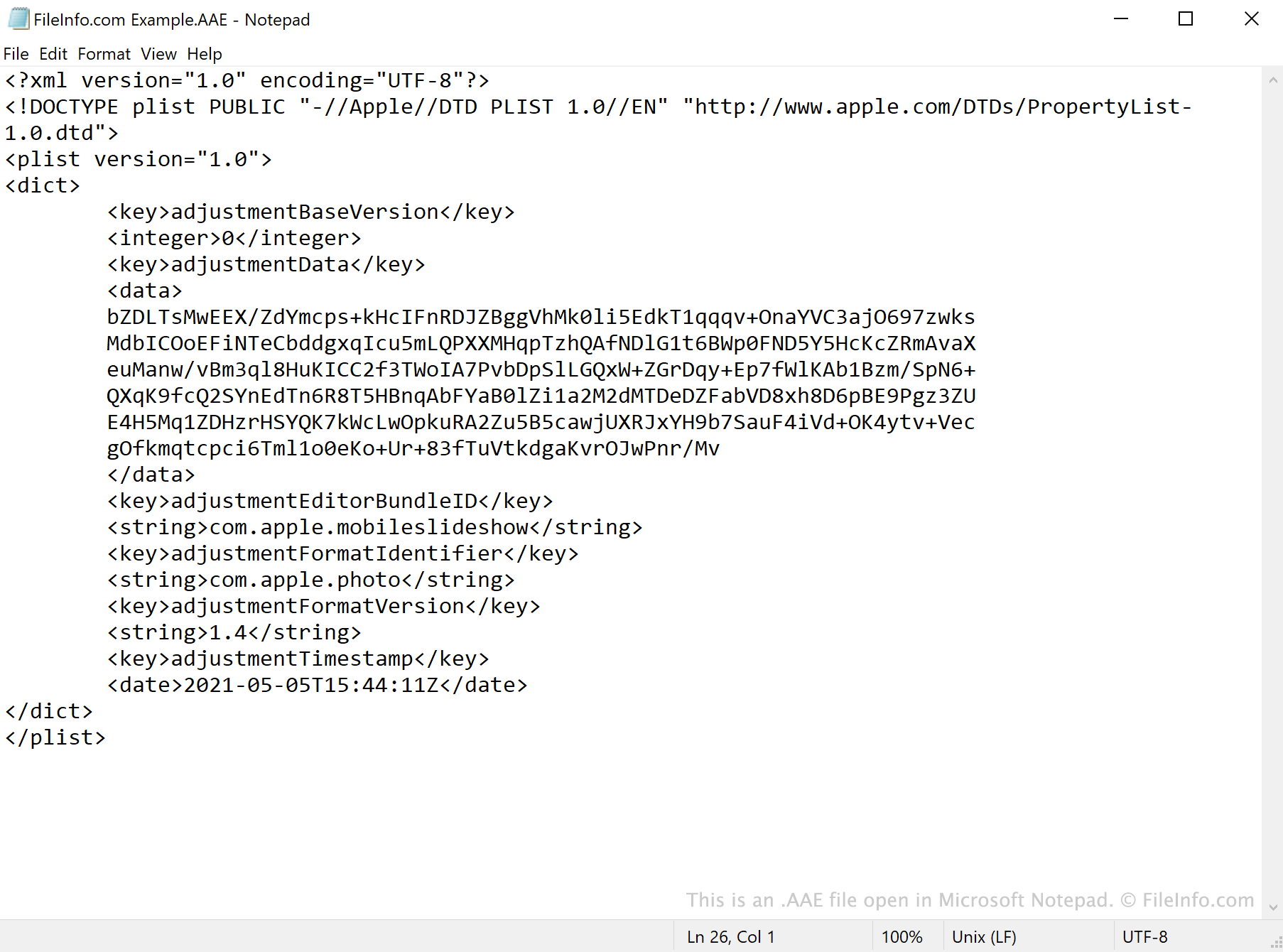
AAE-bestanden worden aangemaakt door de app Foto's in iOS 8 en hoger en macOS 10.10 en hoger. De bestanden slaan bewerkingen op die in Foto's zijn uitgevoerd, zodat de oorspronkelijke afbeeldingen van gebruikers niet worden overschreven wanneer ze worden bewerkt.
Wanneer je een bewerkt .JPG-bestand opent in Foto's, verwijst de app naar het bijbehorende AAE-bestand van het JPG-bestand en past de bewerkingen toe die het bevat. De gegevens van het AAE-bestand worden opgeslagen in de indeling XML, wat betekent dat je de bestanden kunt openen en bekijken met een teksteditor, zoals Apple TextEdit of Microsoft Notepad.
Kan ik AAE-bestanden verwijderen in Windows?
Als je foto's die je met de app Foto's hebt bewerkt importeert naar Windows of een oudere versie van macOS, zul je waarschijnlijk merken dat er AAE-bestanden naast je afbeeldingen staan. In Windows kan de extensie .aae standaard verborgen zijn, maar de AAE-bestanden hebben dezelfde naam als de JPG-bestanden waarvan ze de bewerkingen bevatten. Nadat je je foto's naar Windows hebt geïmporteerd, kun je de AAE-bestanden van de foto's verwijderen zonder de bijbehorende afbeeldingen te wissen.
Een AAE-bestand openen
AAE-bestanden zijn niet bedoeld om te worden geopend. Hoewel je een AAE-bestand kunt openen in elke teksteditor, zoals Microsoft Notepad (Windows) of Apple TextEdit (Mac), zie je dan alleen de XML-gegevens die het bestand bevat.