.PDO 파일 확장자

2개의 파일 유형.pdo 확장자를 사용합니다.

Pepakura Designer File

개발사 Tama Software
인기도
4.0  |  125 투표
 

PDO 파일이란 무엇인가요?

A PDO file is a papercraft file created by Pepakura Designer, a program used to turn digital 3D models into physical papercraft models. It contains a 3D model and its corresponding 2D papercraft cutouts. The 2D cutouts that PDO files contain are meant to be printed, so a papercraft enthusiast can assemble the cutouts into a replica of the 3D model.

추가 정보

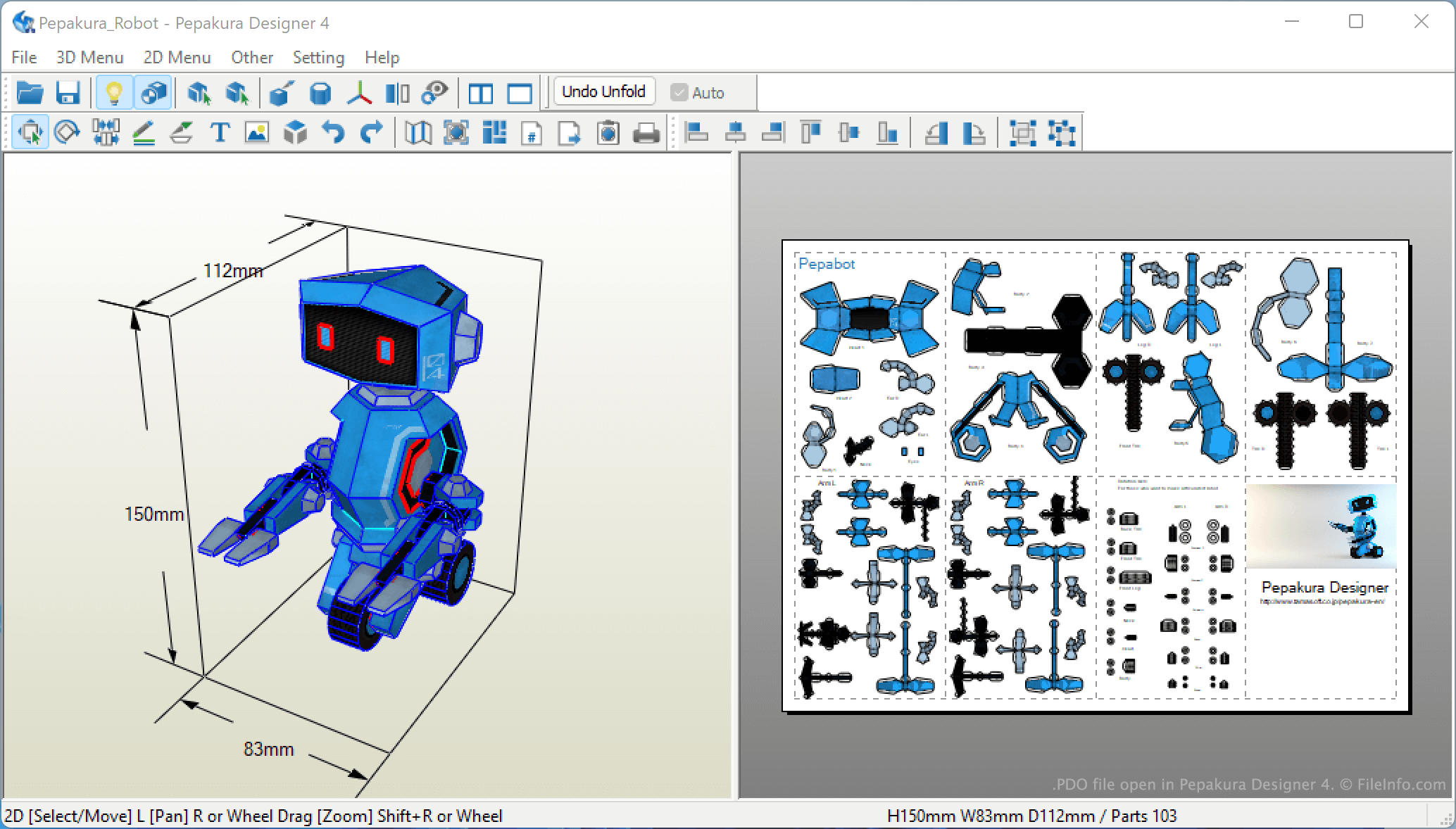
Pepakura Designer 4에서 열린 .pdo 파일의 스크린샷
Pepakura Designer 4에서 열린 PDO 파일

Pepakura Designer allows papercraft enthusiasts to "unfold" digital 3D models into 2D papercraft designs. Users can then print the 2D papercraft design, cut out its pieces, and assemble them to recreate the 3D model in real life. Each 2D design contains folding lines, cut marks, and other instructions used to recreate the model.

Users can import many different types of 3D models into Pepakura Designer, including .DXF, .OBJ, .3DS, .LWO, .STL, .KML, and .KMZ files. After the user imports their 3D model, Pepakura Designer unfolds the model and saves its 2D version as a PDO file. Users can click any of their PDO file's 2D parts to see which part of the 3D model that part corresponds to.

참고: In addition to being able to view PDO files in Pepakura Designer, users can view PDO files in Pepakura Viewer, a free PDO-viewing software that is bundled with Pepakura Designer.

PDO 파일을 여는 방법

You can open a PDO file in Pepakura Designer or Pepkura Viewer. To open a PDO file in Pepakura Designer, open the program and select File → Open.... Then, navigate to and open your PDO file.

File Viewer Plus(으)로 400개 이상의 파일 형식을 여세요.무료 다운로드

PDO 파일을 여는 프로그램

Windows
무료 체험판
Tama Pepakura Viewer  —  단종됨
무료

ibaAnalyzer Analysis

개발사 iba
인기도
2.0  |  4 투표
 

A PDO file is a data analysis file created by ibaAnalyzer, a tool included in iba's industrial and power plant data acquisition and analysis suite. It contains a list of signals that a user analyzed in ibaAnalayzer. When used alongside an associated iba DAT file, PDO files allow users to analyze data they've collected with other iba tools.

추가 정보

Iba provides industrial production, power production, and power distribution plants with software they can use to gather, monitor, and analyze various data. For example, a power plant quality assurance monitor can use iba to track and report on their plant's energy production.

Many iba tools store data they collect in DAT files. Among other things, iba users can load these DAT files in ibaAnalyzer, to graph, annotate, and otherwise analyze the data the files contain.

After an ibaAnalyzer user performs an analysis, they can save that analysis as a PDO file. Doing so allows them to use the settings they selected to analyze the same or similar DAT files in the future. (For example, a user could use a PDO file with a future iteration of the same DAT file, to analyze changes over time.)

참고: PDO files may be password-protected.

PDO 파일을 여는 방법

You can open a PDO file with ibaAnalyzer (Windows). To do so, select File → Open Analysis... from ibaAnalyzer's menu bar. Then, navigate to and open your PDO file. If your PDO file is password-protected, you will have to enter the password to open it.

PDO 파일을 여는 프로그램

Windows
카테고리: 데이터
업데이트: 2023-07-06

검증자 FileInfo.com

FileInfo.com 팀 이 페이지에 나열된 모든 파일 형식과 소프트웨어 프로그램을 독자적으로 조사했습니다. 저희의 목표는 100% 정확성이며, 검증한 파일 유형에 대한 정보만 게시합니다.

이 페이지에 추가하거나 업데이트할 내용을 제안하고 싶으시면 알려 주세요.