.NB 파일 확장자
Mathematica Notebook
| 개발사 | Wolfram Research |
| 인기도 |
3.6 | 102 투표 |
NB 파일이란 무엇인가요?
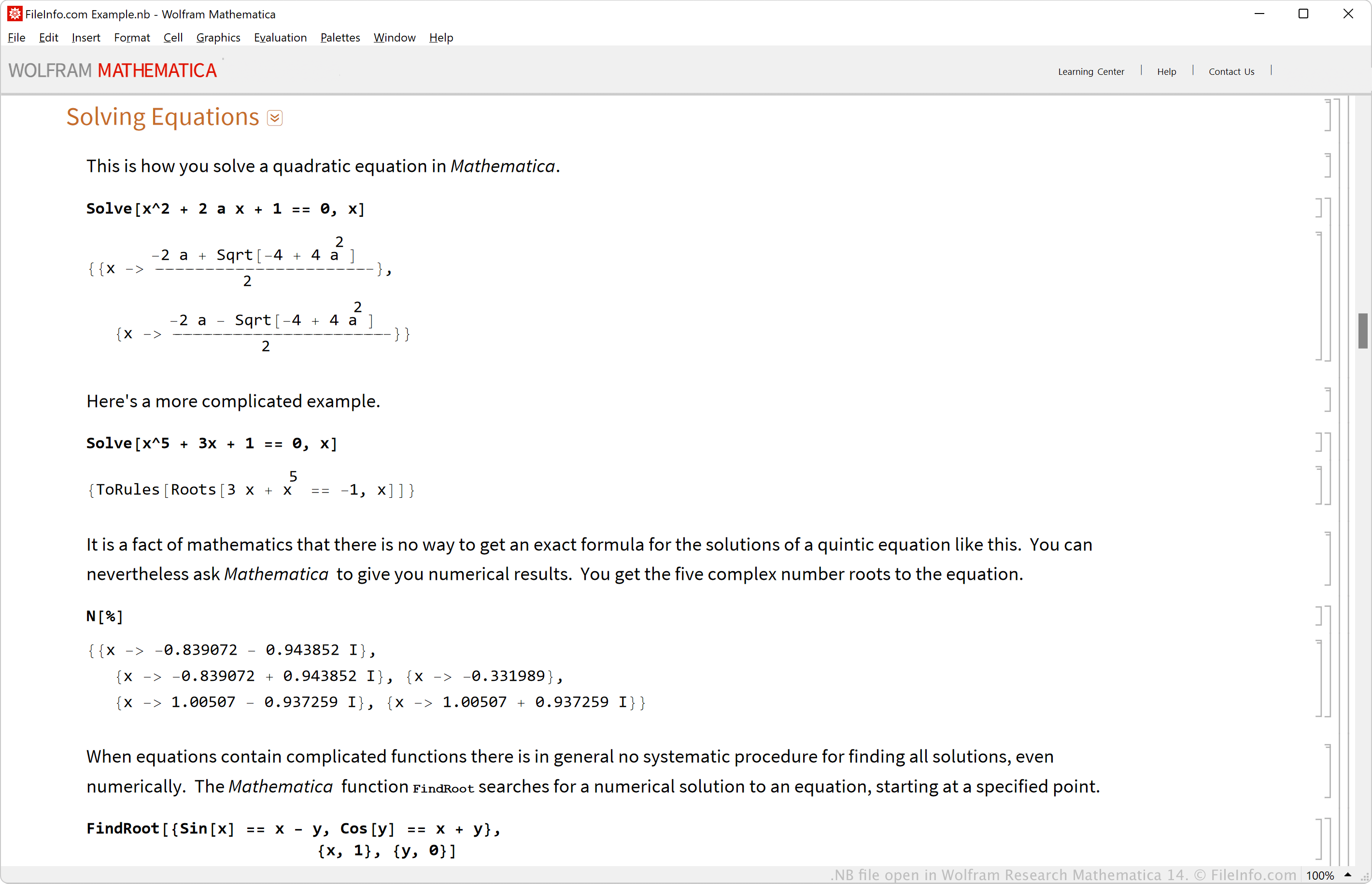
An NB file is a structured document created by Wolfram Research Mathematica, an application used for mathematical and scientific computation. It contains the elements that comprise a document, which may include text, images, audio, hyperlinks, functions, and interactive user interface elements in plain text in the Wolfram Language expression syntax. Users typically open NB files with Wolfram Research Mathematica and the free Wolfram Research CDF Player.
추가 정보
The NB file type is the native file format for saving Mathematica notebooks. Wolfram Research released the Mathematica Notebook (NB) format in 1988.
You can design notebooks by arranging their cells, which store data, similar to a standard spreadsheet. Additionally, you can format text, add graphics, generate graphs, and more to the cells in the notebooks to make them interactive.
일반적인 .NB 파일 이름
DefaultStyles.nb - Name of the NB file used as the default style sheet for new notebooks.
NB 파일을 여는 방법
You can open NB files with Wolfram Research Mathematica. To open an NB file, select File → Open (you can also open Notebooks within a Mathematica function via the NotebookOpen command). Wolfram Player is a free app that can also open NB files.
Since NB files store notebook information in plain text, you can view them with a text editor, such as Microsoft Notepad in Windows, Apple TextEdit in macOS, or gedit in Linux. However, opening NB files with a plain text editor will not display them the same as Mathematica or Wolfram Player, which displays them natively.
NB 파일을 변환하는 방법
NB 파일을 여는 프로그램
Nota Bene File
| 개발사 | Nota Bene |
| 인기도 |
2.6 | 17 투표 |
An NB file is a text document created by Nota Bene, a word processor designed for academic research and writing. The file format supports formatted text, symbols, and images.
추가 정보
Nota Bene is typically used to add citations and footnotes to academic writing purposes such as theses and research papers. It includes tools for adding in-line citations and corresponding bibliographies at the end of the document.
To create a NB file:
- Open the Nota Bene application, select File → Save As... or click the "Save As" arrow icon on the left pane of the Nota Bene window.
- Choose the save location of your file and name it. The "Save as type" default creates the NB file, click Save.