

.NB Dateiendung
Mathematica-Notizbuch
| Entwickler | Wolfram Research |
| Beliebtheit |
3,6 | 103 Stimmen |
Was ist eine NB-Datei?
Eine NB-Datei ist ein strukturiertes Dokument, das mit Wolfram Research Mathematica erstellt wurde, einer Anwendung für mathematische und wissenschaftliche Berechnungen. Sie enthält die Elemente, aus denen ein Dokument besteht. Dazu können Text, Bilder, Audio, Hyperlinks, Funktionen und interaktive Benutzeroberflächenelemente in Form von Klartext in der Wolfram-Language-Ausdrucks-Syntax gehören. Benutzer öffnen NB-Dateien normalerweise mit Wolfram Research Mathematica und dem kostenlosen Wolfram Research CDF Player.
Weitere Informationen
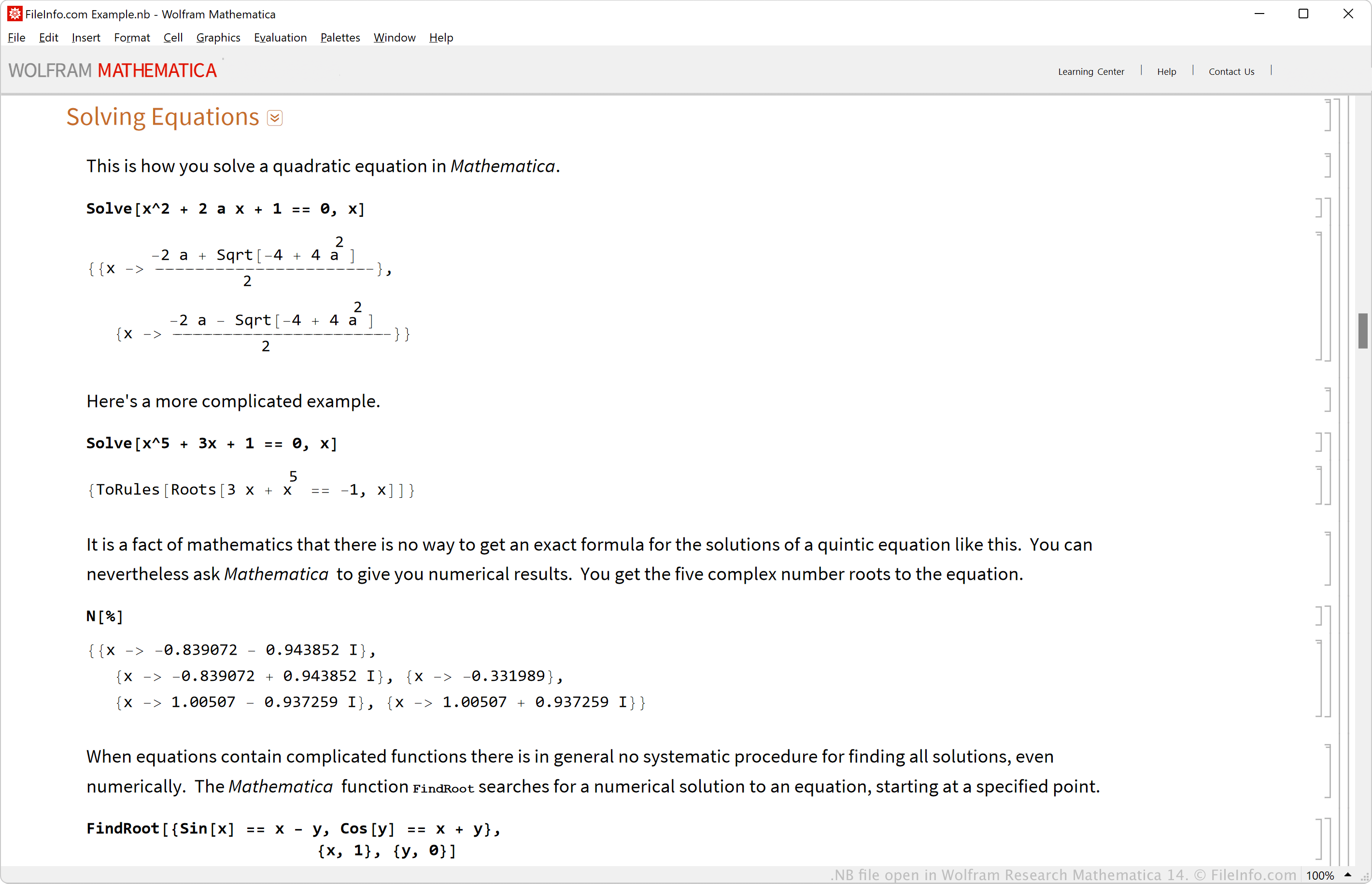
Der NB-Dateityp ist das native Dateiformat zum Speichern von Mathematica-Notizbüchern. Wolfram Research veröffentlichte das Mathematica-Notizbuchformat (NB) im Jahr 1988.
Sie können Notizbücher entwerfen, indem Sie ihre Zellen anordnen, in denen Daten ähnlich wie in einer Standard-Tabellenkalkulation gespeichert werden. Außerdem können Sie Text formatieren, Grafiken hinzufügen, Diagramme erstellen und vieles mehr, um die Zellen in den Notizbüchern interaktiv zu gestalten.
Häufige .NB-Dateinamen
DefaultStyles.nb - Name der NB-Datei, die als Standardformatvorlage für neue Notizbücher verwendet wird.
So öffnen Sie eine NB-Datei
Sie können NB-Dateien mit Wolfram Research Mathematica öffnen. Um eine NB-Datei zu öffnen, wählen Sie (Sie können Notizbücher auch über die NotebookOpen-Funktion mit dem Befehl öffnen). Wolfram Player ist eine kostenlose App, die ebenfalls NB-Dateien öffnen kann.
Da NB-Dateien Notizbuchinformationen in Klartext speichern, können Sie sie mit einem Texteditor anzeigen, beispielsweise mit Microsoft Notepad in Windows, Apple TextEdit in macOS oder gedit in Linux. Wenn Sie NB-Dateien jedoch mit einem einfachen Texteditor öffnen, werden sie nicht genauso angezeigt wie in Mathematica oder Wolfram Player, die sie nativ darstellen.