.MSS 파일 확장자

Microprocessor Software Specification File

개발사 Xilinx
인기도
3.3  |  6 투표
 

MSS 파일이란 무엇인가요?

File used by Xilinx Platform Studio (XPS), a program used to design software for microprocessors; specifies the input/output devices, interrupt handler routines, and other software features for a microprocessor.

추가 정보

MSS files define the software that can be used with a microchip designed with Xilinx Platform Studio (XPS). They are used as input into the Library Generator, which creates a software library for an embedded processor instance.

File Viewer Plus(으)로 400개 이상의 파일 형식을 여세요.무료 다운로드

MSS 파일을 열거나 참조하는 프로그램

Windows
무료 체험판
카테고리: 개발자
업데이트: 2010-04-28

MyScreenSaver Builder File

개발사 MSB
인기도
3.3  |  3 투표
 

Car data file created by MyScreenSaver Builder, a program used to make screen savers and browse and share car information; stores car images and data in a proprietary format; may include car information such as the make, model, year, price, and dimensions.

추가 정보

MSS files are used to package images into categorized collections for viewing, distribution, and screen saver generation. MyScreenSaver Builder can import both .GIF and .JPG image formats into MSS files.

MSS files may be viewed with the MSS Viewer, a tool included with MyScreenSaver Builder used to browse the pictures and information in MSS packages.

MSS 파일을 여는 프로그램

Windows
카테고리: 데이터
업데이트: 2010-04-28

CartoCSS Map Stylesheet

개발사 Mapbox
인기도
2.5  |  2 투표
 

An MSS file is a stylesheet used by CartoCSS-based mapping programs, such as Mapbox, OpenStreetMap, TileMill, and Mapnik. It contains map styling information written in the CartoCSS styling language. MSS files determine how content appears on a map (e.g. what roads should be shown, what colors those roads should appear in, how wide the roads should appear, etc.).

추가 정보

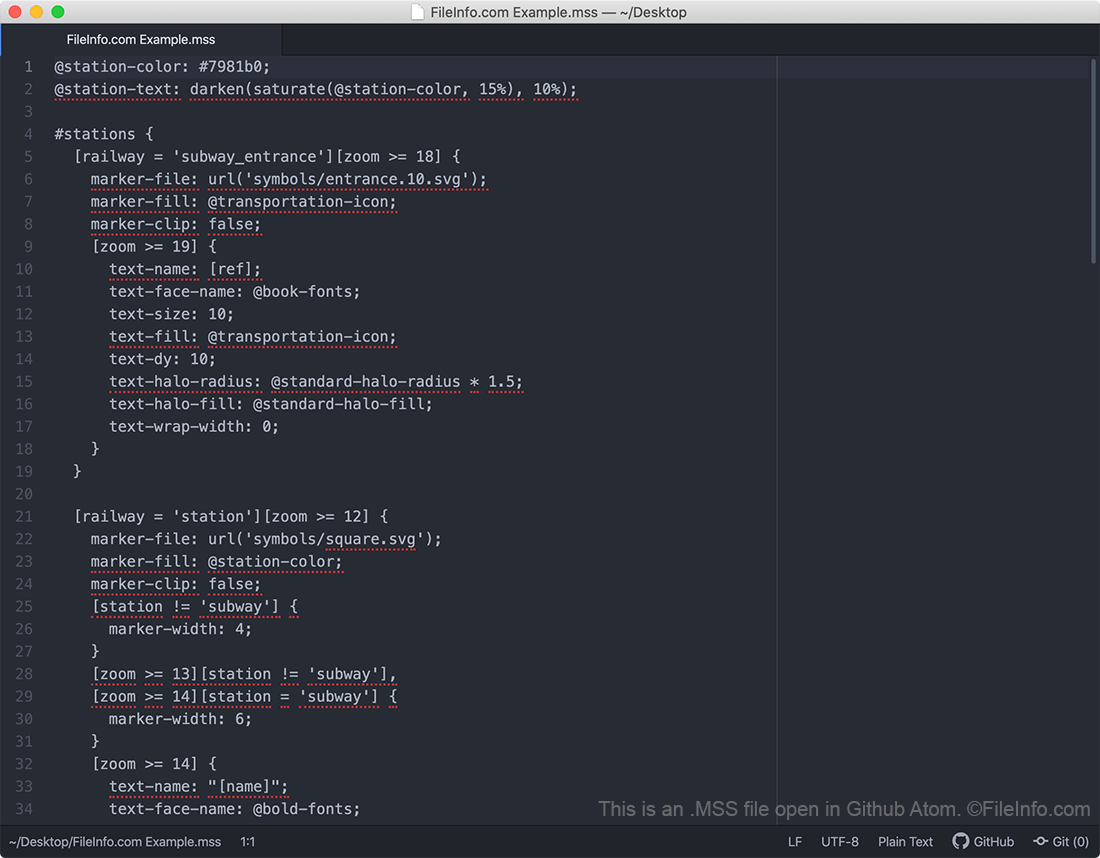
Github Atom에서 열린 .mss 파일의 스크린샷
Github Atom에서 열린 MSS 파일

CartoCSS is a CSS-based styling language that developers use to create open source street maps. Map developers can either write their maps directly in CartoCSS, using the CartoCSS code installation package and the development environment of their choice, or they can create CartoCSS-based maps using a map design application like Kosmtik, Mapbox Studio Classic, or TileMill.

As they create a map, developers must choose how roads, text, and other items appear on it. Developers use MSS files to specify, among other things, what roads should appear on their map, what color and width those roads should appear in, what symbols to use for certain types of landmarks, and how text should appear on their map.

In 2016, the Mapbox team announced they were replacing the CartoCSS styling language with the Mapbox GL Style Specification, a JSON-based styling language. Mapbox's newer map creation applications use Mapbox GL stylesheets, which are saved with the .JSON extension. However, the mapping community continues to maintain CartoCSS and many of the map creation programs that use it.

MSS 파일을 여는 방법

You should open an MSS file in a Carto-CSS based map creation program, such as Mapbox Studio Classic, TileMill, or Kosmtik. These programs contain helpful features that will help you understand the styling information contained within the file. However, because MSS files are plain text documents, you can also open and edit an MSS file in any text editor if needed.

MSS 파일을 열거나 참조하는 프로그램

Windows
Linux
카테고리: 텍스트
업데이트: 2020-09-15

MuseScore Style Definition

개발사 The MuseScore Team
인기도
2.0  |  1 투표
 

An MSS file is a MuseScore style definition. It contains XML-based settings that define how a musical score appears in MuseScore. Specifically, MSS files control how notes, rests, measures, staffs, text, and other visual elements appear within a piece of a music.

추가 정보

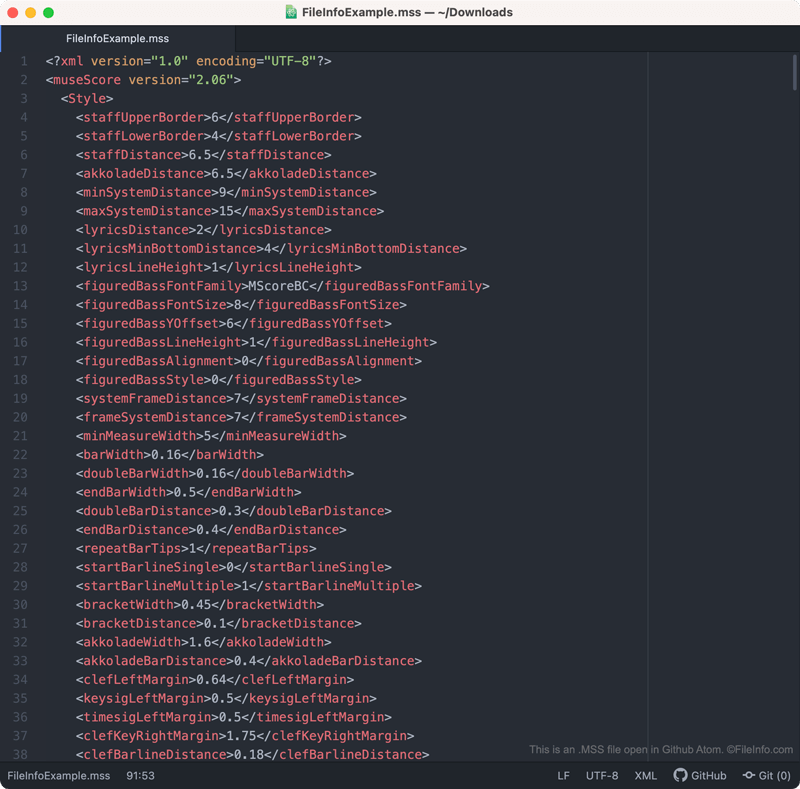
Github Atom에서 열린 .mss 파일의 스크린샷
Github Atom에서 열린 MSS 파일

MuseScore is a free music composition and notation program that composers can use to create, edit, and share musical scores. As composers create a piece of music, they can adjust the way notes, rests, measures, staffs, text, and other visual elements appear in that piece of music.

If the composer wants to save these settings (perhaps to apply them to another score in the future), they can do so by selecting Format → Save Style... from MuseScore's menu bar. When they do, MuseScore creates an MSS file, which contains the composer's custom style settings.

MSS files contain style settings saved in an XML format. As such, they are human-readable. So, if you do not have access to MuseScore (or want to preview the settings contained within an MSS file before applying them), you can open an MSS file in a text editor to view the settings it contains.

MSS 파일을 여는 방법

You can open an MSS file (and apply the style settings it contains to a piece of music) in MuseScore. To do so, select Format → Load Style... from the program's menu bar.

If you want to view the settings an MSS file contains before applying those settings in MuseScore, you can open the file in any text editor, such as Microsoft Notepad, Apple TextEdit, or Github Atom.

MSS 파일을 여는 프로그램

Windows
Mac
Linux
Web
무료
카테고리: 설정
업데이트: 2020-11-16

검증자 FileInfo.com

FileInfo.com 팀 이 페이지에 나열된 모든 파일 형식과 소프트웨어 프로그램을 독자적으로 조사했습니다. 저희의 목표는 100% 정확성이며, 검증한 파일 유형에 대한 정보만 게시합니다.

이 페이지에 추가하거나 업데이트할 내용을 제안하고 싶으시면 알려 주세요.