

.MSG 파일 확장자
Outlook 메시지 항목 파일
| 개발사 | Microsoft |
| 인기도 |
3.4 | 224 표 |
MSG 파일이란 무엇인가요?
MSG 파일은 Microsoft Outlook에서 만들거나 저장한 이메일 메시지, 연락처, 약속, 모임 또는 작업과 같은 Outlook 항목입니다. 이메일 메시지의 경우 첨부 파일을 포함하여 항목과 관련된 모든 정보를 저장합니다. Outlook 항목을 공유하거나 보관하기 위해 내보낼 때 MSG 파일을 자주 접하게 되지만, Microsoft의 Messaging Application Programming Interface (MAPI)를 지원하는 다른 프로그램에서도 MSG 파일을 열거나 만들 수 있습니다.
추가 정보
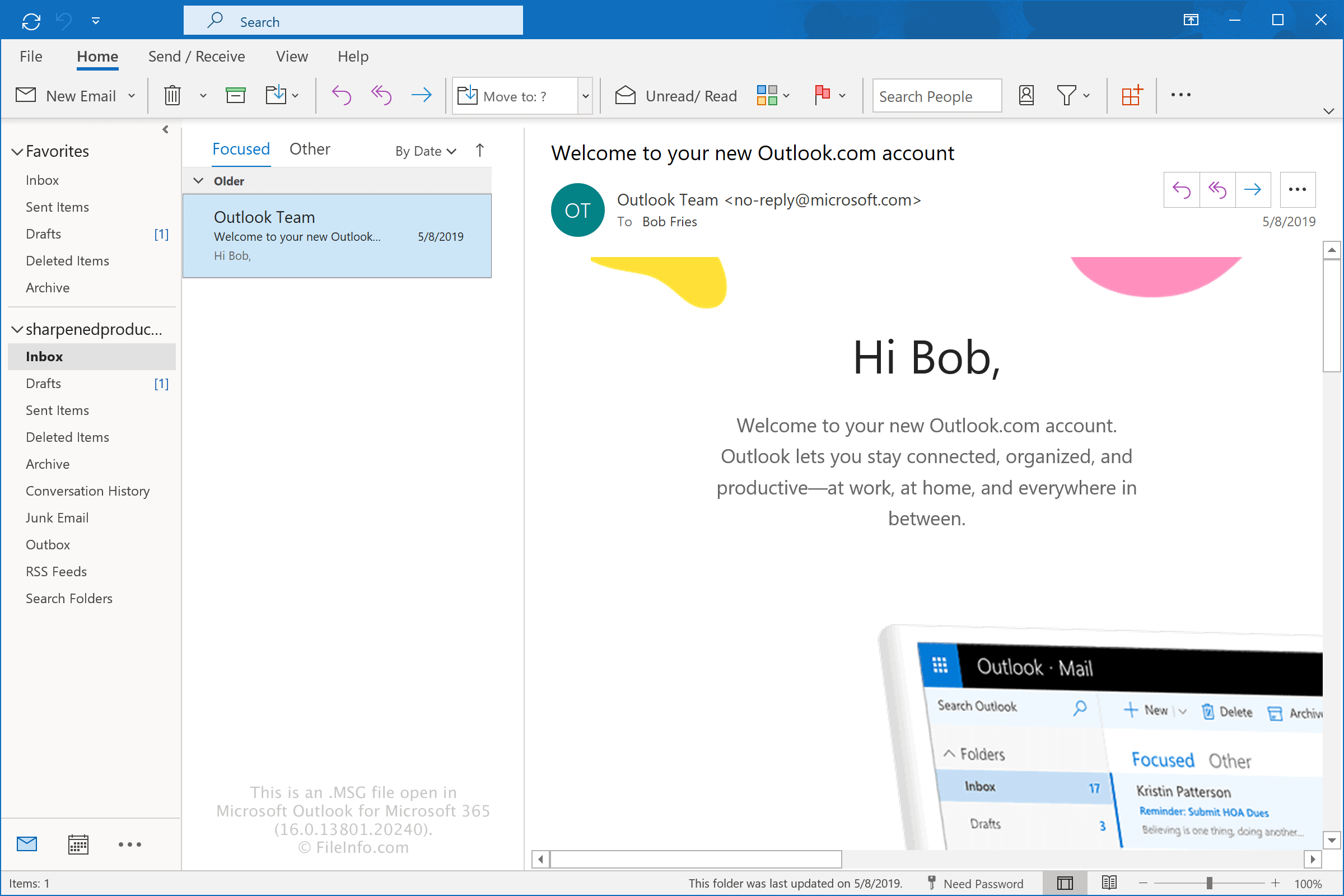
Microsoft는 Microsoft Outlook 및 Microsoft Exchange Server용으로 MSG 형식을 개발했으며 현재도 이를 지원합니다. 이 형식을 사용하면 Outlook 사용자가 사서함과 별도로 개별 항목을 저장할 수 있으므로 특정 메시지, 약속, 연락처 및 기타 Outlook 데이터를 더 쉽게 공유, 백업 또는 보관할 수 있습니다.
MSG 파일에 저장되는 정보는 파일에 포함된 Outlook 항목의 유형에 따라 달라집니다. 일반적인 예는 다음과 같습니다.
- 이메일 – MSG 파일에는 이메일 보낸 사람, 받는 사람, 제목, 메시지 본문, 날짜, 첨부 파일 및 기타 메시지 속성이 포함됩니다. 기본적으로 Outlook은 이메일 제목을 파일 이름으로 사용합니다.
- 약속 – MSG 파일에는 시작 및 종료 시간, 위치, 설명, 미리 알림 및 기타 일정 정보와 같은 약속 세부 정보가 포함됩니다. 기본적으로 Outlook은 약속 제목을 파일 이름으로 사용합니다.
- 모임 – MSG 파일에는 주최자, 필수 참석자 및 선택 참석자, 시작 및 종료 시간, 위치, 모임 메시지를 비롯한 모임 세부 정보가 포함됩니다. 기본적으로 Outlook은 모임 제목을 파일 이름으로 사용합니다.
- 연락처 – MSG 파일에는 사람의 이름, 회사, 이메일 주소, 전화번호, 우편 주소 및 기타 연락처 세부 정보와 같은 연락처 정보가 포함됩니다. 기본적으로 Outlook은 연락처의 전체 이름을 파일 이름으로 사용합니다.
- 작업 – MSG 파일에는 제목, 시작 날짜, 기한, 우선순위, 완료 상태, 메모 및 미리 알림을 비롯한 작업 정보가 포함됩니다. 기본적으로 Outlook은 작업 제목을 파일 이름으로 사용합니다.
Outlook으로 MSG 파일을 만드는 방법
Outlook에서 이메일 메시지, 약속, 모임, 연락처 또는 작업을 Windows 파일 탐색기의 바탕 화면이나 폴더로 끌어다 놓으면 Outlook으로 MSG 파일을 만들 수 있습니다. 기본적으로 Outlook은 항목의 제목을 파일 이름으로 사용합니다. 예를 들어 제목이 "Thanks for contacting us"인 이메일은 Thanks for contacting us.msg가 됩니다.
Outlook 항목을 선택하고 를 선택하여 MSG 파일을 만들 수도 있습니다. 그런 다음 파일을 저장할 위치를 선택하고 원하는 경우 파일 이름을 지정합니다.
MSG 파일을 여는 방법
Windows에서는 파일을 두 번 클릭하기만 하면 Microsoft Outlook으로 MSG 파일을 열 수 있습니다. MSG 파일을 여는 기본 애플리케이션으로 Outlook이 설정되어 있지 않다면 파일을 마우스 오른쪽 버튼으로 클릭하고 Outlook을 선택하여 MSG 파일을 열 수 있습니다. Outlook에서 파일을 열면 프로그램이 내보내기 전과 동일한 방식으로 메시지가 표시되도록 형식을 지정합니다.
Encryptomatic MsgViewer Pro(Windows), Mailward(Web), 45RPM MailRaider Pro(macOS)와 같은 타사 프로그램으로도 MSG 파일을 열 수 있습니다.
MSG 파일을 변환하는 방법
Microsoft Outlook에서는 MSG 파일을 여러 파일 형식으로 변환할 수 있습니다. 예를 들어 를 선택하여 MSG 파일을 .HTML 파일로 변환할 수 있습니다. Microsoft Print to PDF 옵션을 통해 MSG 파일을 .PDF 파일로 변환할 수도 있습니다.
MSG 파일을 열거나 참조하는 프로그램
Fallout 게임 내 메시지 파일
| 개발사 | Bethesda Softworks |
| 인기도 |
3.4 | 25 표 |
MSG 파일은 Bethesda Softworks의 Fallout 및 Fallout 2에서 사용하는 게임 데이터 파일입니다. 이 파일에는 게임 내 대화 및 기타 게임 내 메시지가 포함되어 있습니다. MSG 파일은 일반 텍스트 파일이며, 각 대화 또는 메시지 줄을 별도의 줄에 저장합니다.
추가 정보
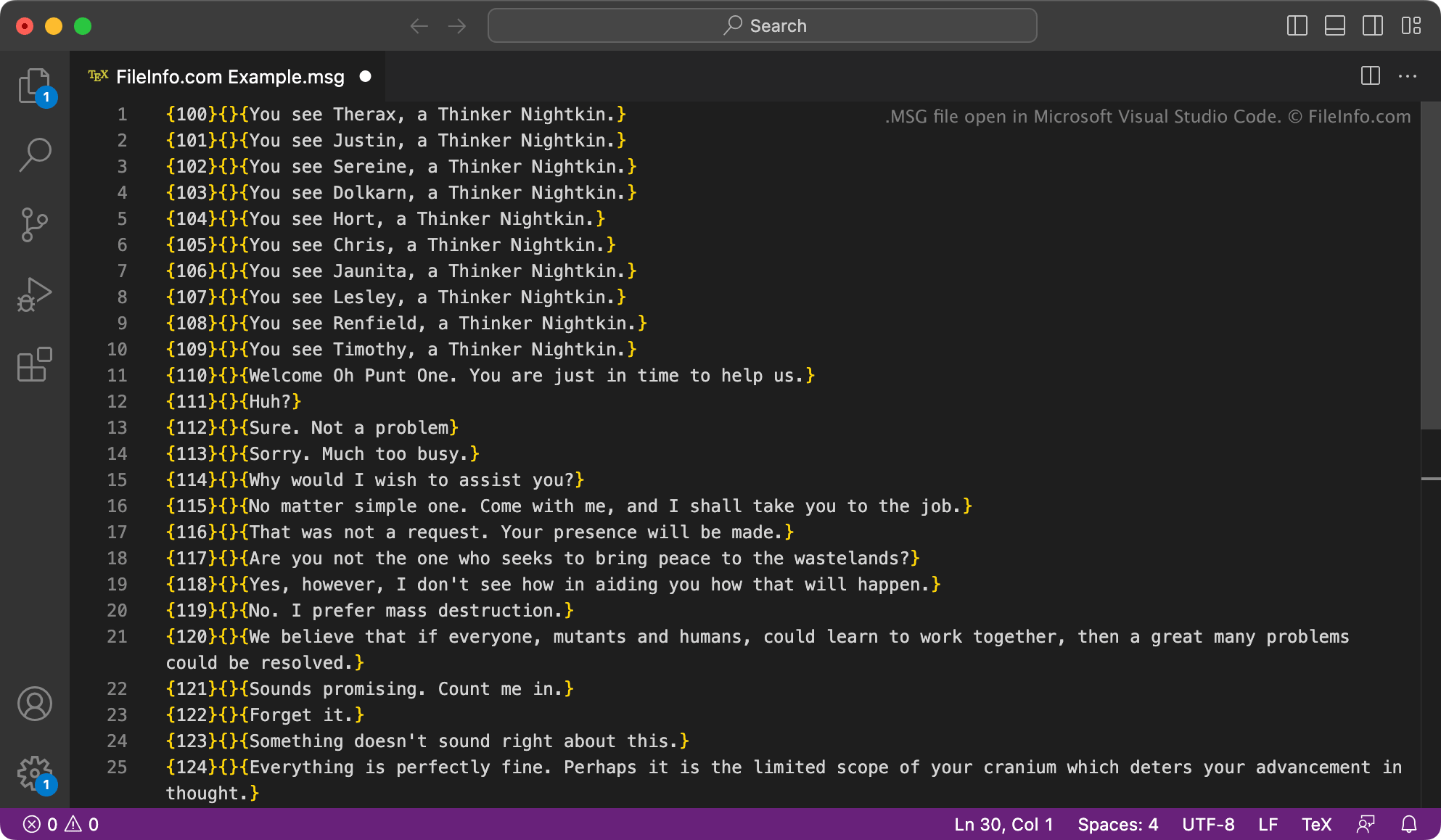
Fallout은 핵 낙진으로 황폐해진 종말 이후의 세계를 배경으로 하는 롤플레잉 게임 시리즈입니다. Fallout 시리즈의 첫 두 게임인 Fallout과 Fallout 2는 캐릭터 관련 메시지, 캐릭터 대화 및 아이템 메시지를 표시하는 데 사용되는 데이터를 MSG 파일에 저장합니다. 이러한 파일은 다음 디렉터리에 있습니다:
- text/english/game
- text/english/dialog
각 MSG 파일은 관련된 캐릭터(들) 또는 아이템(들)의 이름으로 지정됩니다. 파일에 포함된 메시지와 메타데이터는 다음과 같은 형식으로 구성됩니다:
{###}{soundfilename}{Message text}
게임은 {###} 필드에 지정된 숫자를 사용하여 올바른 시간에 메시지를 불러옵니다. {soundfilename} 필드에 파일 이름이 포함된 줄은 오디오(.ACM) 파일과 연결됩니다. 각 MSG 파일은 빈 줄로 끝나며 # 기호로 시작하는 주석이 포함될 수도 있습니다.
참고: 다른 대부분의 Fallout 게임의 게임 내 메시지 파일은 .TXT 확장자를 사용합니다. 그러나 해당 파일에 포함된 텍스트는 MSG 파일과 동일한 형식으로 저장됩니다.
MSG 파일을 여는 방법
Microsoft Notepad(Windows), Apple TextEdit(Mac) 또는 다른 텍스트 편집기를 사용하여 MSG 파일을 열고 포함된 텍스트를 확인하고 편집할 수 있습니다. MSG 파일을 편집하면 Fallout 또는 Fallout 2가 제대로 작동하지 않을 수 있다는 점에 유의하세요.
Fallout 모더는 ScanMsg 도구(Windows)를 사용하여 수정한 MSG 파일에 형식 오류가 있는지 확인할 수 있습니다.