

.MDP 파일 확장자
MediBang Paint Pro 이미지
| 개발사 | MediBang |
| 인기도 |
3.6 | 23 표 |
MDP 파일이란 무엇인가요?
MDP 파일은 Windows, macOS, Android, iOS용 무료 그림 및 만화 제작 애플리케이션인 MediBang Paint Pro로 만든 이미지입니다. MediBang Paint Pro에서 이미지를 저장할 때 사용하는 기본 형식입니다. MDP 파일에는 주석, 스텐실, 마스크 및 기타 도형이 포함될 수 있는 하나 이상의 레이어가 저장됩니다.
추가 정보

MDP 파일은 MediBang Paint Pro와 연결된 기본 파일 형식입니다. 이 형식은 MediBang Paint Pro에서만 지원되지만, .PNG, .JPG, .BMP, .TIFF, .WEBP 및 .PSD와 같이 더 널리 사용되는 형식으로 내보낼 수 있습니다.
MediBang Paint Pro에서 를 선택한 다음 또는 를 선택하고 "MediBang Paint Pro" 형식을 선택하면 MDP 파일을 만들 수 있습니다. MediBang Paint Pro에서 을 선택한 다음 MDP 파일을 선택하면 MDP 파일을 열 수 있습니다.
MDP 파일을 여는 프로그램
FireAlpaca 이미지
| 개발사 | PGN Inc. |
| 인기도 |
3.8 | 8 표 |
MDP 파일은 Windows 및 macOS용 무료 그림 도구인 FireAlpaca로 만든 이미지 파일입니다. FireAlpaca에서 이미지를 저장하는 데 사용되는 기본 형식이며, 여러 이미지 레이어, 마스크, 스텐실, 주석, 필터 및 기타 요소가 포함될 수 있습니다.
추가 정보
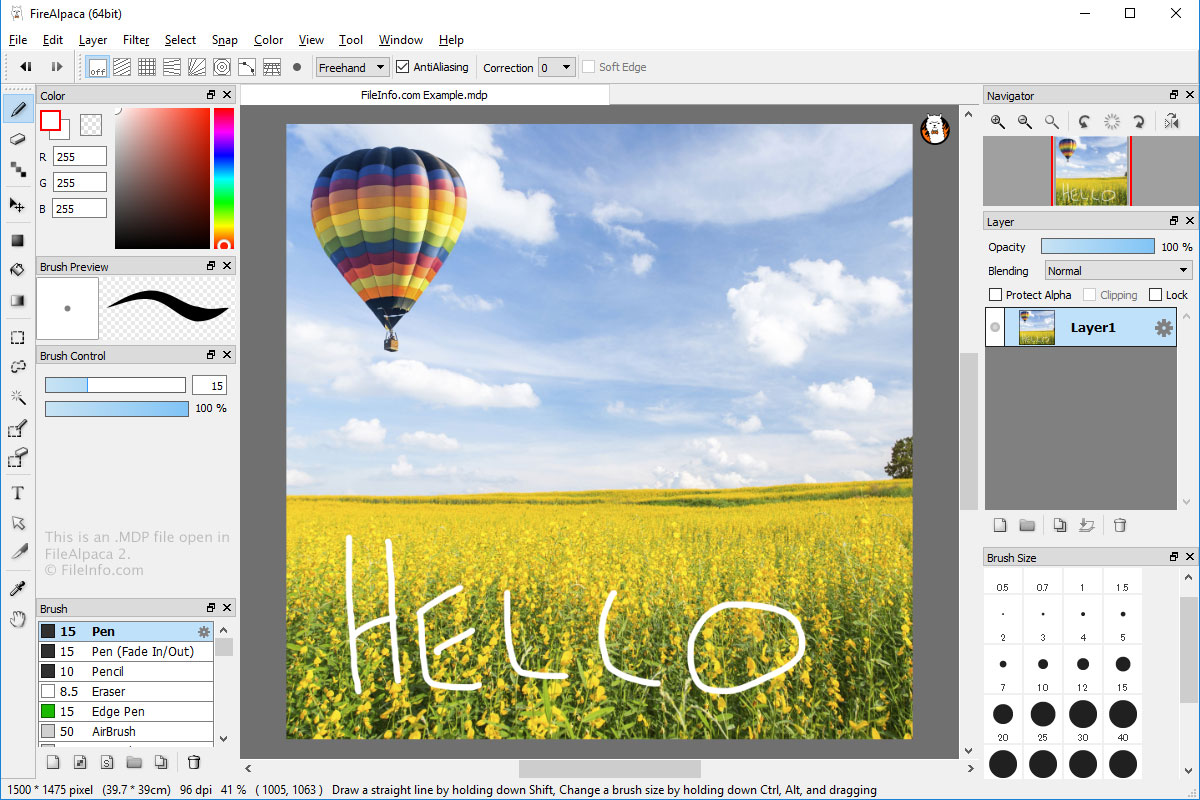
MDP 파일은 FireAlpaca와 관련된 기본 파일 형식입니다. FireAlpaca에서 닫았다가 다시 열어 추가로 편집할 수 있는 이미지를 저장하는 데 사용됩니다. 하지만 이 형식은 널리 지원되지 않습니다. 따라서 MDP 파일에서 이미지 편집을 마쳤으면 파일을 .PNG, .JPG, .BMP 또는 .PSD 파일로 내보낼 수 있습니다.
를 선택한 다음 또는 를 선택하고 "FireAlpaca" 형식을 선택하면 FireAlpaca에서 MDP 파일을 만들 수 있습니다. 을 선택하고 MDP 파일을 선택하면 FireAlpaca에서 MDP 파일을 열 수 있습니다.