

.FMS 파일 확장자
FamiStudio 프로젝트
| 개발사 | BleuBleu |
| 인기도 |
3.5 | 2 표 |
FMS 파일이란 무엇인가요?
FMS 파일은 Nintendo Entertainment System (NES) 및 Famicom 음악 편집기인 BleuBleu FamiStudio로 만든 프로젝트 파일입니다. 사용자가 FamiStudio에서 만든 곡이 포함되어 있으며, 여러 트랙, 패턴, 샘플로 구성되어 있을 가능성이 높습니다. FMS 파일에 포함된 곡은 NES 및 Famicom 비디오 게임 음악과 같은 소리를 냅니다.
추가 정보
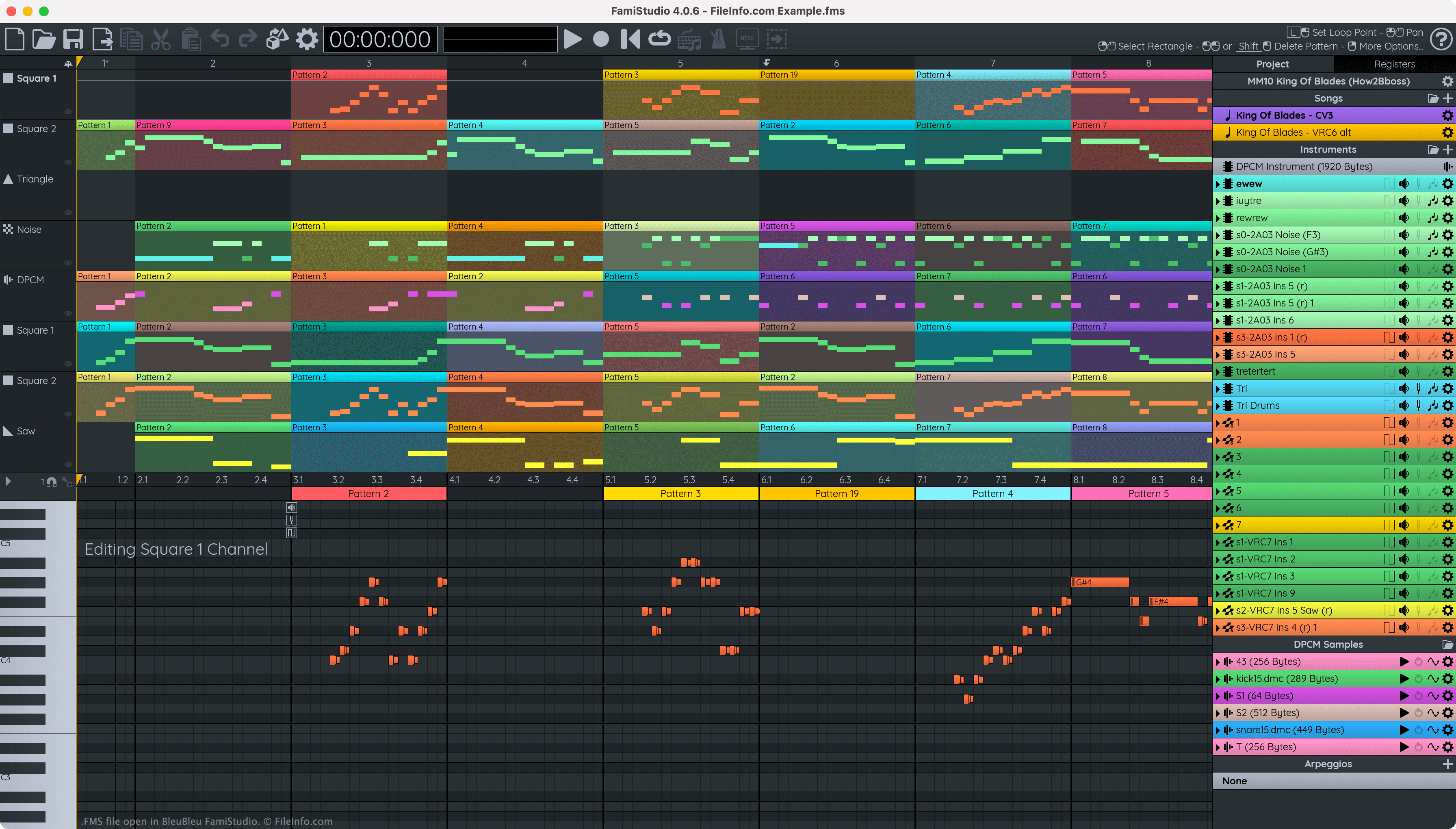
FamiStudio를 사용하면 게이머와 칩튠 애호가가 8비트 비디오 게임 음악을 만들고, 편집하고, 게시할 수 있습니다. 그런 다음 이러한 애호가들은 다른 사람과 곡을 공유하거나 자신의 홈브루 NES 게임에 곡을 포함할 수 있습니다.
각 FamiStudio 곡 프로젝트는 FMS 파일로 저장됩니다. 이러한 파일에는 곡에 포함된 트랙, 패턴, 샘플, 음표 및 악기가 기록됩니다.
FamiStudio에서 열면 FMS 파일은 색상으로 구분된 블록(패턴)이 연속으로 표시되고, 각 블록 안에 음표가 배치됩니다. FamiStudio에서 사용자는 FMS 파일에 기록된 곡을 편집하고 재생할 수 있으며, 곡을 다양한 오디오, 비디오, 프로젝트 및 코드 형식으로 내보낼 수 있습니다.
FMS 파일을 여는 방법
FamiStudio로 FMS 파일을 열 수 있습니다. 먼저 FamiStudio의 메뉴 모음에 있는 폴더 아이콘을 선택합니다. 그런 다음 FMS 파일이 있는 위치로 이동하여 파일을 엽니다.
FMS 파일을 변환하는 방법
FamiStudio를 사용하면 FMS 파일에 포함된 곡을 다음을 포함한 다양한 형식으로 내보낼 수 있습니다.
- .WAV - WAVE 오디오
- .MP3 - MP3 오디오
- .OGG - OGG Vorbis 오디오
- .NSF - NES 사운드 형식
- .NES - Nintendo Enterainment System ROM
- .TXT - FamiStudio 또는 FamiTracker 텍스트
- .ASM - FamiStudio 또는 FamiTone 2 어셈블리 코드
방법:
- FamiStudio의 메뉴 모음에 있는 화살표가 있는 파일 아이콘을 선택합니다.
- 내보내기 형식을 선택합니다.
- 확인 표시 아이콘을 선택합니다.
- 내보낸 파일의 이름을 지정하고 저장합니다.