.ESD 파일 확장자

Windows Electronic Software Download

개발사 Microsoft
인기도
4.2  |  72 투표
 

ESD 파일이란 무엇인가요?

An ESD file contains an encrypted Windows update or upgrade file. Microsoft's Electronic Software Download (ESD) program creates ESD files when you purchase Windows through the Microsoft Store or update Windows using Microsoft Upgrade Assistant.

추가 정보

ESD files are encrypted .WIM files. Electronic Software Download creates ESD files used to install, update, or upgrade Windows. For example, Microsoft Upgrade Assistant uses ESD files to upgrade users to new versions of Windows.

You may find ESD files in the following directory:

C:/​Users/​YourUserName/​AppData/​Local/​Microsoft/​WebSetup/​Download

일반적인 .ESD 파일 이름

WinPayload.esd - The file Microsoft Upgrade Assistant uses to upgrade to Windows 8.

Install.esd - The file Microsoft Upgrade Assistant uses to upgrade to Windows 10.

ESD 파일을 여는 방법

ESD files are not meant to be opened. Instead, Windows Upgrade and Update Assistant utilities access ESD files to upgrade Windows to newer versions or updates.

However, you can also open ESD files with several archive programs, such as wimlib, 7-Zip, and PeaZip.

File Viewer Plus(으)로 400개 이상의 파일 형식을 여세요.무료 다운로드

ESD 파일을 열거나 참조하는 프로그램

Windows
Microsoft Windows Upgrade Assistant
Microsoft Windows Update Assistant
무료
무료
무료
Linux
무료
카테고리: 기타
업데이트: 2022-06-13

Easy Street Draw Casebook File

개발사 SmartSafety Software
인기도
2.0  |  1 투표
 

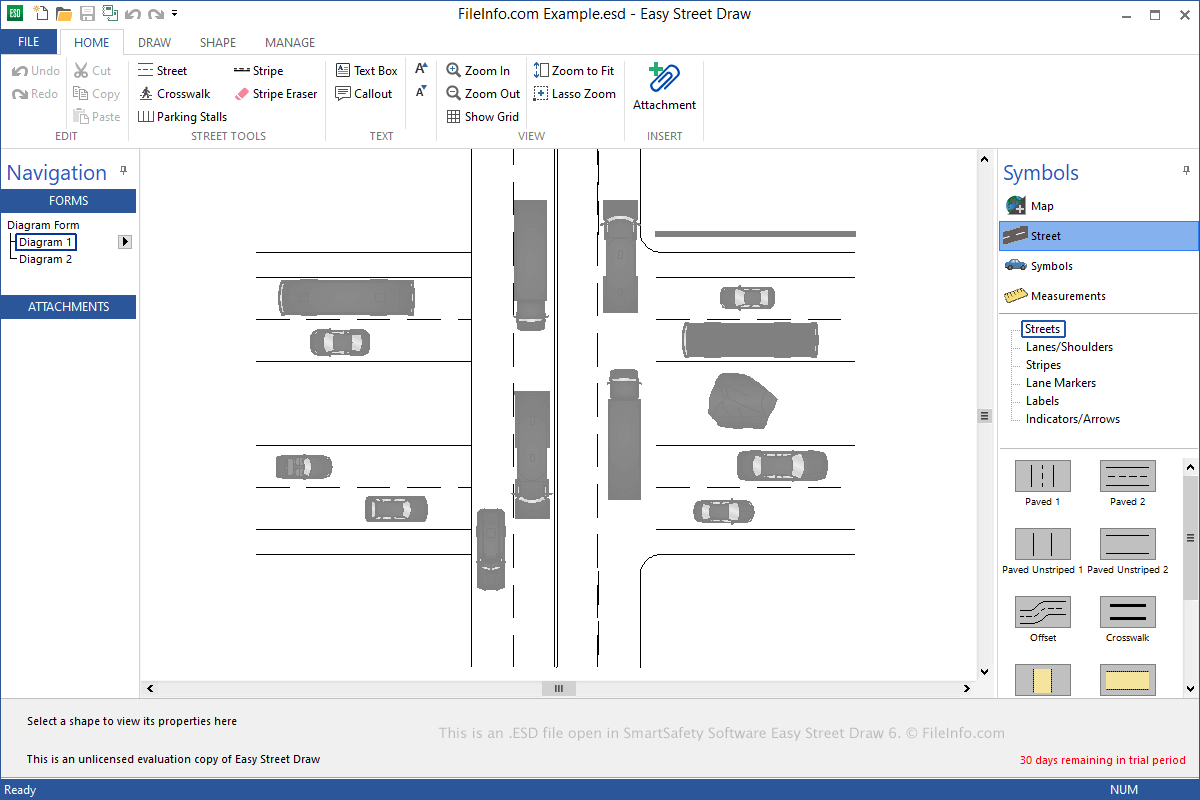
An ESD file contains a casebook, which includes one or more diagrams created by Easy Street Draw, a tool used to re-create traffic collisions. It stores one or more drawings, which include streets, symbols, and text that depict a traffic incident. ESD files may also include image, audio, video, or .PDF file attachments that enhance the depiction of the collision.

추가 정보

SmartSafety Software Easy Street Draw 6에서 열린 .esd 파일의 스크린샷
SmartSafety Software Easy Street Draw 6에서 열린 ESD 파일

Local and state public officials commonly use Easy Street Draw to re-create and document traffic incidents. You can use the software to create streets from scratch or generate them from imported maps and add symbols, such as vehicles, pedestrians, and roadway objects, to illustrate the collision(s).

When saving a casebook, Easy Street Draw creates an ESD file to store the contents. After saving the file, you can close it, re-open it, and continue editing the casebook.

To save a casebook as an ESD file with Easy Street Draw, select File → Save or Save As. When you are done editing your casebook, you can select File → Export to export an ESD file as an .XML, PDF, or .PPT file.

ESD 파일을 여는 방법

You can open ESD files with Easy Street Draw in Windows. To open an ESD file, select File → Open.

ESD 파일을 여는 프로그램

Windows
카테고리: 데이터
업데이트: 2021-06-09

검증자 FileInfo.com

FileInfo.com 팀 이 페이지에 나열된 모든 파일 형식과 소프트웨어 프로그램을 독자적으로 조사했습니다. 저희의 목표는 100% 정확성이며, 검증한 파일 유형에 대한 정보만 게시합니다.

이 페이지에 추가하거나 업데이트할 내용을 제안하고 싶으시면 알려 주세요.