.ESD ファイル拡張子

Windows Electronic Software Download

開発元 Microsoft
人気度
4.2  |  72 
 

ESDファイルとは?

An ESD file contains an encrypted Windows update or upgrade file. Microsoft's Electronic Software Download (ESD) program creates ESD files when you purchase Windows through the Microsoft Store or update Windows using Microsoft Upgrade Assistant.

詳細情報

ESD files are encrypted .WIM files. Electronic Software Download creates ESD files used to install, update, or upgrade Windows. For example, Microsoft Upgrade Assistant uses ESD files to upgrade users to new versions of Windows.

You may find ESD files in the following directory:

C:/​Users/​YourUserName/​AppData/​Local/​Microsoft/​WebSetup/​Download

一般的な.ESDファイル名

WinPayload.esd - The file Microsoft Upgrade Assistant uses to upgrade to Windows 8.

Install.esd - The file Microsoft Upgrade Assistant uses to upgrade to Windows 10.

ESDファイルの開き方

ESD files are not meant to be opened. Instead, Windows Upgrade and Update Assistant utilities access ESD files to upgrade Windows to newer versions or updates.

However, you can also open ESD files with several archive programs, such as wimlib, 7-Zip, and PeaZip.

File Viewer Plusで400種類以上のファイル形式を開けます。無料ダウンロード

ESDファイルを開く、または参照するプログラム

Windows
Microsoft Windows Upgrade Assistant
Microsoft Windows Update Assistant
無料
無料
無料
Linux
無料
カテゴリ: その他
更新日: 2022-06-13

Easy Street Draw Casebook File

開発元 SmartSafety Software
人気度
2.0  |  1 
 

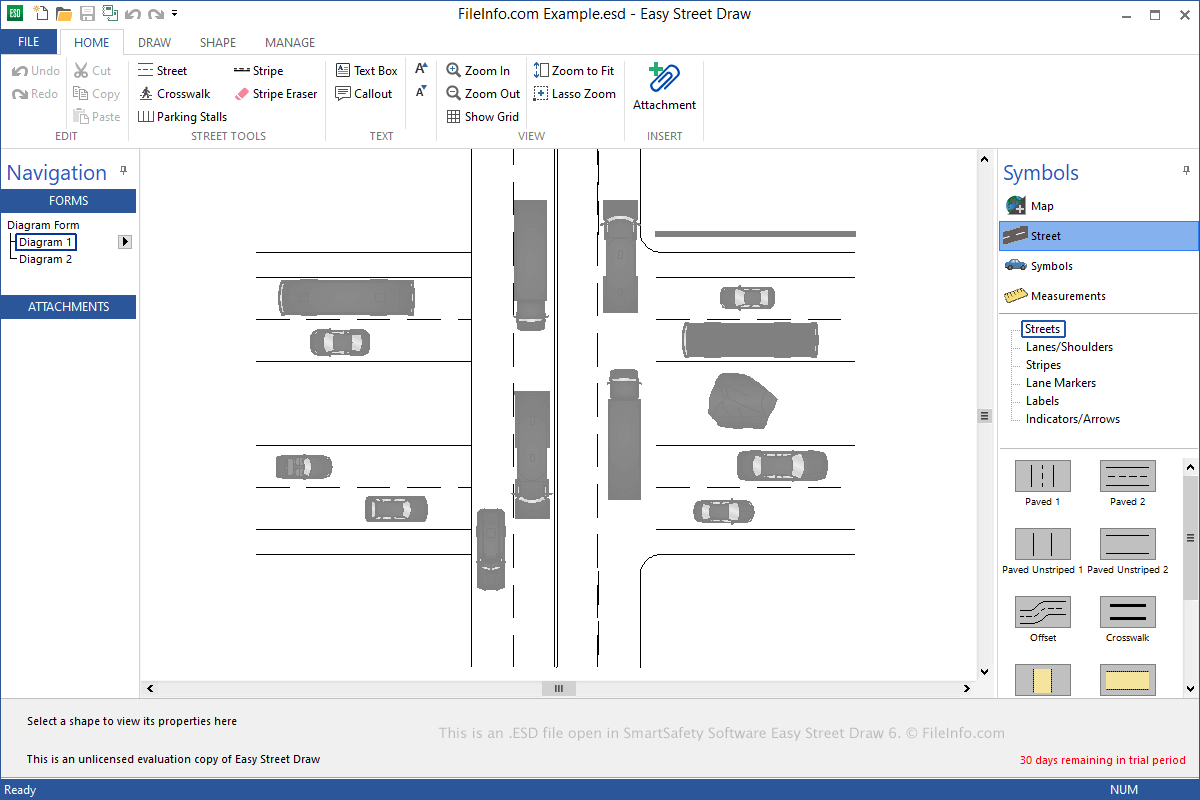
An ESD file contains a casebook, which includes one or more diagrams created by Easy Street Draw, a tool used to re-create traffic collisions. It stores one or more drawings, which include streets, symbols, and text that depict a traffic incident. ESD files may also include image, audio, video, or .PDF file attachments that enhance the depiction of the collision.

詳細情報

SmartSafety Software Easy Street Draw 6で開いた.esdファイルのスクリーンショット
SmartSafety Software Easy Street Draw 6で開いたESDファイル

Local and state public officials commonly use Easy Street Draw to re-create and document traffic incidents. You can use the software to create streets from scratch or generate them from imported maps and add symbols, such as vehicles, pedestrians, and roadway objects, to illustrate the collision(s).

When saving a casebook, Easy Street Draw creates an ESD file to store the contents. After saving the file, you can close it, re-open it, and continue editing the casebook.

To save a casebook as an ESD file with Easy Street Draw, select File → Save or Save As. When you are done editing your casebook, you can select File → Export to export an ESD file as an .XML, PDF, or .PPT file.

ESDファイルの開き方

You can open ESD files with Easy Street Draw in Windows. To open an ESD file, select File → Open.

ESDファイルを開くプログラム

Windows
カテゴリ: データ
更新日: 2021-06-09

検証者 FileInfo.com

FileInfo.comチーム は、このページに掲載されているすべてのファイル形式とソフトウェアについて独自に調査しました。 私たちの目標は100%の正確性であり、検証済みのファイルタイプに関する情報のみを公開しています。

このページへの追加や更新をご提案いただける場合は、お知らせください。