.EP 파일 확장자

2개의 파일 유형.ep 확장자를 사용합니다.

Pencil Document

개발사 Evolus
인기도
3.8  |  17 투표
 

EP 파일이란 무엇인가요?

Document created by Pencil, an open source GUI prototyping tool; saves a page with different design elements for a targeted user interface; used for making software mockups for mobile (iOS, Android, etc.), Web, and desktop platforms.

추가 정보

Pencil documents can contain common shapes, basic Web elements, desktop widgets, flowchart objects, and various other design elements.

Pencil can export documents to .PNG, .PDF, .SVG, .ODT, and Web formats. This is helpful when sending design documents to clients and developers, as well as for including the design in presentations and other documentation.

File Viewer Plus(으)로 400개 이상의 파일 형식을 여세요.무료 다운로드

EP 파일을 여는 프로그램

Windows
Mac
Linux

Explore Project

개발사 powerpoint56
인기도
2.0  |  1 투표
 

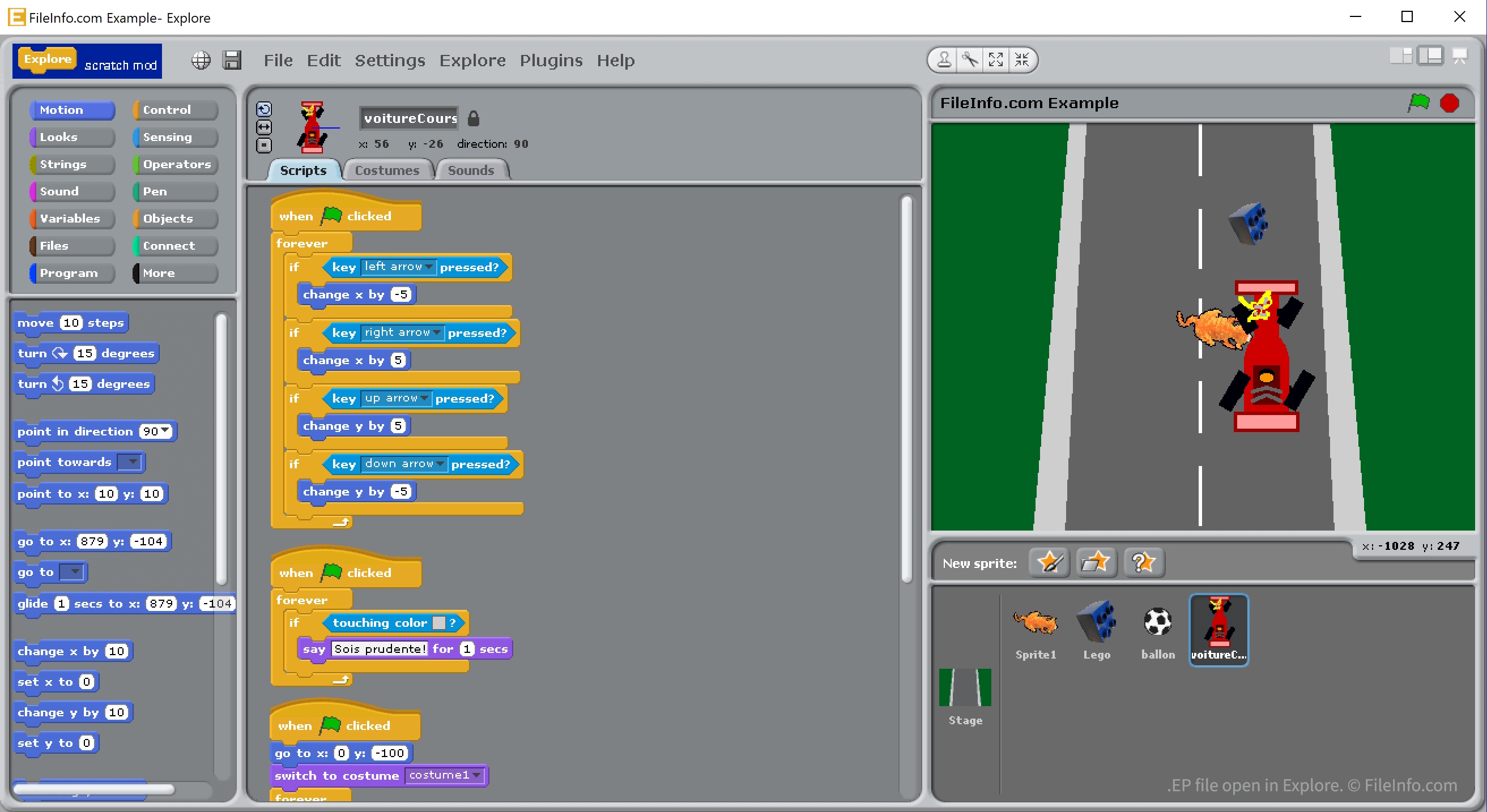
An EP file is a development project created using Explore, a variant of MIT Scratch. It contains binary code that Explore translates into block-based code. EP files cannot be opened in Scratch; they must be opened in Explore.

추가 정보

Explore에서 열린 .ep 파일의 스크린샷
Explore에서 열린 EP 파일

In 2014, developer powerpoint56 and various helpers created and released Explore, a block-based development environment that is a variant of Scratch 1.0. Explore contains over 200 additional blocks and other features that Scratch 1.0 does not include. For example, Explore allows developers to easily share and edit projects collaboratively, and it allows developers to convert development projects into .EXE files.

Explore development projects are saved as EP files. While EP files are similar to Scratch 1.0's .SB files, Scratch 1.0 cannot open EP files. Explore can, however, import users' SB files and convert them into EP files.

EP 파일을 여는 방법

You can open an EP file in Explore (Windows). To do so, select File → Open... from Explore's menu bar. Then, navigate to and open your EP file.

EP 파일을 여는 프로그램

Windows
무료
카테고리: 개발자
업데이트: 2021-08-23

검증자 FileInfo.com

FileInfo.com 팀 이 페이지에 나열된 모든 파일 형식과 소프트웨어 프로그램을 독자적으로 조사했습니다. 저희의 목표는 100% 정확성이며, 검증한 파일 유형에 대한 정보만 게시합니다.

이 페이지에 추가하거나 업데이트할 내용을 제안하고 싶으시면 알려 주세요.