.XMDECK ファイル拡張子

MindManager XML Slide Deck

開発元 Corel
人気度
2.0  |  1 
 

XMDECKファイルとは?

An XMDECK file is a collection of one or more slides created by Corel MindManager, an app for planning, visualizing, and sharing mind map diagrams. It stores slides comprised of branch or sub-branch topics and objects, such as icons and text, and may be made from scratch or elements in an existing MindManager Map. XMDECK files are similar to .MDECK files but saved in the XML standard instead of the binary MDECK format.

詳細情報

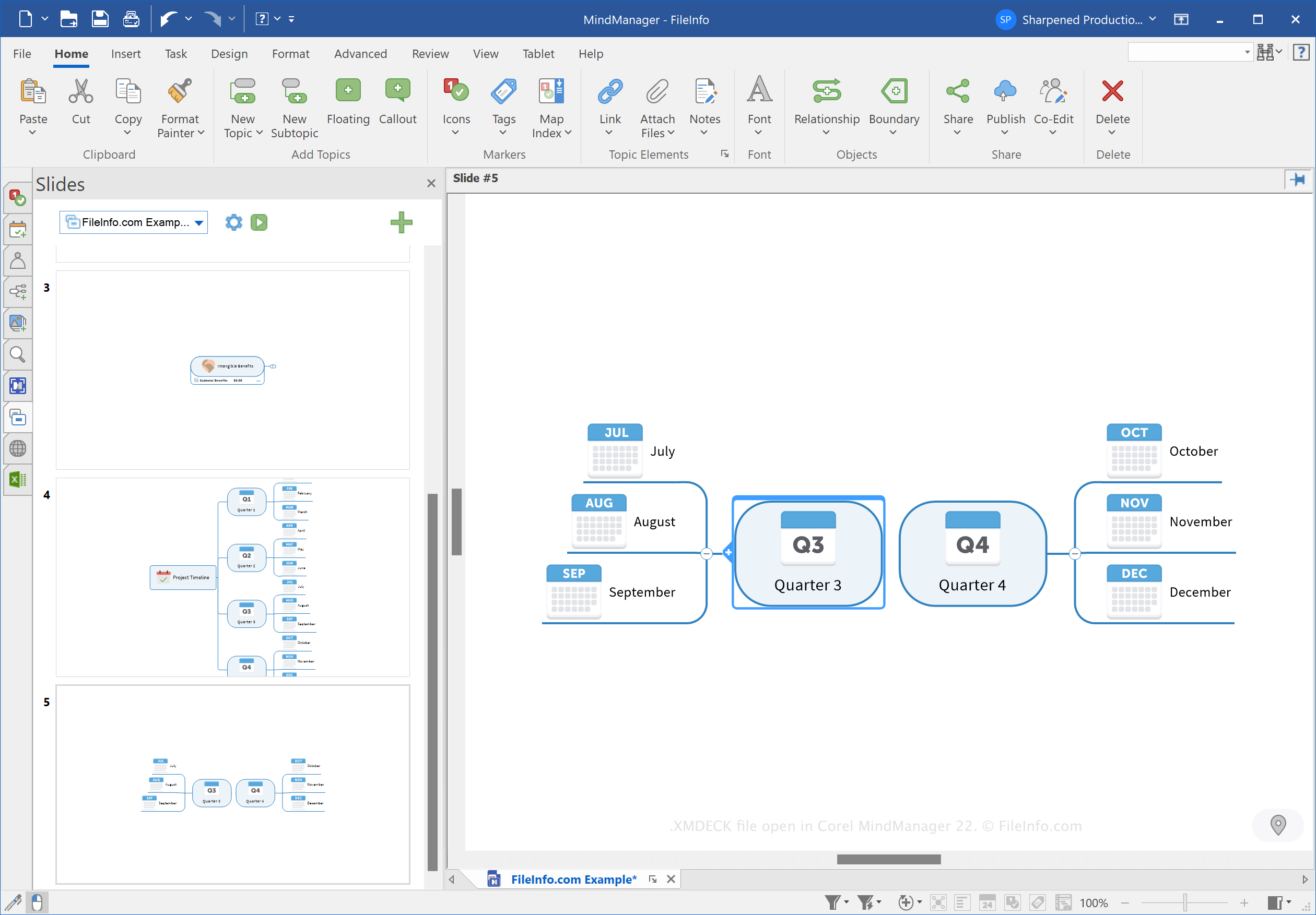
Corel MindManager 22で開いた.xmdeckファイルのスクリーンショット
Corel MindManager 22で開いたXMDECKファイル

MindManager allows you to create various types of mind maps, such as tree maps, Venn diagrams, and timelines, to organize, visualize, and share ideas and complex processes. For example, you can use MindManager to outline the process of migrating data to a new database.

Corel introduced the MDECK and XMDECK file types when it released MindManager 21 in March 2021. You can create slide decks to organize and store slides based on mind maps for presentation purposes.

In Windows, MindManager saves XMDECK files in the following directory by default:

C:\​Users\​[username]\​Documents\​My Maps\​My Slide Decks

XMDECKファイルの開き方

You can open an XMDECK file with Corel MindManager in Windows and macOS. To open the file, select File → Open.

XMDECKファイルの変換方法

Corel MindManager can convert XMDECK files to the following image formats:

  • .JPG - JPEG Image
  • .PNG - Portable Network Graphic
  • .GIF - Graphical Interchange Format
  • .BMP - Bitmap Image
  • .EMF - Enhanced Windows Metafile
  • .WMF - Windows Metafile

To convert an XMDECK file, click the Slide Settings button (gear icon) in the Slides pane, then choose Export as Image(s).

File Viewer Plusで400種類以上のファイル形式を開けます。無料ダウンロード

XMDECKファイルを開くプログラム

Windows
無料体験版
Mac
無料体験版
カテゴリ: その他
更新日: 2022-10-27

検証者 FileInfo.com

FileInfo.comチーム は、このページに掲載されているMindManager XML Slide Deckファイル形式とMac and Windowsアプリについて独自に調査しました。 私たちの目標は100%の正確性であり、検証済みのファイルタイプに関する情報のみを公開しています。

このページへの追加や更新をご提案いただける場合は、お知らせください。