.OVE ファイル拡張子

Overture Musical Score

開発元 GenieSoft
人気度
2.8  |  13 
 

OVEファイルとは?

An OVE file is a musical score created by versions 4 and below of Sonic Scores Overture, a professional scorewriter. It contains musical notation, including notes, measures, clefs, tempos, and time signatures. It also includes score metadata, such as the score's title, composer, and copyright information.

詳細情報

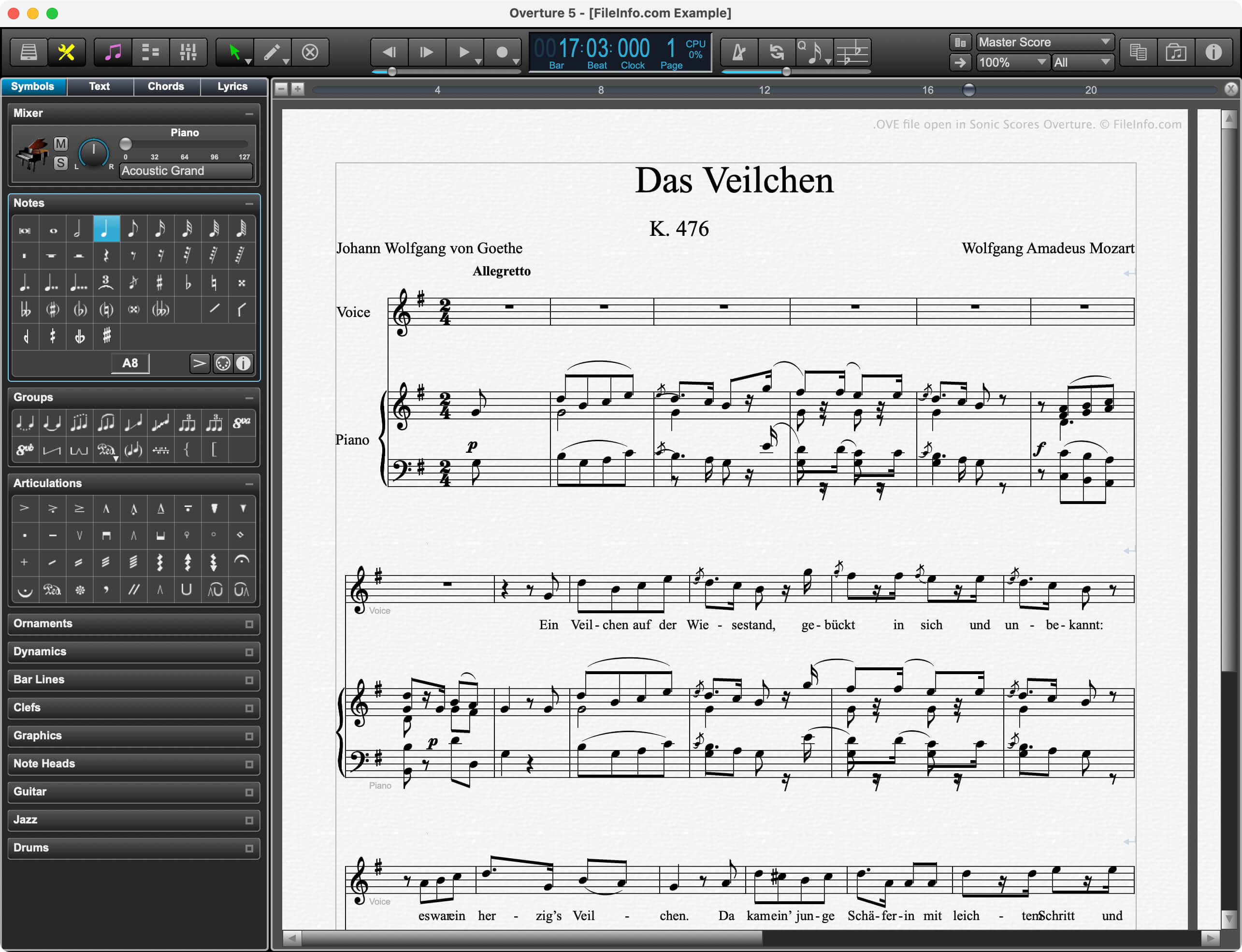
Sonic Scores Overtureで開いた.oveファイルのスクリーンショット
Sonic Scores Overtureで開いたOVEファイル

Professional composers, music teachers, and music students use Overture to create, edit, and publish musical scores. Because Overture allows composers to play scores in time with video, it is especially popular among film score composers.

Prior to version 5, Overture saved composers' scores as OVE files. In version 5, Sonic Scores replaced the OVE format with the .OVEX format. However, current versions of Overture can still open OVE files.

注: Sonic Scores was previously known as GenieSoft.

OVEファイルの開き方

You can open an OVE file with Sonic Scores Overture (Windows, macOS). To do so:

  1. Select File → Open... from Overture's menu bar.
  2. Navigate to and open your OVE file.

OVEファイルの変換方法

Version 5 of Overture can convert OVE files to the following formats:

  • .OVEX - Version 5 Overture Score (File → Save As...)
  • .MID - MIDI File (File → Export)
  • .MUSICXML - MusicXML File (File → Export)
  • .JPG - JPEG Image (File → Save as Image...)
  • .PDF - Portable Document Format (File → Print...)
  • .PS - PostScript File (File → Print...)
File Viewer Plusで400種類以上のファイル形式を開けます。無料ダウンロード

OVEファイルを開くプログラム

Windows
無料体験版
Mac
無料体験版

検証者 FileInfo.com

FileInfo.comチーム は、このページに掲載されているOverture Musical Scoreファイル形式とMac and Windowsアプリについて独自に調査しました。 私たちの目標は100%の正確性であり、検証済みのファイルタイプに関する情報のみを公開しています。

このページへの追加や更新をご提案いただける場合は、お知らせください。