.OVE 파일 확장자

Overture Musical Score

개발사 GenieSoft
인기도
2.8  |  13 투표
 

OVE 파일이란 무엇인가요?

An OVE file is a musical score created by versions 4 and below of Sonic Scores Overture, a professional scorewriter. It contains musical notation, including notes, measures, clefs, tempos, and time signatures. It also includes score metadata, such as the score's title, composer, and copyright information.

추가 정보

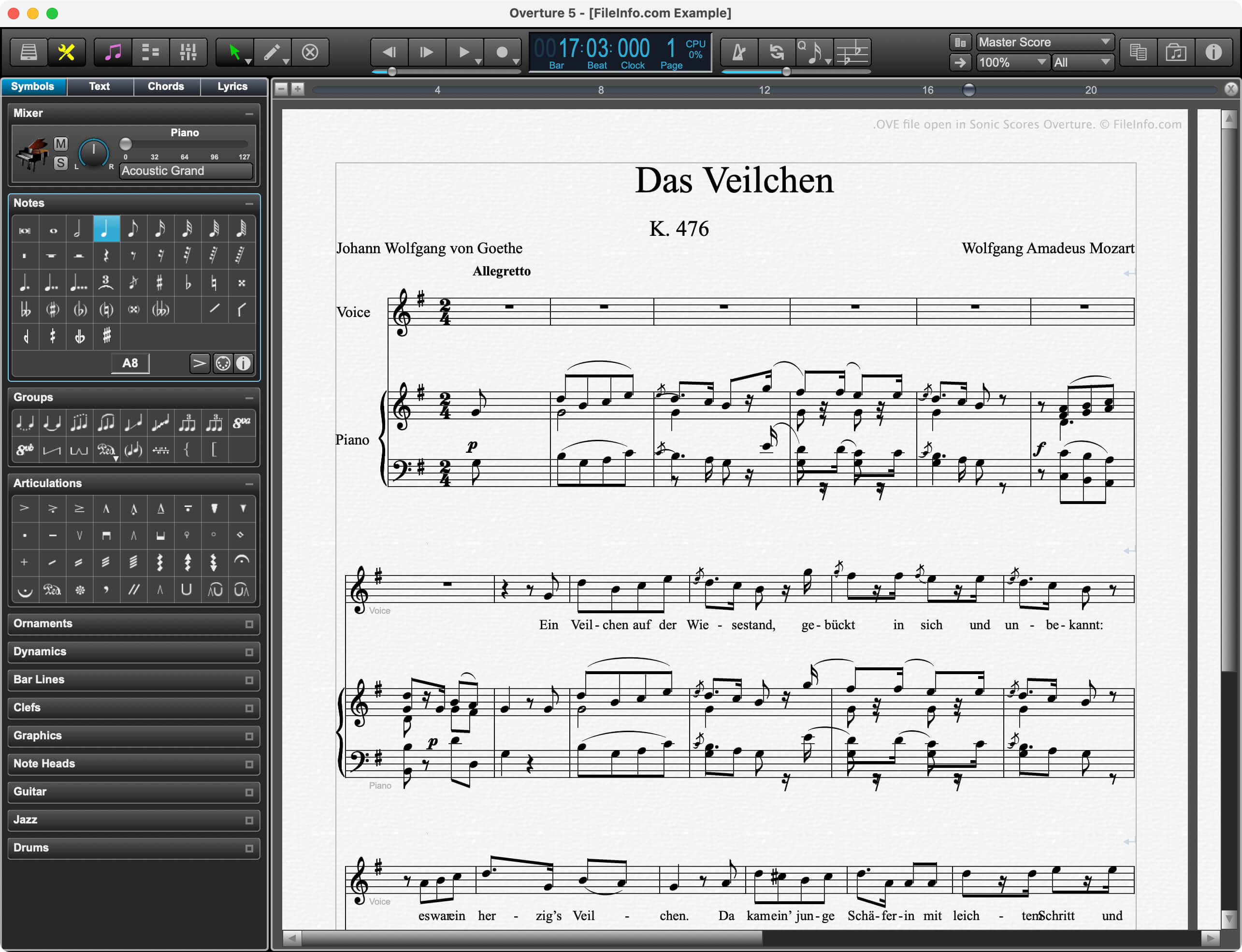
Sonic Scores Overture에서 열린 .ove 파일의 스크린샷
Sonic Scores Overture에서 열린 OVE 파일

Professional composers, music teachers, and music students use Overture to create, edit, and publish musical scores. Because Overture allows composers to play scores in time with video, it is especially popular among film score composers.

Prior to version 5, Overture saved composers' scores as OVE files. In version 5, Sonic Scores replaced the OVE format with the .OVEX format. However, current versions of Overture can still open OVE files.

참고: Sonic Scores was previously known as GenieSoft.

OVE 파일을 여는 방법

You can open an OVE file with Sonic Scores Overture (Windows, macOS). To do so:

  1. Select File → Open... from Overture's menu bar.
  2. Navigate to and open your OVE file.

OVE 파일을 변환하는 방법

Version 5 of Overture can convert OVE files to the following formats:

  • .OVEX - Version 5 Overture Score (File → Save As...)
  • .MID - MIDI File (File → Export)
  • .MUSICXML - MusicXML File (File → Export)
  • .JPG - JPEG Image (File → Save as Image...)
  • .PDF - Portable Document Format (File → Print...)
  • .PS - PostScript File (File → Print...)
File Viewer Plus(으)로 400개 이상의 파일 형식을 여세요.무료 다운로드

OVE 파일을 여는 프로그램

Windows
무료 체험판
Mac
무료 체험판
카테고리: 오디오
업데이트: 2023-12-08

검증자 FileInfo.com

FileInfo.com 팀 이 페이지에 나열된 Overture Musical Score 파일 형식과 Mac and Windows 앱을 독자적으로 조사했습니다. 저희의 목표는 100% 정확성이며, 검증한 파일 유형에 대한 정보만 게시합니다.

이 페이지에 추가하거나 업데이트할 내용을 제안하고 싶으시면 알려 주세요.