.AET ファイル拡張子

After Effects Project Template

開発元 Adobe Systems
人気度
3.1  |  7 
 

AETファイルとは?

An AET file is a project template created by Adobe After Effects, used to start new video projects with a predefined structure. It contains one or more compositions, which may include imported media, shapes, text layers, effects, and project settings. Unlike regular project files (.AEP or .AEPX), AET files serve as reusable templates for creating multiple After Effects projects with consistent layouts or settings.

詳細情報

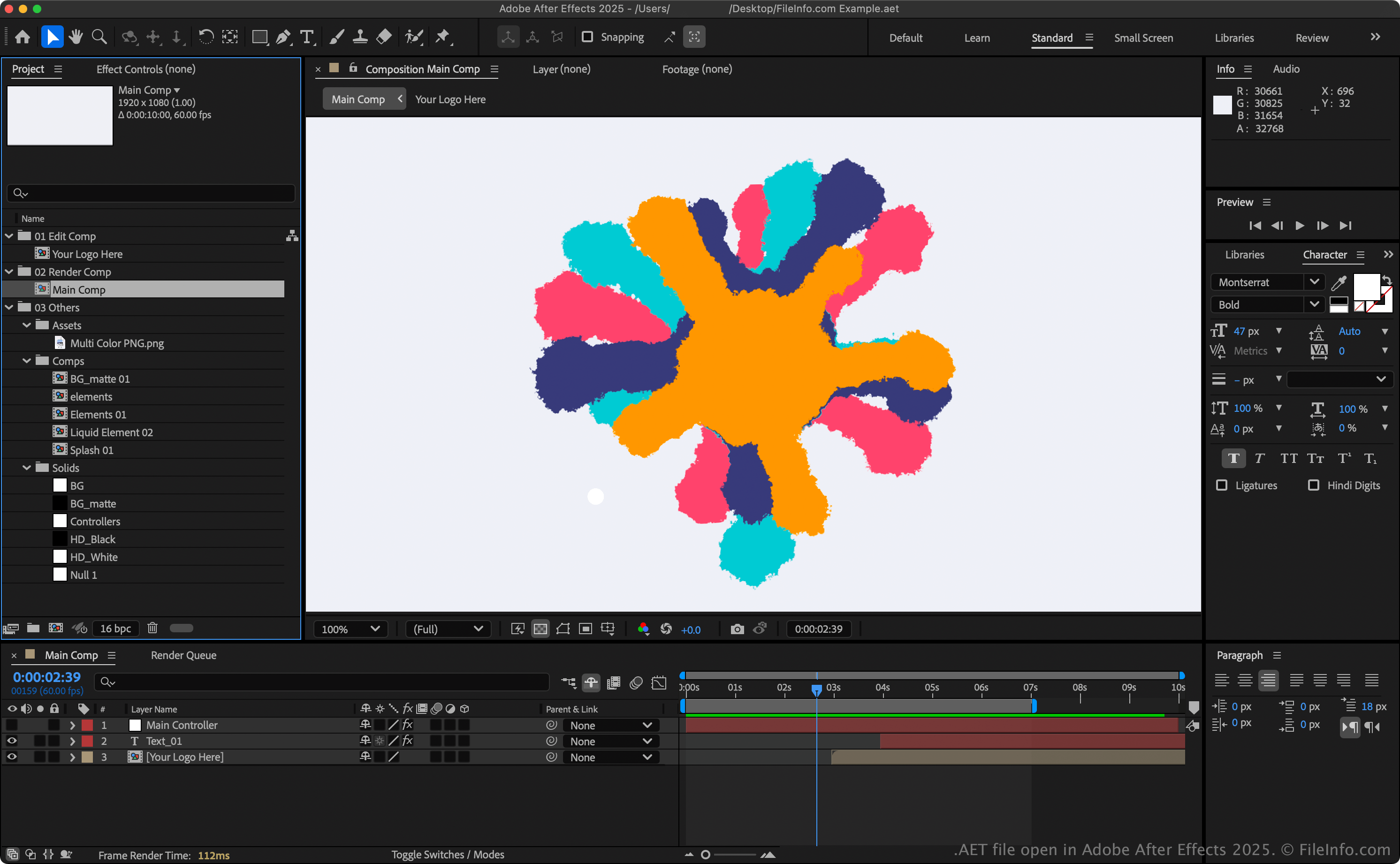
Adobe After Effects 2025で開いた.aetファイルのスクリーンショット
Adobe After Effects 2025で開いたAETファイル

After Effects supports two template formats:

  • After Effects Template (AET) – The default template format, saved in a binary format. It produces smaller files that load faster and is recommended for most users.
  • After Effects XML Template (.AETX) – A text-based format saved using the XML standard. While larger and slower to open, it allows you to edit project details manually with a text or XML editor, which is useful for automation or sharing editable templates.

注: To create a project template, go to File → New → New Project, then choose File → Save As → Save As..., and select Adobe After Effects Template Project from the file format options.

AETファイルの開き方

You can only open AET files with Adobe After Effects (Windows and macOS). To open an AET file, select File → Open Project.

AETファイルの変換方法

Adobe After Effects can convert AET files to various file types, including the following formats:

  • .MOV - Apple QuickTime Movie
  • .AVI - Audio Video Interleave
  • .JPG - JPEG Image
  • .PNG - Portable Network Graphic
  • .DPX - Digital Picture Exchange
  • .M4A - MPEG-4 Audio
  • .MP3 - MP3 Audio
  • .AEPX - After Effects XML Project
  • .AEP - After Effects Project
  • .PRPROJ - Adobe Premiere Pro
File Viewer Plusで400種類以上のファイル形式を開けます。無料ダウンロード

AETファイルを開くプログラム

Windows
Mac
カテゴリ: ビデオ
更新日: 2025-06-13

検証者 FileInfo.com

FileInfo.comチーム は、このページに掲載されているAfter Effects Project Templateファイル形式とMac and Windowsアプリについて独自に調査しました。 私たちの目標は100%の正確性であり、検証済みのファイルタイプに関する情報のみを公開しています。

このページへの追加や更新をご提案いただける場合は、お知らせください。