

.ENG.SRT File Extension
English SubRip Subtitle File
| Developer | Brain, T.V. Zuggy, mrSHADOW, Yakov, ai4spam, Blood |
| Popularity |
3.0 | 1 Vote |
What is an ENG.SRT file?
An ENG.SRT file is a subtitle file (.SRT) that contains English captions for a video. It is saved in the SubRip Subtitle (SRT) format, which is a plain text format that stores subtitle text along with time codes that control when each line appears and disappears during playback. The .eng part of the filename indicates the language (English), while .srt identifies the subtitle format itself.
More Information
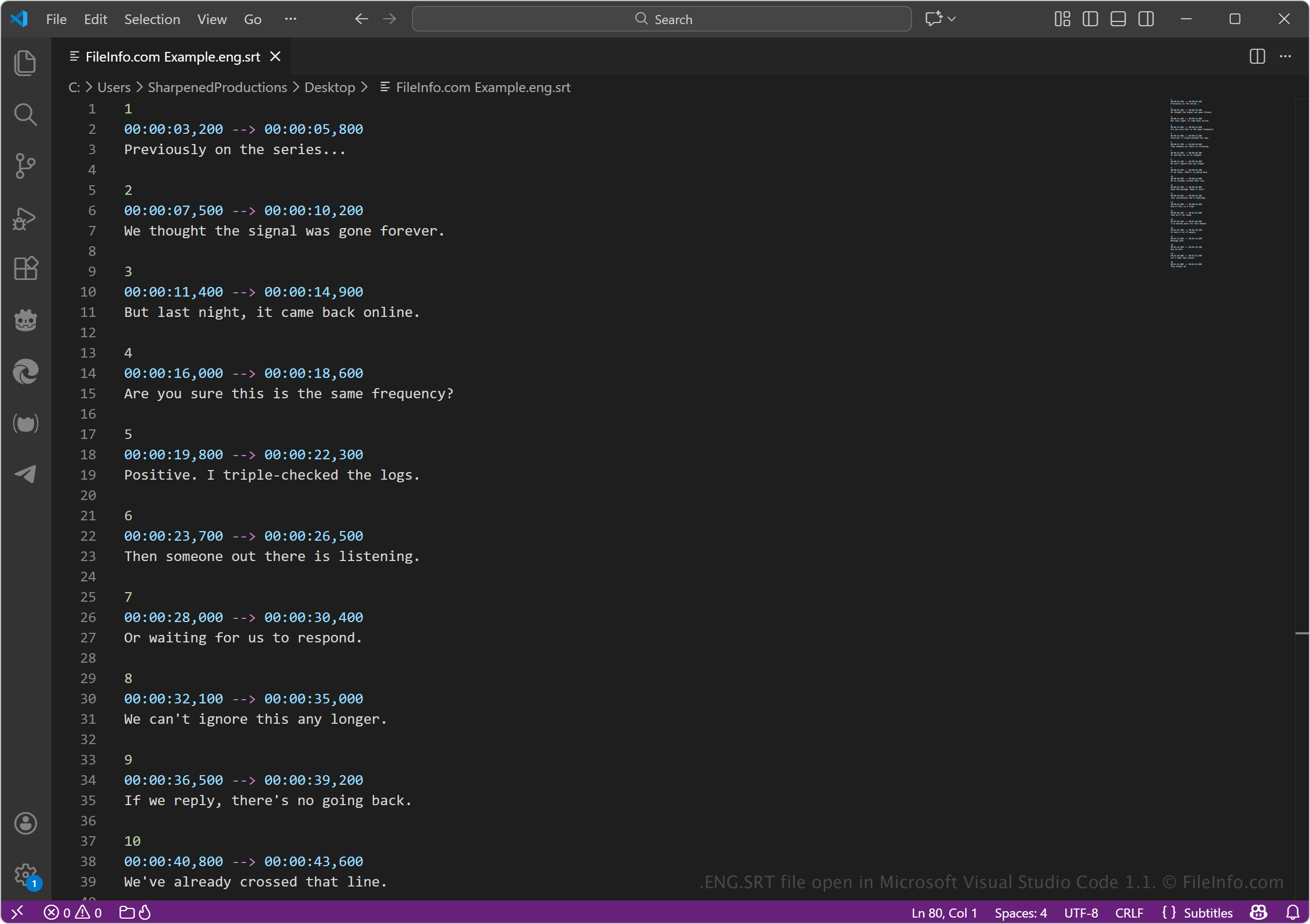
The SRT format is widely supported because it is simple, lightweight, and not tied to a specific video container. Each subtitle entry in an ENG.SRT file includes a sequence number, start and end timestamps, and the subtitle text. Media players read these time codes and display the subtitles in sync with the video.
NOTE: Common users include video editors, content creators, streaming platforms, translators, and viewers who need captions for accessibility or language support.
How to open an ENG.SRT file
You can open ENG.SRT files with various media players, which adds the subtitles the files store to the video they accompany. Examples of applications that support ENG.SRT files include VideoLAN VLC media player, Windows Media Player, and media apps on TVs and mobile devices.
To use an ENG.SRT file for playback, place the file in the same folder as the video file, and ensure the filename matches the video name. For example: example.eng.srt and example.mp4.
Since the files contain plain text, you can also open them with any text editor to view or edit their contents. Text editors include Microsoft Notepad, Apple TextEdit, and Microsoft Visual Studio Code.