

.UAE Dateiendung
WinUAE-Konfigurationsdatei
| Entwickler | WinUAE |
| Beliebtheit |
2,0 | 1 Stimme |
Was ist eine UAE-Datei?
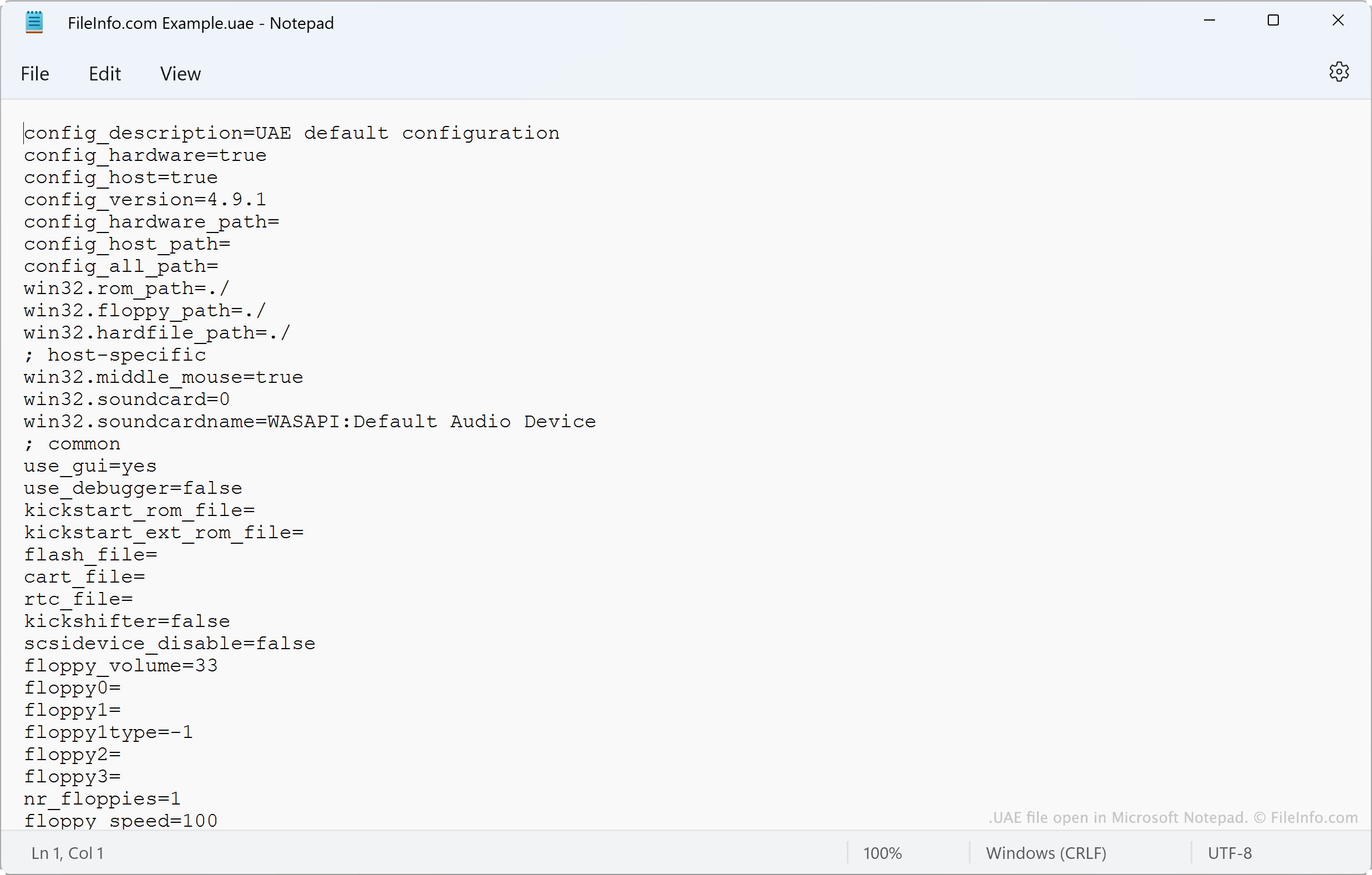
Eine UAE-Datei ist eine Konfigurationsdatei, die von WinUAE, einem quelloffenen Emulator für Amiga für Windows, verwendet wird. Sie legt fest, welches Amiga-Modell WinUAE emuliert sowie über welche CPU, welchen Chipsatz, welches ROM, welchen RAM und welche anderen Einstellungen dieses Modell verfügt. Benutzer laden und speichern UAE-Dateien über das Konfigurationsmenü von WinUAE ().
Weitere Informationen
Mit WinUAE können Amiga-Fans alte Amiga-Computer unter Windows emulieren. Vor dem Starten eines Emulators können WinUAE-Benutzer den Typ der CPU, FPU, des Chipsatzes, ROMs, RAMs, der Laufwerke und Anschlüsse konfigurieren, die der Emulator verwendet. Dies tun sie im Fenster .
Nachdem Benutzer einen Emulator nach ihren Vorstellungen konfiguriert haben, können sie ihre Konfiguration als UAE-Datei speichern. Dazu gehen sie zu und wählen die Schaltfläche aus. Normalerweise speichern Benutzer Konfigurationen unter C:/Users/Public/Documents/Amiga Files/WinUAE/Configurations und laden sie von dort.
Häufige .UAE-Dateinamen
default.uae - Der Name der Standardkonfigurationsdatei von WinUAE.
So öffnen Sie eine UAE-Datei

Sie können die in einer UAE-Datei enthaltenen Einstellungen in WinUAE (Windows) laden. Öffnen Sie dazu und wählen Sie aus. Wählen Sie anschließend aus, navigieren Sie zu Ihrer UAE-Datei und öffnen Sie sie.
Da UAE-Dateien reine Textdateien sind, können Sie die darin enthaltenen Einstellungen auch in Microsoft Notepad (Windows), Apple TextEdit (Mac) oder einem anderen Texteditor anzeigen.